Phone not charging? Dirt in the charging port is often to blame
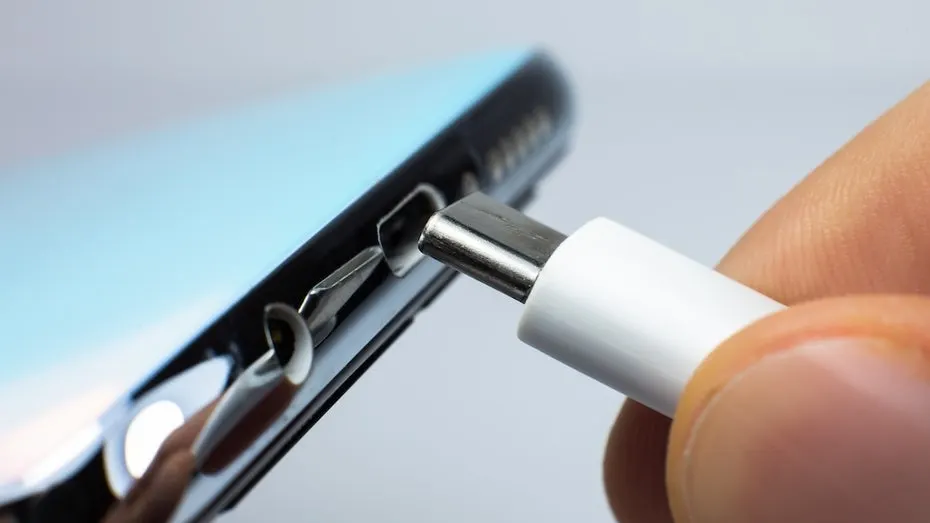
Before you pay for a repair, check the charging port. Dust and lint can stop the plug from sitting fully, and a wooden toothpick is often enough to fix it.
 SUMO· the number puzzle
 Dialo· learn languages by speaking
 ediviewer· read EDI files like documents
 giftdetect· the right gift in minutes
If your phone is not charging, the culprit may be a bit of lint rather than a dead battery or a broken part. Plug in the cable, see nothing happen, and it is easy to panic and picture an expensive repair or a new phone.
In many cases the problem is not technical at all, especially on a fairly new device that has not had time to wear out. Dirt and dust collect in the charging port and stop the plug from going in all the way. No full connection, no power.
How to clean a charging port on an iPhone or Android phone
Do not poke around with needles or other pointed metal objects. You can damage the parts inside the port, and that really would mean a repair.
Switch the phone off first, then shine a torch into the port so you can see what is in there. Take a wooden toothpick and push it in gently. On USB charging ports, work around the connector in the middle, because the grime tends to pack in between the pins and the edge of the port. On other types of port, look inside first to see where the pins are.
Pull the toothpick out every now and then to get rid of what you have collected.
A soft brush is an alternative. A toothbrush with soft bristles will do. Rub it carefully over the port, and the bristles reach inside and loosen the dirt.
What if it still does not charge?
The advice here covers the common case of a dirty port, particularly on devices that are not old enough for wear to be the obvious cause. If cleaning changes nothing, the problem is something else, and that is when a repair starts to make sense.
Apps worth a look
SUMO: the number puzzleTap the right tiles, add them up, hit the target. Easy to learn, hard to master. Free, for all ages.
Dialo: learn languages by speakingTalk to an AI conversation partner; every sentence comes back corrected and explained in your language. 9 languages, A1 to C2.
ediviewer: read EDI files like documentsOpen EDIFACT and X12 messages, see every segment explained, convert to JSON/XML, export PDF and Excel. Runs locally, no upload.
giftdetect: the right gift in minutesPick who it is for, the occasion and their personality. The search engine reads product descriptions from local shops and ranks what fits. Free, no sign-up.
More from this day
See all →
KeePassXC after the 1Password hack: one file, full control

GPT-6.2 in ChatGPT now burns through your limits up to 40% faster
Fritzbox as NAS: turn your router into network storage

Earth's axis shifted 80 cm because we pumped out groundwater
More in: Mobile
See all →
Memflation: phone prices in India up 16.6% as earbuds get cheaper

iOS 27 parental controls: two months to set up one phone

Siri AI daily limit in iOS 27.3: 20 tokens per iPhone, leak says