iPhone satellite icon: what it means and when it appears
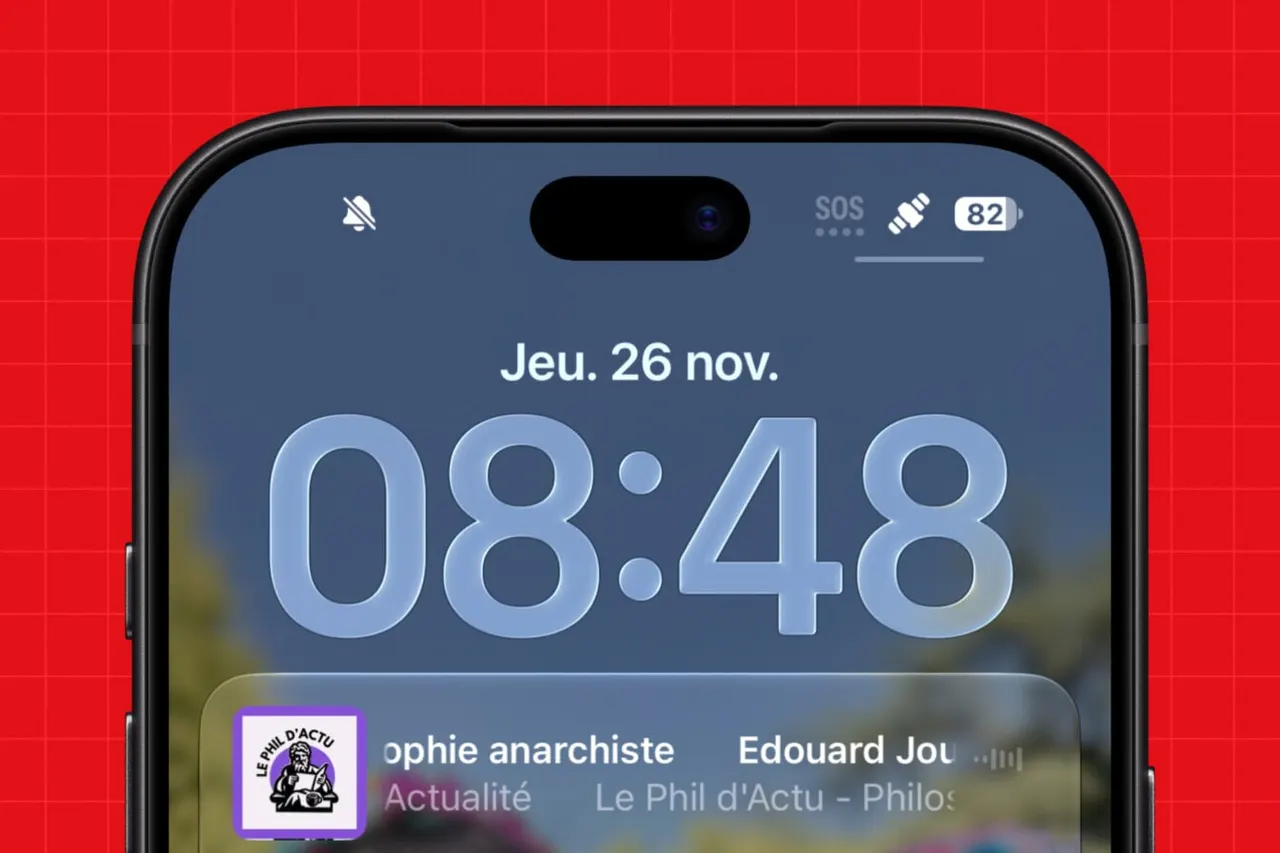
That little satellite in your iPhone's status bar isn't a glitch. It means you're off the grid and can still reach emergency services by text.
 SUMO· the number puzzle
 Dialo· learn languages by speaking
 ediviewer· read EDI files like documents
 giftdetect· the right gift in minutes
If you've spotted a small satellite icon at the top of your iPhone, usually next to an "SOS" label, your phone is telling you something specific: there's no mobile network and no Wi-Fi, but help is still reachable.
The icons have been around since the iPhone 14 launched with its emergency satellite feature. You're most likely to see them in a dead zone, on a boat, on a plane or up a mountain.
What does the satellite icon on iPhone mean?
It means Emergency SOS via satellite is available. It does not mean you can text friends over a satellite link. The feature covers emergency services only.
If a regular emergency call can't go through, the iPhone offers to send a text message to the emergency services over a satellite connection. It asks a few quick questions about your situation, then passes along your answers, your exact location including altitude, your remaining battery, your Medical ID and your emergency contacts.
The phone can also detect a serious car crash. If you don't respond and you're out of mobile range, it can send an emergency notification by satellite on its own. Emergency contacts listed in your Medical ID can be notified and follow the exchange with rescuers by iMessage or SMS. To fill it in, go to Settings > Apps > Health > Medical ID.
What do you need to use it?
You need an iPhone 14 or later running iOS 16.2 or newer, in a country where Apple offers the service, France included. According to Apple, the feature is free for two years from the moment you activate the iPhone.
You also have to be outside with a clear view of the sky and the horizon. Trees and other obstacles can slow the connection down or make it fail, so step away from them.
How to try the satellite demo
You can rehearse before you need it. Go to Settings > Emergency Call and, under Emergency SOS via satellite, tap Try Demo. You can also reach it from Control Center by opening the connections panel and tapping the Satellite button.
The demo connects to a satellite overhead and walks you through a sample text conversation like the one you'd have with emergency services.
Apps worth a look
SUMO: the number puzzleTap the right tiles, add them up, hit the target. Easy to learn, hard to master. Free, for all ages.
Dialo: learn languages by speakingTalk to an AI conversation partner; every sentence comes back corrected and explained in your language. 9 languages, A1 to C2.
ediviewer: read EDI files like documentsOpen EDIFACT and X12 messages, see every segment explained, convert to JSON/XML, export PDF and Excel. Runs locally, no upload.
giftdetect: the right gift in minutesPick who it is for, the occasion and their personality. The search engine reads product descriptions from local shops and ranks what fits. Free, no sign-up.
More from this day
See all →
The Sun's heliotail: 14 years of NASA IBEX data show it changes

Jeep Cherokee failed smog, so he hacked its ECU with Claude

Moon dust aerogel: Purdue turns regolith and cardboard into insulation

LAX earthquake video shows a Delta jet aborting its landing
More in: Mobile
See all →
Quam: Germany's first virtual mobile carrier and its failure

Original iPhone stops working in France when 2G ends on 15 December

How to scan a barcode with your phone on Android or iPhone