Xiaomi Mi Smart Speaker root and SSH: a hobbyist's SpeakerLab
A hobbyist got root and a persistent SSH server on a Xiaomi Mi Smart Speaker with Marusya, using the bootloader's own USB window and a full NAND backup.
 SUMO· the number puzzle
 Dialo· learn languages by speaking
 ediviewer· read EDI files like documents
 giftdetect· the right gift in minutes
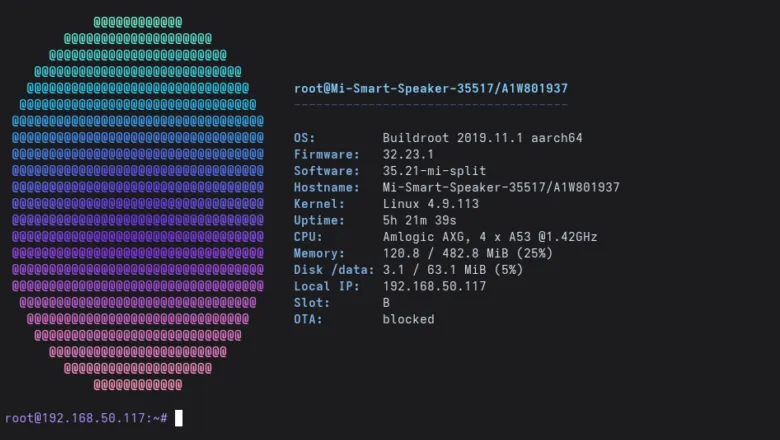
A Xiaomi Mi Smart Speaker with the Russian assistant Marusya, picked up in 2021 as a phone promo freebie, now works as a small Linux box you can log into. Its owner got root and an SSH server that survives a normal reboot, and published the tool he built for it: SpeakerLab 1.0.
The trick lies in the boot process. The board has Secure Boot switched on, but the stock bootloader still lets you work with RAM after it has successfully checked the speaker's own boot image. SpeakerLab uses that gap. It keeps the original kernel and device tree, swaps in a temporary initramfs (a small startup filesystem) carrying an installer and the owner's public SSH key, and lets the stock kernel run it. No signatures are forged and the OTP/eFuse keys are untouched.
Which Xiaomi Mi Smart Speaker does this work on?
Only one. The author tested the AS09A VER0201 board with Marusya: Amlogic A113X SoC, 512 MiB DDR3, a Kioxia/Toshiba NAND chip, firmware 32.23.1, U-Boot 2015.01 and Linux 4.9.113. The tool checks the SHA256 of the bootloader code against a profile and stops if it does not match. The global Google Assistant model shares hardware roots, but its partition layout and system software differ, so it is not supported.
How it works
At a cold power-up the bootloader briefly shows up over USB as device 1b8e:c003. The tool waits for it, so you start the operation first, see "waiting for USB", then cut power fully and switch it on again. A software reboot did not open the window on the author's unit. Connection goes through USB pads soldered on the board, with the 5 V line left unconnected and insulated. The author says to check pad labels and wire colours on your own board.
Before anything else, the tool takes a full physical NAND dump including the spare OOB area and bad blocks: 131,072 pages, 272 MiB per read. It streams in chunks to the PC and verifies page coverage, not just a file hash. The author notes that a matching hash does not prove error-free reads, and a few discrepancies did appear. Such a dump holds network settings, keys and IDs, so he did not publish his.
The installer mounts the system partition read-only and the existing /data as UBIFS, with no formatting and no boot-partition writes. SSH files live in /data/speakerlab, which is still a permanent change to the NAND. The author also describes blocking OTA updates.
Apps worth a look
SUMO: the number puzzleTap the right tiles, add them up, hit the target. Easy to learn, hard to master. Free, for all ages.
Dialo: learn languages by speakingTalk to an AI conversation partner; every sentence comes back corrected and explained in your language. 9 languages, A1 to C2.
ediviewer: read EDI files like documentsOpen EDIFACT and X12 messages, see every segment explained, convert to JSON/XML, export PDF and Excel. Runs locally, no upload.
giftdetect: the right gift in minutesPick who it is for, the occasion and their personality. The search engine reads product descriptions from local shops and ranks what fits. Free, no sign-up.
More from this day
See all →

More in: Hardware
See all →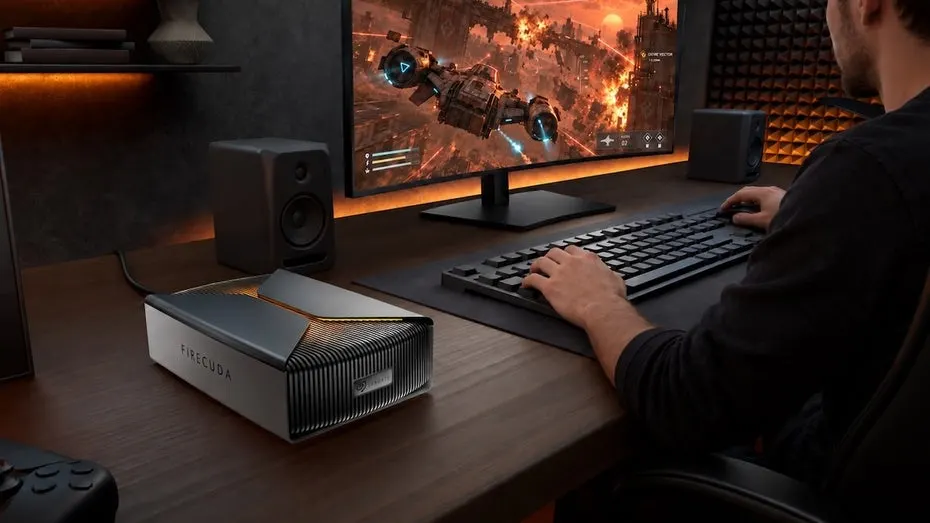
Seagate FireCuda Forge: a 20TB hard drive with an empty SSD slot
AI smart glasses with health tracking: heart rate and eye strain
Huawei Magneto-Electric Disk puts an SSD and tape in one box