iOS 27 CarPlay bug: Google Maps and Waze banners cover the map
After updating to iOS 27, many drivers see turn and ETA banners sitting on top of the map in Google Maps and Waze on CarPlay. Apple has reportedly acknowledged the bug.
 SUMO· the number puzzle
 Dialo· learn languages by speaking
 ediviewer· read EDI files like documents
 giftdetect· the right gift in minutes
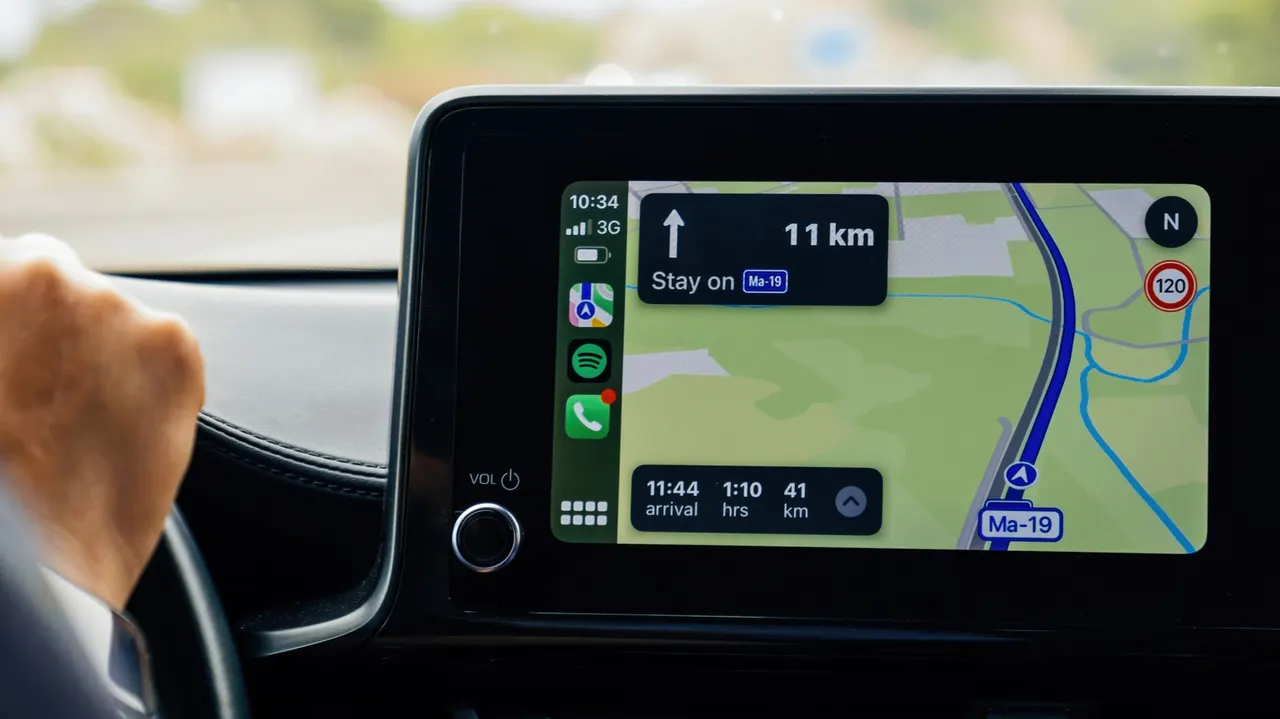
If Google Maps or Waze suddenly looks broken on your car's screen, the culprit may be your iPhone. The iOS 27 CarPlay bug makes navigation banners sit on top of the map, which can make turn-by-turn directions hard to follow.
Drivers have been complaining on Reddit since the update, and many blamed the app developers. It looks like they were wrong. A developer described the same behaviour on Apple's Developer Forums, and an Apple engineer replied that it's a known issue in iOS 27.
Why Google Maps and Waze look broken in CarPlay
Third-party navigation apps can't design their own CarPlay interface. They send information to iOS, which draws the next-turn and ETA cards in the car. The apps are supposed to shift the center of the map to the side when those cards appear. According to a user in the r/CarPlay thread, CarPlay has simply stopped reporting the safe area to third-party apps, so the banners land right on the map.
Apple Maps isn't affected, because Apple's own apps have their own interface in CarPlay. Screen size matters too. On wide displays you can still see enough map around the cards, while compact multimedia units suffer the most.
How to fix the CarPlay navigation bug for now
Updating or reinstalling Google Maps or Waze, or re-pairing your car, probably won't help. Those steps only matter if the apps don't show up in CarPlay at all. In that case, go to Settings > General > CarPlay on your iPhone, pick your car, tap Customize and make sure the apps are enabled.
One setting is worth trying. On the CarPlay screen, open Settings, go to Display and turn off Smart Display Zoom. It doesn't work in every vehicle, but some people say it made the banners smaller. It's not a permanent fix.
The bug is still present in the first iOS 27.3 beta for developers. Since Apple engineers have already acknowledged it, a fix may not be far off. Until then, rely on voice guidance, use your phone's screen, or try Apple Maps.
Apps worth a look
SUMO: the number puzzleTap the right tiles, add them up, hit the target. Easy to learn, hard to master. Free, for all ages.
Dialo: learn languages by speakingTalk to an AI conversation partner; every sentence comes back corrected and explained in your language. 9 languages, A1 to C2.
ediviewer: read EDI files like documentsOpen EDIFACT and X12 messages, see every segment explained, convert to JSON/XML, export PDF and Excel. Runs locally, no upload.
giftdetect: the right gift in minutesPick who it is for, the occasion and their personality. The search engine reads product descriptions from local shops and ranks what fits. Free, no sign-up.
More from this day
See all →
Gemini privacy settings: what to switch off and where to find it

Apple subscription retention messages: why apps now push back

ChatGPT for Android may soon call, text and read your screen