Apple Watch CarPlay haptic alerts tap your wrist at every turn
Your Apple Watch can tap your wrist before every turn while CarPlay gives directions. It's probably already on, and it helps on long drives.
 SUMO· the number puzzle
 Dialo· learn languages by speaking
 ediviewer· read EDI files like documents
 giftdetect· the right gift in minutes
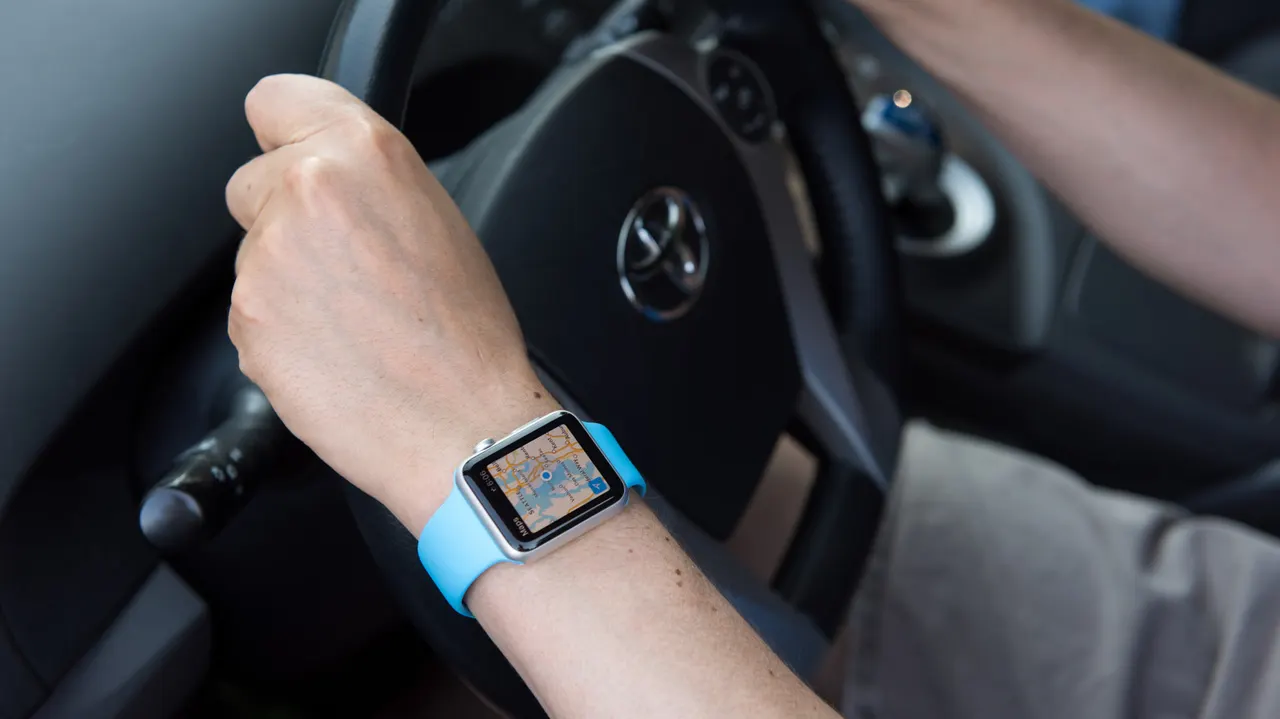
If you use CarPlay with Apple Maps, your Apple Watch may already be tapping your wrist before each turn. For one driver who recently crossed the country to move cities, that was the reason to pick Apple Maps over Google Maps.
The feature is haptic feedback, meaning small vibrations. When a turn is coming up, the watch taps in time with CarPlay's audio and visual alerts. You can also get different vibration patterns for left and right turns, so you can tell which way to go without looking at the screen. It's hard to miss a turnoff this way, and the author suggests it may even help if you tend to nod off on long drives.
How to turn off Apple Watch haptic alerts for CarPlay
These alerts should be on by default once the watch is set up. To check, open the Watch app on your iPhone, go to the My Watch tab, then choose Apps and Maps. There you can switch alerts on or off for Driving with CarPlay, and for other driving, walking or cycling directions.
Even if you turn off the CarPlay ones, cycling alerts are worth keeping. Apple Maps works on a bike, a scooter or an electric unicycle, but glancing at a screen while riding is awkward. Sound and taps may be the only cues you can use.
Can you run CarPlay from an Apple Watch alone?
No. Even the Apple Watch Ultra 4 doesn't have the power for it, CarPlay would drain the battery, and the watch has no USB port, so wireless CarPlay would be the best case anyway.
What you can do is get directions from Apple Maps on the watch itself. You get the same haptics plus audio and visual guidance. Without your iPhone, you'll need offline maps or a watch with a cellular plan, and many carriers charge extra for that.
Google Maps is available on Apple Watch, but its directions don't work without the iPhone. There are no offline maps on watchOS, and cellular Apple Watches mostly stick to Apple's own apps. Neither company seems in a hurry to change that.
Apps worth a look
SUMO: the number puzzleTap the right tiles, add them up, hit the target. Easy to learn, hard to master. Free, for all ages.
Dialo: learn languages by speakingTalk to an AI conversation partner; every sentence comes back corrected and explained in your language. 9 languages, A1 to C2.
ediviewer: read EDI files like documentsOpen EDIFACT and X12 messages, see every segment explained, convert to JSON/XML, export PDF and Excel. Runs locally, no upload.
giftdetect: the right gift in minutesPick who it is for, the occasion and their personality. The search engine reads product descriptions from local shops and ranks what fits. Free, no sign-up.
More from this day
See all →
Amazon Leo passes 400 satellites a week after losing 40

A1 Challenge Race: Student AI Drivers Take Formula Cars to Everland
Fitbit Edge battery replacement: Google's guide is free, the job isn't easy