Windows Baseline Protection lets apps refuse to run on your PC
Microsoft is testing Windows Baseline Protection, a check that lets developers limit or block their apps on PCs that have security features switched off.
 SUMO· the number puzzle
 Dialo· learn languages by speaking
 ediviewer· read EDI files like documents
 giftdetect· the right gift in minutes
Turn off Secure Boot to dual-boot Linux, or disable Memory Integrity to squeeze out a few more frames, and some of your apps may soon stop working. That is the catch in Windows Baseline Protection, a system Microsoft is now testing.
The feature bundles eight existing Windows 11 security mechanisms into one check. It looks for a TPM 2.0 security chip, Secure Boot, virtualization-based security (VBS) and Memory Integrity, which stops malicious code from running in memory. It also checks that only signed, Windows-certified drivers are used, that kernel debugging protection is on, and that vulnerable drivers are blocked. All eight must be active to pass.
Developers can ask Windows for a simple pass or fail, a detailed list of what is missing, or a hardware-backed attestation token. The token is harder to fake because its authenticity can be verified on the developer's own servers. Microsoft itself will not block anything. The app makers decide whether to show a warning, switch off features or refuse to launch entirely.
Which apps are testing Windows Baseline Protection?
Adobe, Blizzard (for Battle.net), 1Password, Raycast and the education service Schoolyear have joined the tests. Schoolyear uses the check to confirm students' computers meet security requirements before exams. Neither Adobe nor Blizzard has said it plans to block its software on PCs that fail.
What does it mean for gamers and enthusiasts?
People who turn off protections for speed or compatibility are the most exposed. Disabling Memory Integrity can help performance in some cases, and Secure Boot is often turned off on multi-OS setups, including Linux. Those tweaks could now make certain apps decline to run.
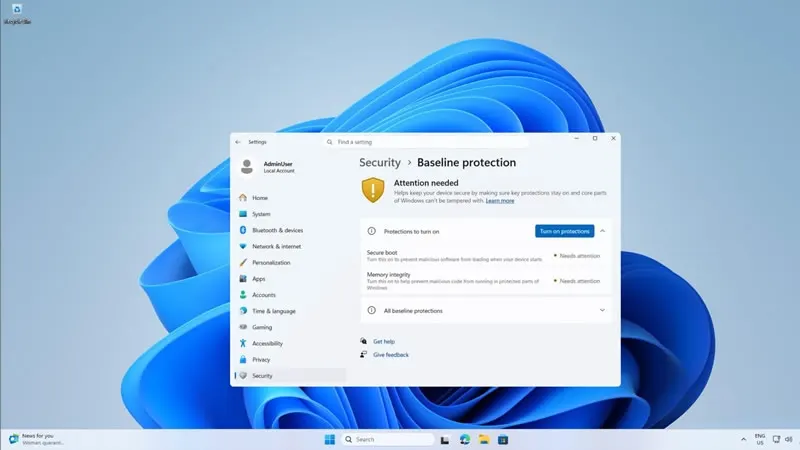
Windows 11 will get a Baseline Protection page in Settings showing which protections are on and which need attention. Available ones can be enabled with one button and a restart. Secure Boot still requires a trip into UEFI settings, where Windows will give step-by-step instructions and a QR code to read them on another device.
The feature is available now to Windows Insider members, with a full rollout planned for 2027.
Apps worth a look
SUMO: the number puzzleTap the right tiles, add them up, hit the target. Easy to learn, hard to master. Free, for all ages.
Dialo: learn languages by speakingTalk to an AI conversation partner; every sentence comes back corrected and explained in your language. 9 languages, A1 to C2.
ediviewer: read EDI files like documentsOpen EDIFACT and X12 messages, see every segment explained, convert to JSON/XML, export PDF and Excel. Runs locally, no upload.
giftdetect: the right gift in minutesPick who it is for, the occasion and their personality. The search engine reads product descriptions from local shops and ranks what fits. Free, no sign-up.
More from this day
See all →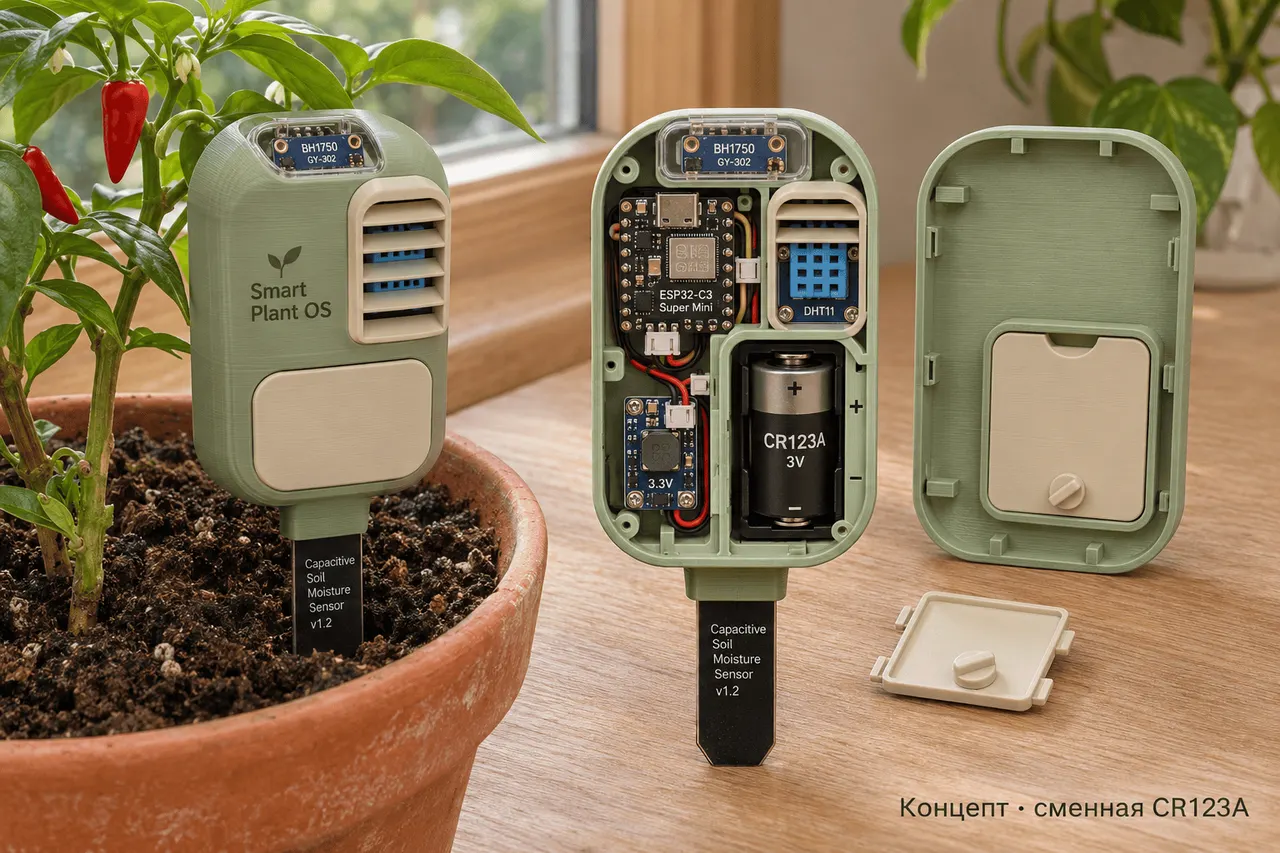
Smart Plant OS: a DIY wireless soil sensor on one CR123A battery

Volvy's Adventure: Reslimed is free if you delete GTA VI

Seismometers can detect aircraft sonic booms, not just quakes

Office Partner and DHL Group data leak via service providers
More in: Software
See all →
Apple iCloud down: App Store, Music and sign-ins fail on Nov 17
macOS 27.3 beta 2 adds finer privacy controls for Mac apps

Mon Espace Santé and DMP now run on one French platform