Windows 11 on 8GB RAM: a 9-year-old Let's note gets a new job
A Japanese tech writer bought a 2017 Let's note for about 30,000 yen. After the October Windows 11 update it ran well enough to write on, once AI fixed its typing bug.
 SUMO· the number puzzle
 Dialo· learn languages by speaking
 ediviewer· read EDI files like documents
 giftdetect· the right gift in minutes
A refurbished 2017 laptop with 8GB of memory is not where most people would try to write articles. Japanese tech writer Nobuyoshi Kodera did exactly that, and says Windows 11 on 8GB RAM finally feels usable after the update released on October 15.
The machine is a Panasonic Let's note CF-XZ6. It cost around 250,000 yen new. Kodera bought it refurbished in August 2026 for about 30,000 yen. It is not officially supported by Windows 11, but it came with the OS already installed, so he kept it. Until now it only read news in a browser over breakfast.
After the update, he says, it stopped feeling sluggish. Pages load and tabs switch more smoothly, and Task Manager shows far more memory available to apps. The timing matters: memory prices have jumped on AI demand, and for consumer PCs the parts are sometimes hard to find at all. Buying a new computer is a harder sell than it was.
The typing problem: Meltype and live conversion
So he tried it as a backup writing machine. The sticking point was Japanese input. He uses Meltype, an input method that switches between Japanese and English automatically, with no special key press. Version 1.4.0 arrived on October 28 and works with the standard Windows IME or Google's Mozc engine. It also supports live conversion, which shows the kana-to-kanji process directly in the text instead of in a popup window.
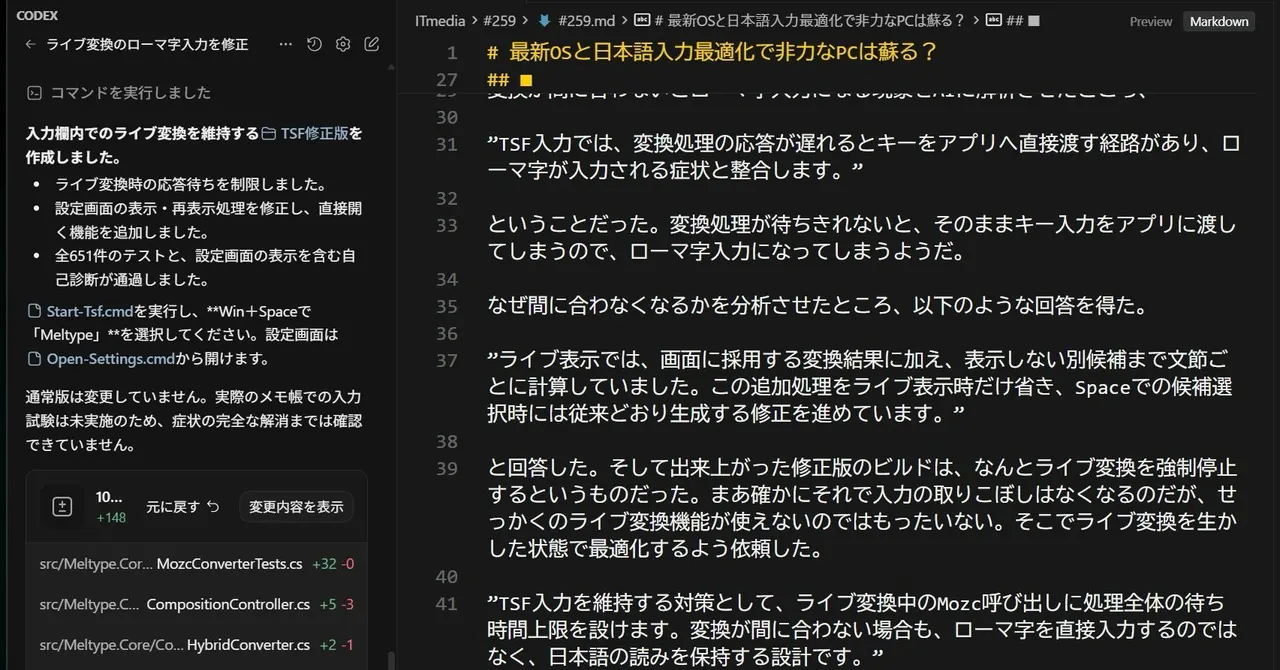
On 8GB, though, live conversion fell behind. Partway through a word, the text turned into raw romaji. Kodera asked Codex, an AI coding tool, to investigate. Its diagnosis: when conversion responds late, Windows' text input framework passes the keystrokes straight to the app.
How the AI fixed it
The first fix simply switched live conversion off. That works, but it defeats the point, so he asked for a version that kept it. The second build puts a time limit on each Mozc call during live conversion and keeps the Japanese reading if the engine is slow.
The result: no more dropped input. Replies lag a little on this old machine, but the input waits instead of spitting out romaji. This article was typed that way, with only a browser and the Cursor editor open. An AI proofreads on one side while Codex works on Meltype on the other.
Apps worth a look
SUMO: the number puzzleTap the right tiles, add them up, hit the target. Easy to learn, hard to master. Free, for all ages.
Dialo: learn languages by speakingTalk to an AI conversation partner; every sentence comes back corrected and explained in your language. 9 languages, A1 to C2.
ediviewer: read EDI files like documentsOpen EDIFACT and X12 messages, see every segment explained, convert to JSON/XML, export PDF and Excel. Runs locally, no upload.
giftdetect: the right gift in minutesPick who it is for, the occasion and their personality. The search engine reads product descriptions from local shops and ranks what fits. Free, no sign-up.
More from this day
See all →



More in: Software
See all →
Xin game revival: rebuilding a dead Russian MUD from Wayback Machine

Word Compatibility Mode is losing options, and old layouts may shift

Google Maps in South Korea: Google removes coordinates from Maps and Earth