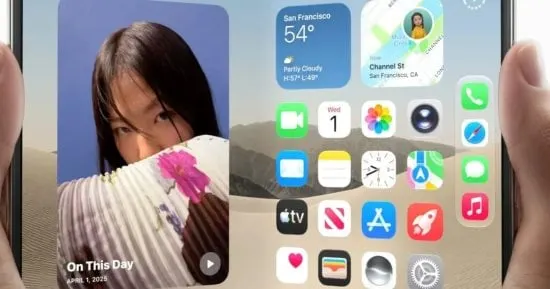
Screens app turns the iPhone Duo into a tiny laptop
The Screens remote desktop app now has a Tiny Laptop Mode for the foldable iPhone Duo: bend it halfway and the bottom screen becomes a keyboard and trackpad.
 SUMO· the number puzzle
 Dialo· learn languages by speaking
 ediviewer· read EDI files like documents
 giftdetect· the right gift in minutes
Fold the iPhone Duo about halfway open and you get something that looks a lot like a very small laptop. A new update to the Screens app is built around exactly that.
Edovia, the developer behind Screens, has added a feature called Tiny Laptop Mode. The phone stands on its own hinge, the remote desktop you are connected to appears on the upper screen, and the lower screen turns into a keyboard and trackpad. No extra keyboard needed.
How does Tiny Laptop Mode work on the iPhone Duo?
The mode relies on iOS 27, which lets apps react to the angle of the phone's hinge and change their layout accordingly. Screens uses that to switch into the laptop-style view when the Duo is partly open.
The trackpad supports the usual control gestures. The keyboard is a custom one that works with several languages and automatically follows the keyboard language set in the system settings. You can also reach extra symbols and characters by swiping down on a key, which is similar to how Apple's keyboard behaves on the iPad.
What is Screens?
Screens is an app for accessing and controlling your computers remotely. On the iPhone Duo, that means using a Mac or PC from your pocket-sized folding device, with the hinge doing the job a laptop's lid normally does.
The update follows Screens 5.10, which added two features users had been asking for, both related to controlling remote computers.
Screens is available on the App Store. The new mode is aimed at iPhone Duo owners who want a small workstation they can carry around easily.
Apps worth a look
SUMO: the number puzzleTap the right tiles, add them up, hit the target. Easy to learn, hard to master. Free, for all ages.
Dialo: learn languages by speakingTalk to an AI conversation partner; every sentence comes back corrected and explained in your language. 9 languages, A1 to C2.
ediviewer: read EDI files like documentsOpen EDIFACT and X12 messages, see every segment explained, convert to JSON/XML, export PDF and Excel. Runs locally, no upload.
giftdetect: the right gift in minutesPick who it is for, the occasion and their personality. The search engine reads product descriptions from local shops and ranks what fits. Free, no sign-up.
More from this day
See all →
iPhone ads in notifications and Live Activities are piling up

Nuclear bomb in space: one blast could wipe out most satellites

Drug submarine with Starlink and autopilot found off Colombia