Q-Dir and DesktopOK installers tampered with to spread a RAT
Free Windows tools Q-Dir and DesktopOK were swapped for a remote-access trojan, even for people who only updated. The fake installer also launches the real app.
 SUMO· the number puzzle
 Dialo· learn languages by speaking
 ediviewer· read EDI files like documents
 giftdetect· the right gift in minutes
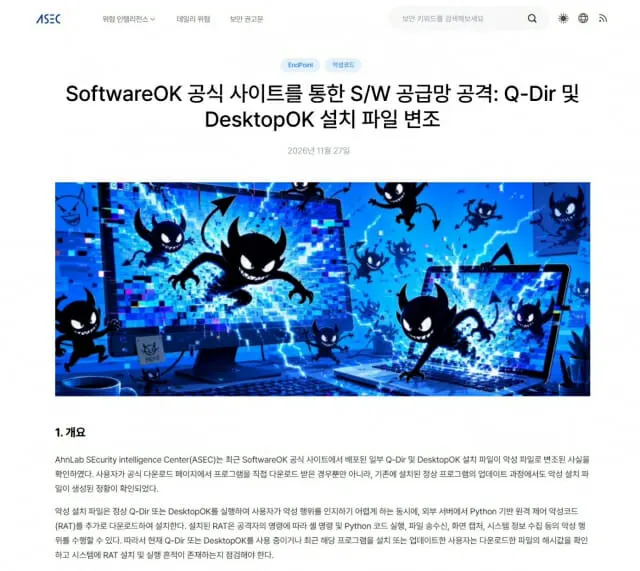
If you downloaded or updated Q-Dir or DesktopOK recently, the installer may not have been what it seemed. Security firm AhnLab says the files on the official SoftwareOK distribution path were replaced with versions that quietly install a remote-access trojan (RAT), a program that lets an attacker control a PC from afar.
AhnLab's ASEC security team confirmed the tampering on 27 November. Malicious installers turned up both when users downloaded from the official SoftwareOK page and when they updated an existing install. The affected versions are Q-Dir 12.85.0.0, 12.84.0.0 and 12.83.0.0, plus DesktopOK 12.85.0.0 and 12.82.0.0. Other versions may be hit too if they were installed or updated during the distribution window. The hash (a file fingerprint) of the delivered file did not match the one published on the official page.
The cause, the route the attackers took and the length of the campaign are all unknown. AhnLab has not given a figure for victims in South Korea.
How does the fake Q-Dir installer work?
The installer first launches the genuine program bundled inside it. That file has a valid hash and a valid developer signature, so nothing looks wrong. In the background, it downloads 7-Zip, a Python runtime and an archive holding the RAT from an external server, then unpacks them.
The RAT sets up a scheduled task disguised as Microsoft Edge to stay on the machine. It can run shell commands and Python code, send and receive files, take screenshots and collect system information. It also checks running processes against a built-in list of 1,206 names to find security software, including AhnLab V3, ESTsecurity Alyac and Hauri ViRobot, and reports the result to its command server. AhnLab says attackers could use that to decide on follow-up attacks or to avoid detection.
Nobody has been named. Chinese text in the Python comments and the product list points to a possible Chinese-language development environment, but AhnLab does not draw a firm conclusion.
What should Q-Dir and DesktopOK users do?
Before reinstalling, compare the hash on the official page with the hash of your downloaded file. Simply uninstalling and reinstalling may not remove a RAT that is already in place. Check for suspicious Python runtimes, scheduled tasks and outbound connections, update your antivirus and run a full scan. If you see signs of infection, isolate the PC from the network and look for further malware or data theft.
It is not the first such case this year. In April, a signed, tampered installer for DAEMON Tools went out from its official site, and in May the JDownloader site's installer links were swapped for malicious files.
Apps worth a look
SUMO: the number puzzleTap the right tiles, add them up, hit the target. Easy to learn, hard to master. Free, for all ages.
Dialo: learn languages by speakingTalk to an AI conversation partner; every sentence comes back corrected and explained in your language. 9 languages, A1 to C2.
ediviewer: read EDI files like documentsOpen EDIFACT and X12 messages, see every segment explained, convert to JSON/XML, export PDF and Excel. Runs locally, no upload.
giftdetect: the right gift in minutesPick who it is for, the occasion and their personality. The search engine reads product descriptions from local shops and ranks what fits. Free, no sign-up.
More from this day
See all →

More in: Security
See all →
Roblox cheat programs can hide malware that steals bank logins
AI swatting: fake voices are now making bomb threats to 911
Russian spy charged for tailing Palantir staff at Palo Alto cafes