NVIDIA driver 621.14 may be wearing out your SSD at idle
Users say NVIDIA's GeForce driver 621.14 keeps rewriting a log file, putting about 3 GB an hour on SSDs even when the PC is idle. Here is what to do.
 SUMO· the number puzzle
 Dialo· learn languages by speaking
 ediviewer· read EDI files like documents
 giftdetect· the right gift in minutes
If you have a GeForce card and noticed your SSD working while the PC does nothing, a NVIDIA driver bug may be why. Reports on NVIDIA and Dell forums say some GeForce driver versions write to the disk constantly, even at idle. In certain conditions, more than 500 MB in just five minutes.
The culprit appears to be a file called nvlog.nvlgstg, used by logging and telemetry components. According to the reports, the process NVDisplay.Container.exe keeps rewriting it. One forum user said driver GRD 621.14 wrote 512 MB in five minutes, while the earlier 621.01 did not. Resource Monitor showed 4.6 to 5.2 MB/s going to that file with no game running. The user added that the file grows faster after being deleted, and that the SSD's SMART counter matched Windows' write figures. That works out to roughly 3 GB per hour at idle.
Other users say the constant writing causes stutter in games and video, and in some cases an erratic Windows cursor. The problem is not entirely new: two years ago a user reported similar behaviour with driver 566.36 on a Dell XPS 9570, though far milder. The file reached 15 MB after eight hours.
Is there a fix for the NVIDIA SSD writing bug?
Not an official one for 621.14. Some users stopped the NVIDIA Display Container LS service, deleted nvlog.nvlgstg and restarted the service, which reduced the writes. The most effective option is going back to an older driver such as 621.01.
How to roll back the driver
The recommended route is a clean install with DDU (Display Driver Uninstaller). Download GeForce 621.01 from NVIDIA's site and the latest DDU from Guru3D. Unzip DDU, reboot into Safe Mode and run it to remove the faulty driver. Then restart normally and install 621.01.
Apps worth a look
SUMO: the number puzzleTap the right tiles, add them up, hit the target. Easy to learn, hard to master. Free, for all ages.
Dialo: learn languages by speakingTalk to an AI conversation partner; every sentence comes back corrected and explained in your language. 9 languages, A1 to C2.
ediviewer: read EDI files like documentsOpen EDIFACT and X12 messages, see every segment explained, convert to JSON/XML, export PDF and Excel. Runs locally, no upload.
giftdetect: the right gift in minutesPick who it is for, the occasion and their personality. The search engine reads product descriptions from local shops and ranks what fits. Free, no sign-up.
More from this day
See all →
Roblox scams: six tricks used to steal kids' accounts and items
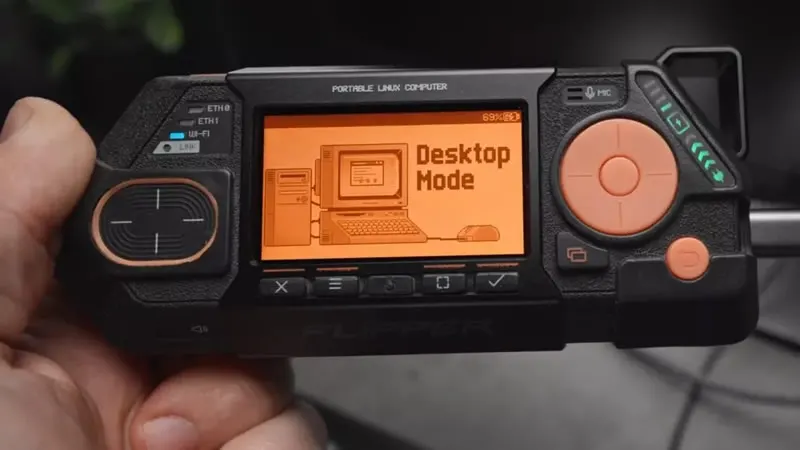
Flipper One raised $11.7 million on Kickstarter in a day

Samsung One UI 9.5 may show your phone's IMEI on the lock screen