Fritzbox as network storage: set up a NAS on your router
A USB stick in your Fritzbox can become a shared drive for PCs, phones and Macs. There are two setups, and they rule each other out.
 SUMO· the number puzzle
 Dialo· learn languages by speaking
 ediviewer· read EDI files like documents
 giftdetect· the right gift in minutes
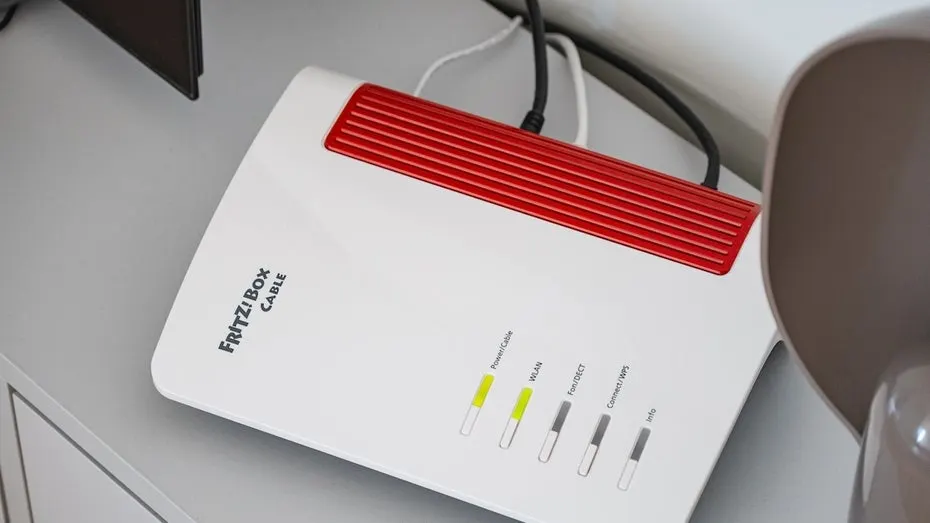
Your Fritzbox probably spends its days quietly handing out internet and nothing else. But plug a USB stick or hard drive into it and the router can double as network storage. There are two ways to do it, and they exclude each other: if the USB remote connection is on, the network storage won't work.
How to use the Fritzbox USB remote connection
This is the easier route, but it only links the router to Windows PCs (Windows 7 or later). Check your manual for compatible drives, as models differ. With the drive attached:
- Open the Fritzbox interface at "fritz.box" or the default IP "192.168.178.1".
- Click "Heimnetz" in the left sidebar, then "USB / Speicher".
- Open the "USB-Einstellungen" tab.
- At the bottom, tick "USB-Fernanschluss aktiv".
- On each Windows PC, download "AVM Fritzbox USB-Fernanschluss" from the same page and install it.
- Click the USB icon in the Windows system tray and enter your Fritzbox password. Add a username only if you log in with one.
- Choose "Aktualisieren", then right-click the connected drive.
Windows then shows the drive as if it were plugged into the PC itself.
How to turn the Fritzbox into a NAS
First switch the USB remote connection off. In return, phones, tablets and Macs can reach the drive too. You need a user with a password.
- Open the interface and go to "System", then "Fritzbox-Benutzer".
- Edit a user and tick "Zugang zu NAS-Inhalten" under "Berechtigungen", or create one with "Benutzer hinzufügen".
- Choose full access or read-only. Under "Individuelle Einstellungen" and "Zugriffsberechtigung einstellen" you can share single folders only.
- Go to "Heimnetz", then "USB / Speicher".
- In the "Heimnetzfreigabe" tab, select "Zugriff auf Netzlaufwerk (SMB)".
- Name the storage, check that your user appears in the list, and click "Übernehmen".
How to access the Fritzbox storage
In a browser, use "fritz.nas". On phones and tablets, use the Myfritz app. On Windows it takes a few more clicks:
- Open File Explorer and type "\\fritz.box" in the address bar.
- Enter the login of the user with storage access and tick "Anmeldedaten speichern".
- Right-click the folder you want and choose "Netzlaufwerk verbinden".
On a Mac, access goes through Finder, which is a little fiddlier still.
Apps worth a look
SUMO: the number puzzleTap the right tiles, add them up, hit the target. Easy to learn, hard to master. Free, for all ages.
Dialo: learn languages by speakingTalk to an AI conversation partner; every sentence comes back corrected and explained in your language. 9 languages, A1 to C2.
ediviewer: read EDI files like documentsOpen EDIFACT and X12 messages, see every segment explained, convert to JSON/XML, export PDF and Excel. Runs locally, no upload.
giftdetect: the right gift in minutesPick who it is for, the occasion and their personality. The search engine reads product descriptions from local shops and ranks what fits. Free, no sign-up.
More from this day
See all →
Russia may ban micro earpieces on marketplaces over exam cheating

Yandex Compass: a plug-in box that keeps taxis on the map without GPS

Kitesurf is now open source on GitHub under the Apache license