iOS 27 Notification Center: the swipe moves to the top-left
With Siri AI switched on in iOS 27, swiping down from the top centre no longer opens Notification Center. After 15 years, your thumb has to learn a new corner.
 SUMO· the number puzzle
 Dialo· learn languages by speaking
 ediviewer· read EDI files like documents
 giftdetect· the right gift in minutes
If you turn on Siri AI in iOS 27, the swipe your thumb has made for years no longer does what you expect. Swiping down from the middle of the top edge now summons Siri, not your notifications.
Notification Center has been part of the iPhone and iPad since iOS 5 in 2011. It is the place where alerts from all your apps pile up in chronological order. On iOS 27 and iPadOS 27 nothing changes by default. The change kicks in once Siri AI is enabled, which is one of several ways to call up the new assistant.
How to open Notification Center in iOS 27
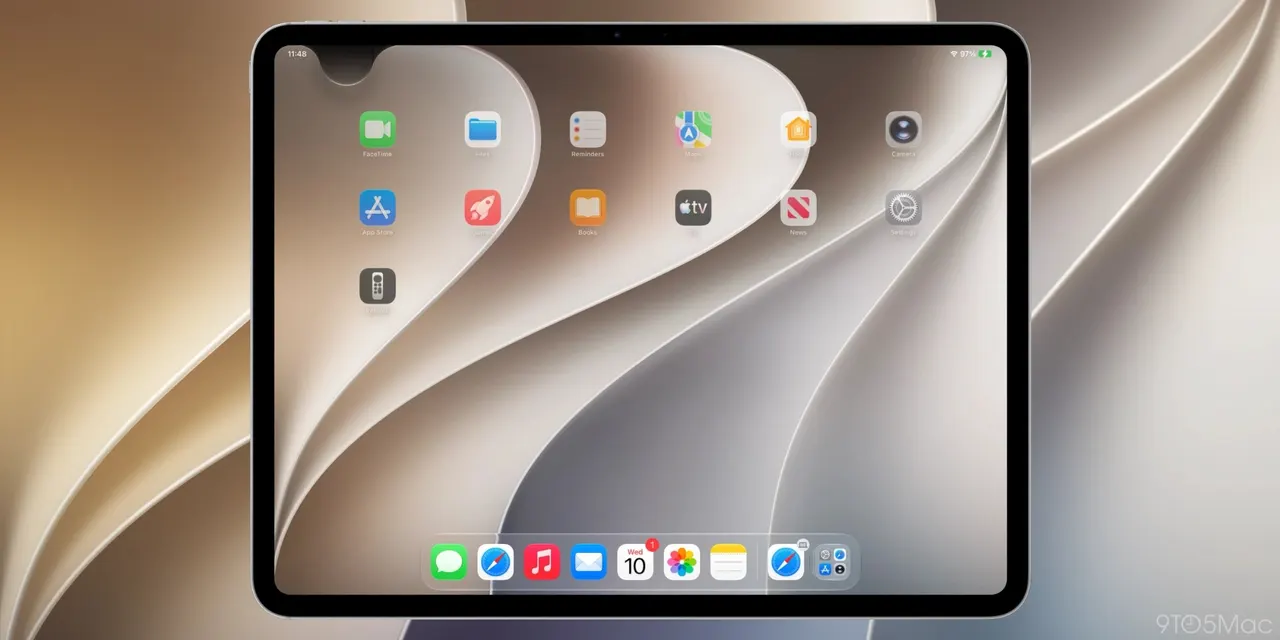
Swipe down from the top-left corner. Alerts now animate in from that corner too, which is Apple's way of pointing people toward the smaller target. Control Center stays on the right.
The last time Apple moved one of these gestures was on the iPhone X, when Control Center went from a swipe up from the bottom to a swipe down from the top-right corner. Apple later made that consistent across devices. Now Notification Center gets the corner treatment.
What changed on iPad during the beta
On iPadOS 27 beta 1, the strip above the Home screen icons was almost entirely given over to Siri AI. The Notification Center zone even shrank if you hid the AM/PM indicator or the date. Beta 2 evened things out. Each side now has a region roughly the size of two app columns, with Notification Center on the left, Control Center on the right and Siri in between.
The author of the original hands-on says that after months of use he would turn the behaviour off if he could. There is no setting for that, so the only fix is retraining your thumb to avoid the centre. One reader commented that they had always swiped from the left corner and never knew the centre worked at all.
Early feedback on the new Siri AI is described as overwhelmingly positive. So the trade may be worth it, even if your muscle memory disagrees for a while.
Apps worth a look
SUMO: the number puzzleTap the right tiles, add them up, hit the target. Easy to learn, hard to master. Free, for all ages.
Dialo: learn languages by speakingTalk to an AI conversation partner; every sentence comes back corrected and explained in your language. 9 languages, A1 to C2.
ediviewer: read EDI files like documentsOpen EDIFACT and X12 messages, see every segment explained, convert to JSON/XML, export PDF and Excel. Runs locally, no upload.
giftdetect: the right gift in minutesPick who it is for, the occasion and their personality. The search engine reads product descriptions from local shops and ranks what fits. Free, no sign-up.
More from this day
See all →
Wireless Android Auto battery drain: how to fix it and cut heat
iOS 27 alarm volume setting splits it from your ringtone

SNET puts a Super Nintendo on Wi-Fi through its controller port