Wireless Android Auto battery drain: how to fix it and cut heat
An hour of wireless Android Auto can cost up to 16 percent of your battery and cook your phone. A vent mount and a few settings changes help.
 SUMO· the number puzzle
 Dialo· learn languages by speaking
 ediviewer· read EDI files like documents
 giftdetect· the right gift in minutes
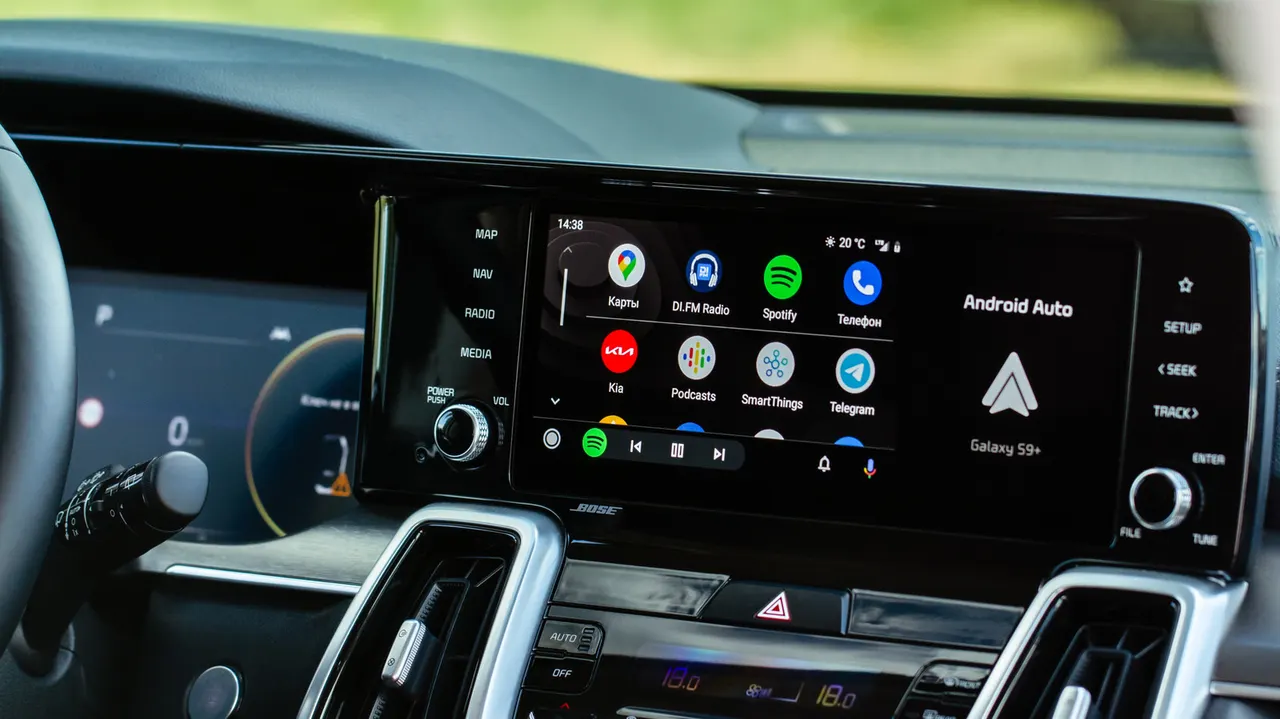
An hour of wireless Android Auto can take up to 16 percent off your phone's battery when everything is running. Navigation and music warm the phone up, and since most people charge while driving, the heat piles on. A phone that gets too hot may slow its own charging to protect the battery.
The cause is simple enough. Wireless Android Auto keeps both Bluetooth and Wi-Fi on for the whole drive. Long navigation sessions while charging are among the reasons a Pixel can overheat, and a hot phone may cut processor performance or partly switch off mobile data, 5G included. Google has said heat was a main reason it capped the Pixel 10 and Pixel 10 Pro at 15W wireless charging.
How to stop wireless Android Auto draining your battery
- Keep the phone out of direct sunlight. A vent mount with cold air blowing beats a dashboard cradle in full sun.
- Try a USB cable. It generally keeps the phone cooler and charges it better than a wireless charging mount. Google removed the wireless switch from Android Auto's regular settings in version 8.7, but it is still in the hidden developer settings, so you can turn wireless off there.
- Switch from 5G to LTE, which seems to make the biggest difference. On a Samsung Galaxy, go to Settings > Connections > Mobile networks > Network mode and select LTE preferred. On other phones, look for Network mode or Preferred network type.
- Turn off 3D buildings in Google Maps. With the car parked, open Maps on the car's screen, go into Settings and switch them off.
- Download an offline map before you leave. Tap your profile picture, then Offline maps > Select your own map, adjust the area to cover your route and tap Download.
- Turn off Wi-Fi and Bluetooth scanning under Settings > Location > Location services.
- Toggle off Start Android Auto while locked if you don't want it launching on its own. Calls still connect over Bluetooth.
Are there any catches?
Yes, a few. Car USB ports vary, and some may be too slow to stop the battery draining, depending on the automaker. Offline maps can't reroute around live traffic or new road problems, so save them for long, predictable drives such as highway trips or roads you know. Scanning only helps apps with location accuracy, and wireless Android Auto still needs Wi-Fi and Bluetooth switched on.
Apps worth a look
SUMO: the number puzzleTap the right tiles, add them up, hit the target. Easy to learn, hard to master. Free, for all ages.
Dialo: learn languages by speakingTalk to an AI conversation partner; every sentence comes back corrected and explained in your language. 9 languages, A1 to C2.
ediviewer: read EDI files like documentsOpen EDIFACT and X12 messages, see every segment explained, convert to JSON/XML, export PDF and Excel. Runs locally, no upload.
giftdetect: the right gift in minutesPick who it is for, the occasion and their personality. The search engine reads product descriptions from local shops and ranks what fits. Free, no sign-up.
More from this day
See all →
GTA 6 cloud streaming now works on PS5 and PlayStation Portal
Tesla battery replacement cost: $12,600 to $20,000 and up
iOS 27 Notification Center: the swipe moves to the top-left