Gemini Adds Built-In Editor for PDFs and Documents, Free for All
Google's Gemini can now open and edit generated PDFs, documents, slides, sheets and code inside the chat, and free account holders get the feature too.
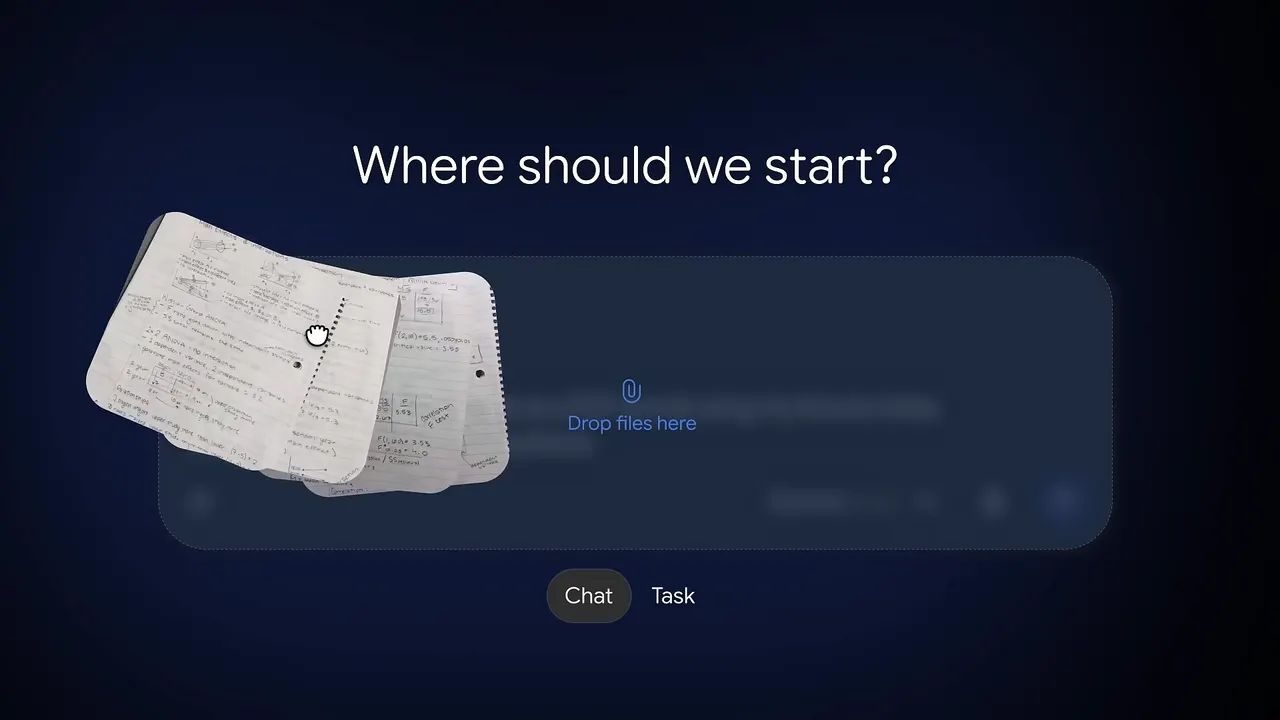
Google has added a built-in file editor to its Gemini assistant, and it is available to users of free accounts as well. Documents generated in the chat no longer have to be downloaded and opened in a separate program just to fix a single sentence.
How the editor works
Text documents, PDFs, presentations, spreadsheets and code can now be opened and edited directly in the Gemini conversation. Everything happens online, so nothing needs to be saved locally first.
The flow is simple. If you ask the chatbot to prepare a file, for example by photographing handwritten lecture notes and asking Gemini to turn them into a structured PDF script, an interactive preview appears under the response. You can click a passage and type in missing words yourself, or select a paragraph and ask the AI to rewrite it.
A full-screen button enlarges the workspace. The finished material can be exported with one click or saved to Google Drive.
Limits on mobile
For now, the Android and iOS apps only support editing PDF files. The full set of capabilities is available only in the browser version on a computer.
Not just a Gemini-only format
Some commentators argue the tool cannot replace Adobe Acrobat because it works only on files generated inside Gemini. That is not entirely accurate: you can upload a file from your computer and ask Gemini to produce a new PDF, or any other format, from it. The editor then appears for that new file.
The move adds pressure on Adobe, a company that many in the creative industry resent for replacing perpetual licenses with expensive subscriptions. For people who only need quick corrections to a document, a free editor inside a chatbot they already use may be enough, though it is not a full replacement for a dedicated PDF suite.
More from this day
See all →
80 Top-Funded Startups and Tech Firms in Southeast Asia Ranked
Family Sues OpenAI After Woman's Death Linked to ChatGPT Advice

Sam Altman Says Idle PC RAM Is Wasted Amid Memory Shortage

Reflect Orbital Draws Backlash After Night-Sky Light Test
More in: Mobile
See all →
How to block spam and sales calls on your Samsung Galaxy

Google Maps Brings Gemini AI to Apple CarPlay Drivers

Huawei Pura 90 Plus Launches With Kirin 9025 and 100W Charging