Ente Auth vs Google Authenticator: why one user switched
After more than five years with Google Authenticator, one writer moved to Ente Auth, a free app with real end-to-end encryption, a desktop version and a next-code preview.
 SUMO· the number puzzle
 Dialo· learn languages by speaking
 ediviewer· read EDI files like documents
 giftdetect· the right gift in minutes
Google Authenticator has been one writer's 2FA app for more than five years. Now he has dropped it for Ente Auth, and his main regret is not doing it sooner.
The switch followed a comparison of three alternatives: Proton Authenticator, 2FAS and Ente Auth. All three offer true end-to-end encryption and a long list of practical features. Ente Auth won. Google Authenticator, by comparison, feels like a decade-old app.
Is Google Authenticator end-to-end encrypted?
Not as of writing. Google encrypts your codes in transit and on its servers, but it keeps the decryption keys. That means it can technically access your 2FA secrets, for example on a legal request. The 2FA secret is the key shared between a service and your device to generate one-time codes.
The sync option adds risk. If someone breaks into your Google account, they get your codes as well, and that gets worse if they also have your other passwords or you use Google Password Manager.
Ente Auth uses a zero-knowledge design. Codes are encrypted on your device and only you hold the keys, so neither Ente nor an attacker with access to its servers can read them. Even if the email tied to your account is compromised, the attacker would still need your Ente Auth password. The app is open source and goes through periodic independent audits.
What Ente Auth does that Google Authenticator doesn't
Google Authenticator only exists on Android and iPhone. No desktop app, no web version. Ente Auth lets you click a code to copy it, so you can paste it on a Mac without touching your phone. It also has a compact menu bar app.
The smaller features add up:
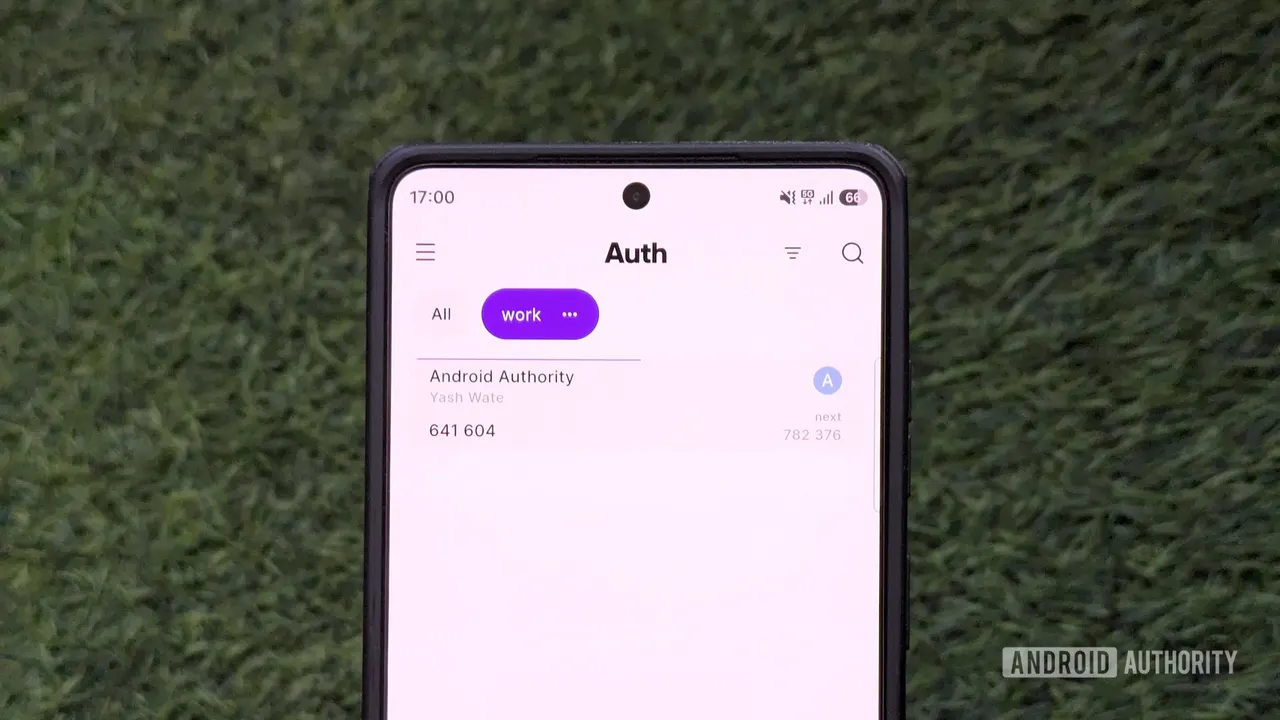
- Tags, such as one for work accounts, plus pinning for favourites
- Duplicate detection, handy when importing from Google Authenticator
- Minimize app on copy, which returns you to the previous screen
- A preview of the next code before the current one expires
- Bulk actions and notes, useful for storing single-use backup codes
- Time-limited links for sharing codes without handing over your secret keys
Google Authenticator's big selling point was always that it is free. Ente Auth is free too.
Apps worth a look
SUMO: the number puzzleTap the right tiles, add them up, hit the target. Easy to learn, hard to master. Free, for all ages.
Dialo: learn languages by speakingTalk to an AI conversation partner; every sentence comes back corrected and explained in your language. 9 languages, A1 to C2.
ediviewer: read EDI files like documentsOpen EDIFACT and X12 messages, see every segment explained, convert to JSON/XML, export PDF and Excel. Runs locally, no upload.
giftdetect: the right gift in minutesPick who it is for, the occasion and their personality. The search engine reads product descriptions from local shops and ranks what fits. Free, no sign-up.
More from this day
See all →
Did Gemini threaten a user over KFC? We tried to recreate it
handyticket.de outage: many ticket apps not showing bookings
Rival app is a women's sports hub with picks but no betting