Anthropic Adds Personal Finance to Claude With Read-Only Access
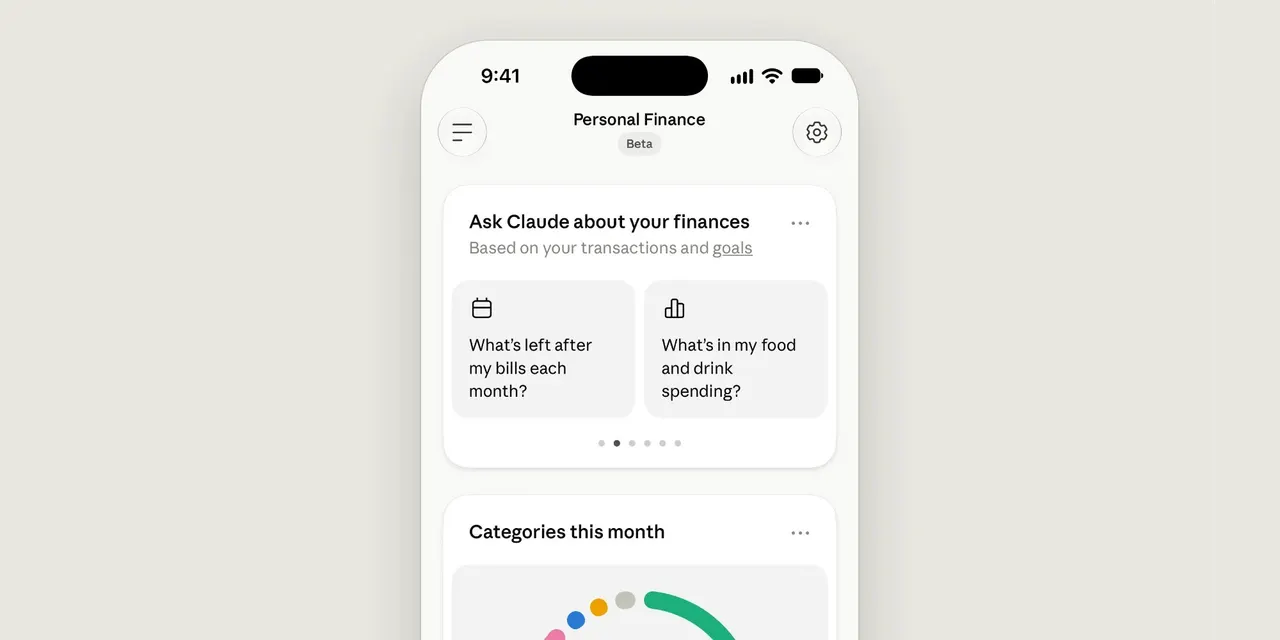
Anthropic has launched Personal Finance in Claude, letting users connect bank and card accounts and ask questions about their money. Access is strictly read-only.
 SUMO· the number puzzle
 Dialo· learn languages by speaking
 ediviewer· read EDI files like documents
 giftdetect· the right gift in minutes
Anthropic has launched Personal Finance in Claude, a feature that lets users securely connect their bank and card accounts and ask questions about their money in plain language. The company stresses that access is read-only: the tool cannot move, manage or invest funds.
"Getting answers about your money no longer means opening every banking app and doing the math yourself," Anthropic says. Instead of switching between apps, users can chat with Claude to make sense of their financial data. The feature can also present information in dashboards, calendars and other formats.
The approach is similar to the finances feature already available in ChatGPT, turning a chatbot into a way to understand spending and balances rather than a tool that acts on them.
How security and accuracy are handled
Accounts are connected only after users sign in to their bank themselves through Plaid, a service that links apps to banks. That is where they agree to Plaid's terms and approve Claude's read-only access. According to Anthropic, this means Claude never asks for or sees the bank password.
Anthropic is also candid about limits. Personal Finance is meant to help people understand their money and is not designed to give investment advice. Claude can make mistakes, so the company recommends asking which transactions sit behind a given number and checking important figures with the bank.
Why it matters
Financial data is among the most sensitive context an AI assistant can use, and it is also where useful answers depend most on having the right information. By limiting Claude to read-only access and routing authentication through Plaid, Anthropic is trying to balance convenience with trust. Users who adopt the feature should still treat its answers as a starting point and verify anything that affects real decisions.
Apps worth a look
SUMO: the number puzzleTap the right tiles, add them up, hit the target. Easy to learn, hard to master. Free, for all ages.
Dialo: learn languages by speakingTalk to an AI conversation partner; every sentence comes back corrected and explained in your language. 9 languages, A1 to C2.
ediviewer: read EDI files like documentsOpen EDIFACT and X12 messages, see every segment explained, convert to JSON/XML, export PDF and Excel. Runs locally, no upload.
giftdetect: the right gift in minutesPick who it is for, the occasion and their personality. The search engine reads product descriptions from local shops and ranks what fits. Free, no sign-up.
More from this day
See all →
Xbox PC App Redesign Promises Launches Up to 60% Faster

Google, Meta and TikTok sue California over AB 1709 kids law

Humble Robotics Raises $51M Series A for Cabless Electric Trucks