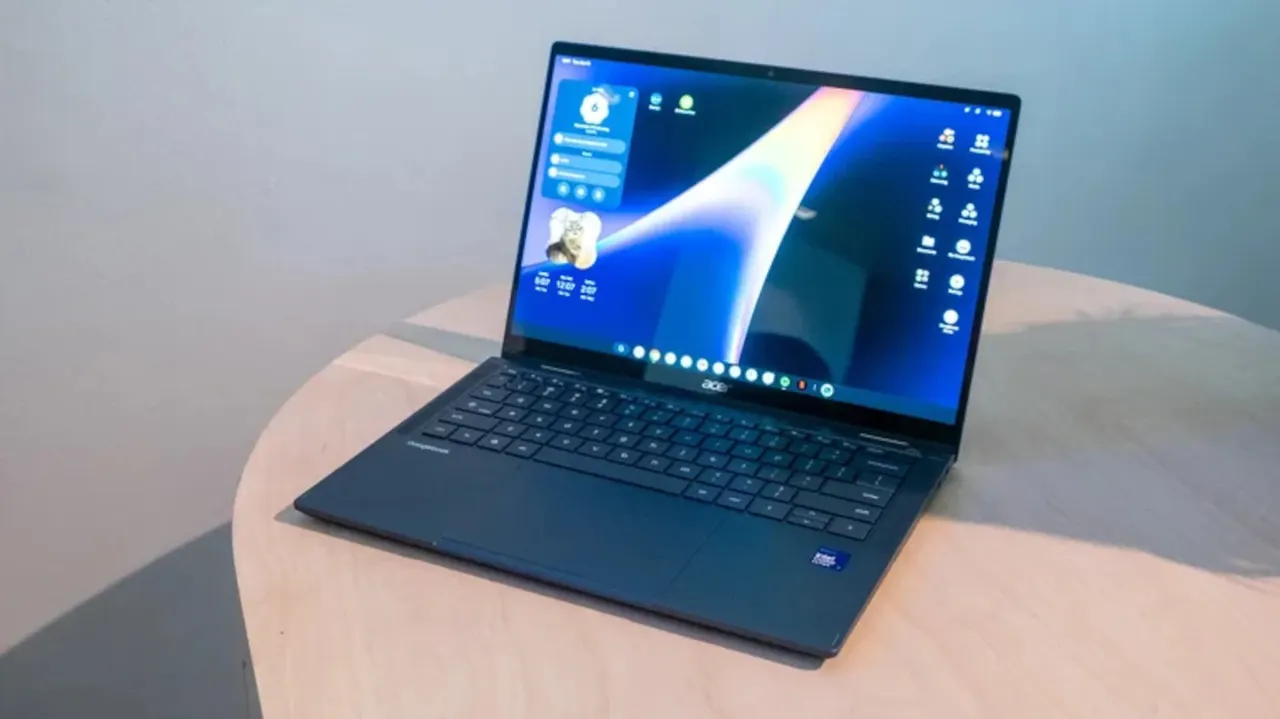
Acer Googlebook 14 boot loop fixed: just start setup again
Some new Acer Googlebook 14 owners never got past setup because the laptop kept restarting. Google's fix now installs itself during initialization.
 SUMO· the number puzzle
 Dialo· learn languages by speaking
 ediviewer· read EDI files like documents
 giftdetect· the right gift in minutes
If your new Acer Googlebook 14 kept restarting during setup, Google says the Acer Googlebook 14 boot loop is fixed, and you don't have to do anything about it. Start the setup process and the update (build CL3B.260622.286.R2) is applied during initialization.
The Googlebook 14 is the cheapest of the first Googlebook models and the only 2-in-1 in the launch lineup, so plenty of people bought it. A few of them never got to use it. Some returned the laptop and paid more for another brand's model, such as the Lenovo Googlebook 15.
Why is my Acer Googlebook stuck on the loading screen?
Users on Reddit and the Google support forums described a boot loop right after first power-on. During setup, the laptop installs a system update and restarts to finish it. Normally you then move on to the next step.
In a boot loop, something interrupts that update, so the system tries to apply it again, gets interrupted again, and so on. Google's update notes call it a boot-slot priority error. In plain terms, the system can't find a valid OS to boot into after a partly applied update. That also suggests other Googlebook models could have been hit by the same problem in future updates.
What else did Google fix?
A Google representative listed the November update's fixes in a post on the r/Googlebooks subreddit. One is another Acer-specific bug: keyboard and touchpad input vanished after switching the Googlebook 14 to tablet mode and back to laptop mode. Other 2-in-1 Googlebooks could in theory have the same problem.
The update also deals with excessive memory use during AI tasks, an HDR video playback error and Bluetooth mice that didn't reconnect automatically after a restart.
Many of those fixes started as posts on that subreddit. The Google rep wrote that the Googlebook engineering team watches it to find problems they might not know about. If you own a Googlebook and hit a bug, posting there may be a quick way to get Google's attention.
Apps worth a look
SUMO: the number puzzleTap the right tiles, add them up, hit the target. Easy to learn, hard to master. Free, for all ages.
Dialo: learn languages by speakingTalk to an AI conversation partner; every sentence comes back corrected and explained in your language. 9 languages, A1 to C2.
ediviewer: read EDI files like documentsOpen EDIFACT and X12 messages, see every segment explained, convert to JSON/XML, export PDF and Excel. Runs locally, no upload.
giftdetect: the right gift in minutesPick who it is for, the occasion and their personality. The search engine reads product descriptions from local shops and ranks what fits. Free, no sign-up.
More from this day
See all →
Justin Sun calls for WLFI token to be delisted from exchanges

YouTube Home feed redesign adds a Like button under every video

Kuiper Belt dust in Earth's stratosphere reveals heavy water

NASA's Swift Observatory burns up after 22 years of science
More in: Hardware
See all →
Russia's electronics tech fee: 746 rubles per laptop from December

PGM V8: the 334 hp two-litre V8 motorcycle built from R1 parts
VZMore AX9 Max AI review: a Windows Mac mini clone, tested