Xbox Cloud Gaming Lets Phones Replace Controllers on Smart TVs
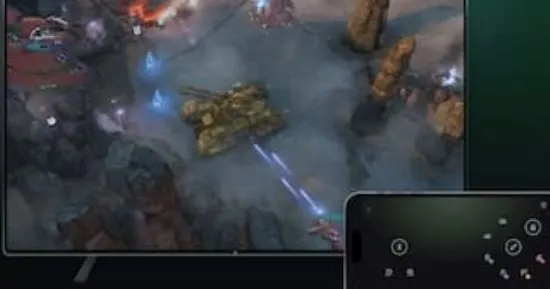
Microsoft is testing a feature in Xbox Cloud Gaming that turns Android phones and iPhones into controllers for smart TVs, with no gamepad required.
 SUMO· the number puzzle
 Dialo· learn languages by speaking
 ediviewer· read EDI files like documents
 giftdetect· the right gift in minutes
Microsoft is adding a feature to Xbox Cloud Gaming that turns a smartphone into a game controller on a smart TV. Players no longer need to buy or connect a traditional gamepad to play supported cloud games. It works with both Android phones and iPhones, and it fits Xbox's push to make cloud gaming easier to reach with fewer extra devices.
How to use your phone as a controller
The feature is switched on from the Xbox Cloud Gaming app on the TV. The steps below follow the order Microsoft's instructions give:
- Update the Xbox Cloud Gaming app on your smart TV to the latest version.
- Open the "Settings" section inside the app.
- Open the "Feature Preview" option.
- Launch a supported game without a physical controller connected, and an option to use your phone for control appears.
- Open the browser on your smartphone, where the controls designed for that game are displayed.
There are limits. You need a compatible smart TV, and the service must be available in your country. The feature does not work with every title: for now it is limited to a specific group of games and compatible devices.
Xbox Nano controller connects straight to the cloud
Alongside the phone feature, Microsoft has released a test update for its new Xbox Nano controller. It lets the controller connect to the cloud gaming service directly over Wi-Fi instead of relying on a Bluetooth link through another device.
The aim is to cut latency between a button press and the action on screen by sending input straight to the cloud servers. The test is currently open to users in the United States. Setup requires the Xbox beta app on Android or the Xbox Accessories app on a PC, with the same Xbox account signed in on all connected devices.
Together, the changes point to a shift in Xbox strategy: a TV and a phone should be enough to start playing, without a traditional console or a separate controller. Microsoft is still testing the new features before offering them more widely.
Apps worth a look
SUMO: the number puzzleTap the right tiles, add them up, hit the target. Easy to learn, hard to master. Free, for all ages.
Dialo: learn languages by speakingTalk to an AI conversation partner; every sentence comes back corrected and explained in your language. 9 languages, A1 to C2.
ediviewer: read EDI files like documentsOpen EDIFACT and X12 messages, see every segment explained, convert to JSON/XML, export PDF and Excel. Runs locally, no upload.
giftdetect: the right gift in minutesPick who it is for, the occasion and their personality. The search engine reads product descriptions from local shops and ranks what fits. Free, no sign-up.
More from this day
See all →
GOG GALAXY Is Coming Natively to Linux After 18 Years
Claude Code accused of leaking users' email addresses to websites

Alta Ares wins six NATO counter-drone lots in first big deal