Windows 11 KB5132061 fails to install: what to do now
If this month's Windows 11 update keeps failing, the culprit may be October's optional preview update. Microsoft says a fix is already rolling out.
 SUMO· the number puzzle
 Dialo· learn languages by speaking
 ediviewer· read EDI files like documents
 giftdetect· the right gift in minutes
If the Windows 11 November update KB5132061 refuses to install on your PC, you probably did something sensible: you tried the optional preview update last month. Microsoft has confirmed that combination can break the installation, and a fix is on its way.
The problem hits people who installed the preview update released on October 28 (KB5127936) and then tried to install the Patch Tuesday update from November 10. The install may never finish, your PC may keep retrying, or you may see an error code such as 0x80070306, 0x800f0989 or 0x800f0993. A ZDNet-style test on a Windows 11 virtual machine with the preview update reproduced the failure.
How do I fix the November Windows update error?
Mostly by waiting. Microsoft says affected PCs should get repairs within 24 to 48 hours, counting from 1pm ET on November 11. Your PC needs to be online and set to receive updates through Windows Update.
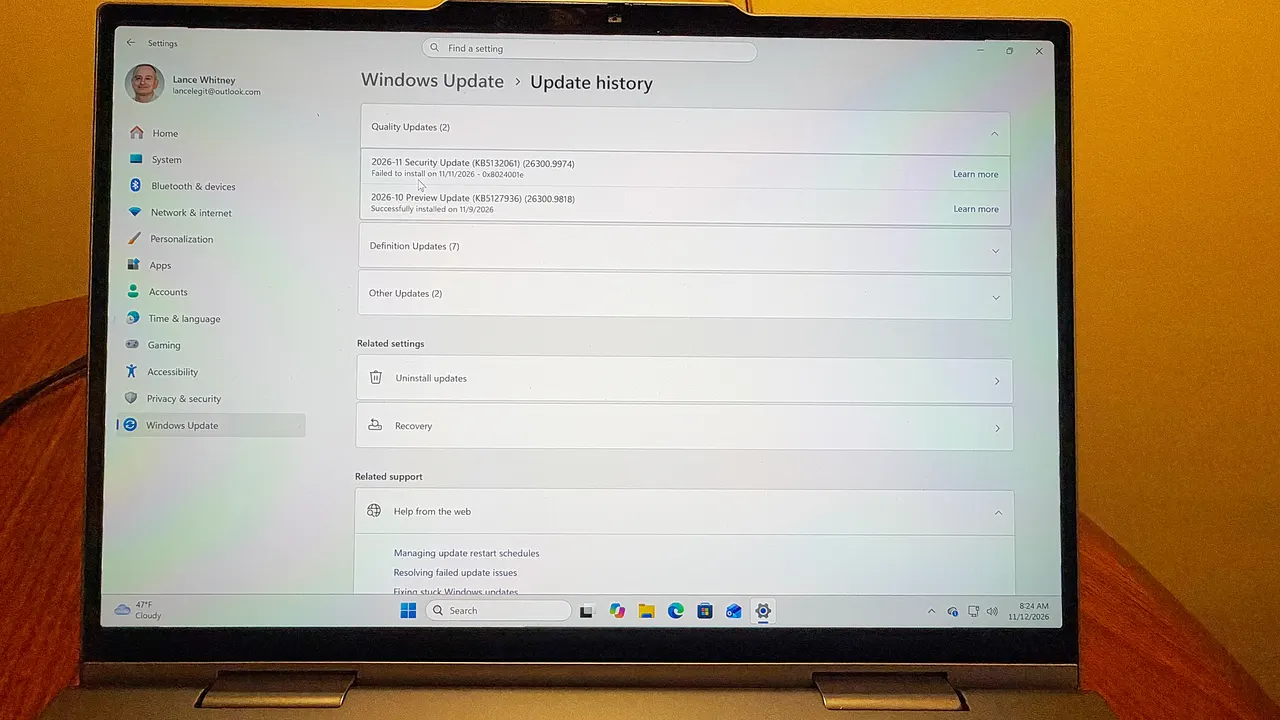
Open Settings, select Windows Update, and look for the 2026-11 Security Update (KB5132061) (26300.9974). If it shows up again, install it. In our test the update went through without a hitch after the fix arrived. If errors persist, Microsoft's support page on troubleshooting Windows updates is the next stop.
Why did the preview update cause trouble?
Microsoft usually ships each monthly update in two steps. First comes an optional preview update near the end of the previous month, with feature changes only and no security fixes. This time it brought a customizable right-click menu and a Cloud rebuild option, among other things.
Then comes the mandatory Patch Tuesday update, with security patches plus those same changes.
Preview updates are meant for IT administrators and testers who want an early look, so they are not always fully baked. But they appear in Windows Update, so anyone can install them. Here, the two updates apparently clashed, and Microsoft had to sort it out.
Apps worth a look
SUMO: the number puzzleTap the right tiles, add them up, hit the target. Easy to learn, hard to master. Free, for all ages.
Dialo: learn languages by speakingTalk to an AI conversation partner; every sentence comes back corrected and explained in your language. 9 languages, A1 to C2.
ediviewer: read EDI files like documentsOpen EDIFACT and X12 messages, see every segment explained, convert to JSON/XML, export PDF and Excel. Runs locally, no upload.
giftdetect: the right gift in minutesPick who it is for, the occasion and their personality. The search engine reads product descriptions from local shops and ranks what fits. Free, no sign-up.
More from this day
See all →
Prince Harry tells EU: tech firms must prove apps are safe for kids

Tesla driver asleep on Ottawa's Highway 417 charged by OPP

Nāpōwawāʻenakaulua: Webb Finds Earliest Quasar Pair Ever

United Airlines AI agent ban: bots can't tick the check-in box
More in: Software
See all →
Windows WinSxS folder: the DISM command that frees up to 10 GB
GPU Taskman shows which process is eating your VRAM

KORA OS: a Linux-based system built around AI, due in 2027