GPU Taskman shows which process is eating your VRAM
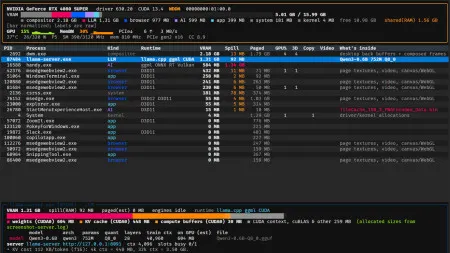
GPU Taskman is an open-source tool that works like htop for your graphics card: it shows VRAM use per process and details on running LLMs.
 SUMO· the number puzzle
 Dialo· learn languages by speaking
 ediviewer· read EDI files like documents
 giftdetect· the right gift in minutes
Your game stutters, your local AI model refuses to load, and the graphics memory is full. But full of what? GPU Taskman, an open-source tool, is built to answer exactly that.
The program has been described as htop for the graphics card. htop is the well-known terminal tool that lists running processes and what they consume. GPU Taskman applies the same idea to the GPU: it shows how much video memory (VRAM) each process occupies.
What is GPU Taskman?
It is a task manager for graphics cards, released as open source. Its main job is to break down VRAM usage by process, so you can see which program is holding on to memory instead of guessing.
There is a second use that fits the current moment. The tool also provides details about large language models (LLMs) that are running on the machine. Anyone who runs a chatbot locally knows how quickly such models fill up graphics memory, and knowing what is loaded and how much space it takes is the first step to fixing a crash or a slowdown.
Why it matters for local AI users
The regular Windows Task Manager and most monitoring tools show overall GPU load. A per-process view of VRAM is more useful when several programs, a browser, a game and a local model, compete for the same limited memory.
Beyond the points above, there are no further details here on supported platforms, graphics vendors or installation.
Apps worth a look
SUMO: the number puzzleTap the right tiles, add them up, hit the target. Easy to learn, hard to master. Free, for all ages.
Dialo: learn languages by speakingTalk to an AI conversation partner; every sentence comes back corrected and explained in your language. 9 languages, A1 to C2.
ediviewer: read EDI files like documentsOpen EDIFACT and X12 messages, see every segment explained, convert to JSON/XML, export PDF and Excel. Runs locally, no upload.
giftdetect: the right gift in minutesPick who it is for, the occasion and their personality. The search engine reads product descriptions from local shops and ranks what fits. Free, no sign-up.
More from this day
See all →
Windows WinSxS folder: the DISM command that frees up to 10 GB
Spain's anti-abuse ankle bracelets: EU prosecutors probe the money

Magnetic tape is back: Fujifilm to make 5x more LTO tape for AI