Phone Battery Draining When You're Not Using It? Likely Causes
Your phone sits untouched and still loses charge. Background apps, weak signal, location access and an aging battery are the usual suspects, and most are fixable.

 SUMO· the number puzzle
 Dialo· learn languages by speaking
 ediviewer· read EDI files like documents
 giftdetect· the right gift in minutes
You put the phone down at 80%, come back a few hours later, and it has dropped well below that. Nobody touched it. It is easy to assume the battery is dying, but that is often not the case.
A phone with a dark screen is still doing things. Most of the time the drain comes from background apps, location services, a weak mobile signal, constant syncing or notifications. Sometimes it is simply an old battery.
Why does my phone battery drain when I'm not using it?
Background apps are the main culprit. Social media, email and cloud storage apps keep refreshing data, fetching messages and syncing photos and files even when they are not open on screen.
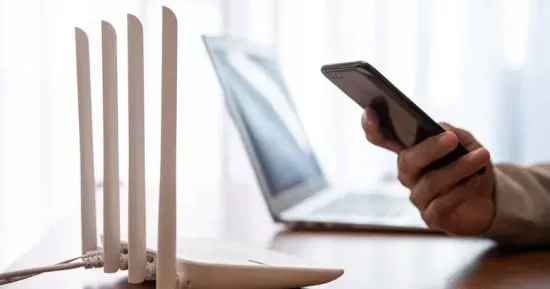
Weak signal also costs power. If you are indoors or far from a tower, the phone keeps hunting for a stable connection, and that search eats battery.
Location access adds up when apps are allowed to check your position all the time. Syncing contacts, email, photos and files to the cloud keeps the processor and internet connection busy too.
Notifications wake the phone and light the screen, especially if many apps are pinging you. Some phones also have an always-on display that shows information constantly, which uses a bit more power while the phone sits idle.
Then there is the battery itself. After years of charging and normal ageing, it can lose part of its capacity. The sign is a quick drop in percentage, or a phone that no longer lasts as long as it used to. In that case it may need testing and possibly replacing.
How to find out what is draining your battery
Open the phone's settings and go to the battery section. There you can see which apps and activities use the most power, and whether that use happens with the screen on or in the background.
From there, restrict background activity for apps you do not need, and switch location permission to "while using the app" for those that do not need it all the time. Restart the phone, update the operating system and your apps, cut unnecessary notifications, and use Wi-Fi when you have a stable connection.
Drain while the phone is idle does not by itself point to a hack or a serious fault. But if it keeps happening at an unusual rate after you have checked these settings, have the battery's condition looked at.
Apps worth a look
SUMO: the number puzzleTap the right tiles, add them up, hit the target. Easy to learn, hard to master. Free, for all ages.
Dialo: learn languages by speakingTalk to an AI conversation partner; every sentence comes back corrected and explained in your language. 9 languages, A1 to C2.
ediviewer: read EDI files like documentsOpen EDIFACT and X12 messages, see every segment explained, convert to JSON/XML, export PDF and Excel. Runs locally, no upload.
giftdetect: the right gift in minutesPick who it is for, the occasion and their personality. The search engine reads product descriptions from local shops and ranks what fits. Free, no sign-up.
More from this day
See all →
Microsoft agent-framework on PyPI hijacked to steal secrets

Java4Shell: the Java flaw found with OpenAI's GPT-6 Cyber
One UI 9.5 lets you download every Galaxy Over the Horizon ringtone