OpenAI to Merge ChatGPT's Chat and Work Tabs, Share Codex Limits
OpenAI will begin testing a combined Chat and Work tab in ChatGPT within weeks, and ChatGPT and Codex will draw from one shared usage allowance.
OpenAI plans to start testing a unified version of ChatGPT's "Chat" and "Work" tabs within the next few weeks. The test will begin with a small group of users, and the company will widen availability based on their feedback.
The merger is meant to let people move from brainstorming to actual task execution on a single screen. Using files and plugins, ChatGPT can build websites and presentations or carry out actions on the web. Users can follow the progress of a task and give further instructions while it runs.
Shared usage allowance with Codex
Codex, OpenAI's programming assistant, will stay available inside the ChatGPT desktop app as a feature separate from Chat and Work. However, within the same few weeks, ChatGPT and Codex will start sharing one usage allowance, so activity in either service is deducted from the same pool.
How quickly the allowance is used depends on the AI model and the complexity of the task: more advanced models and heavier processing consume more. On the plans covered by the announcement, the "Instant" model remains unlimited and does not count against the shared allowance.
What users should expect
OpenAI says it wants to limit disruption from the change. For most users, it expects that waiting for a limit reset will not happen more often than it does today.
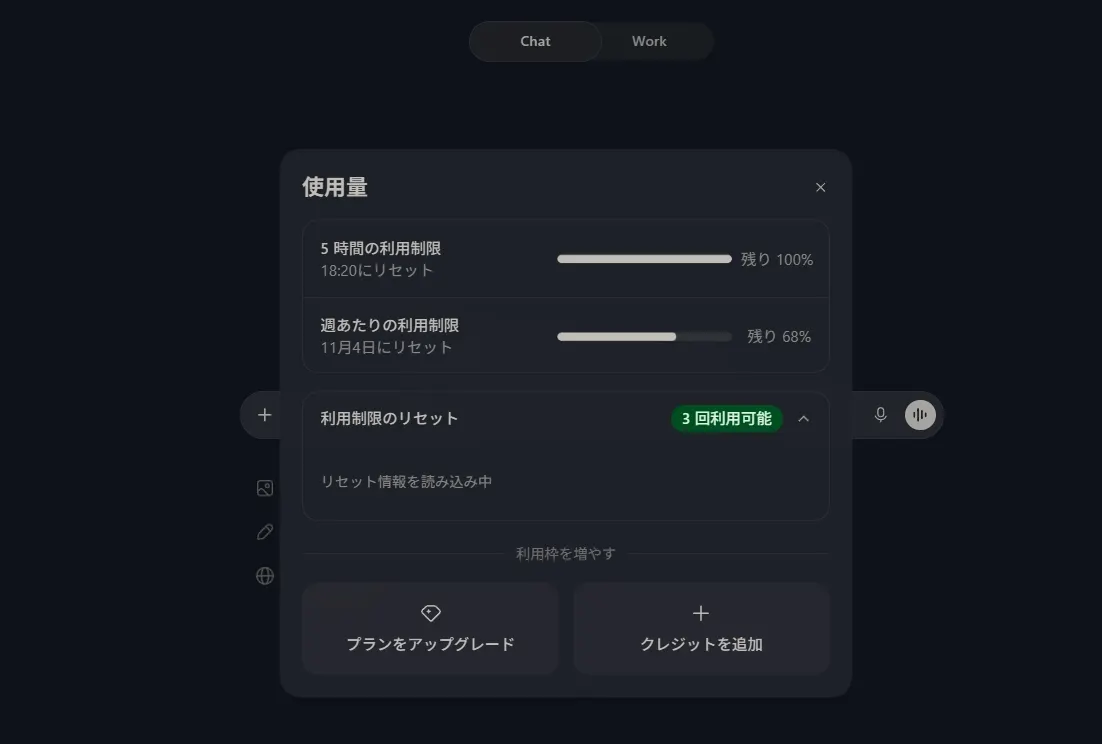
People will be able to check their remaining allowance and the reset time under Settings, then Usage, in ChatGPT. Those who run out can wait for the reset, upgrade their plan or buy additional credits to keep using the affected features.
For everyday users, the change removes the need to switch between modes when an idea turns into a task. For heavy Codex users, the shared pool means coding and general ChatGPT work now compete for the same capacity, which makes the usage page worth watching once the rollout reaches their accounts.
Apps worth a look
 SUMO: the number puzzle
Tap the right tiles, add them up, hit the target. Easy to learn, hard to master. Free, for all ages.
 Dialo: learn languages by speaking
Talk to an AI conversation partner; every sentence comes back corrected and explained in your language. 9 languages, A1 to C2.
 ediviewer: read EDI files like documents
Open EDIFACT and X12 messages, see every segment explained, convert to JSON/XML, export PDF and Excel. Runs locally, no upload.
More from this day
See all →
Smartphone Shipments Hit Decade Low in Q3 as Samsung, Apple Hold

Apple Loses Its Grip on Memory Suppliers as AI Demand Surges

Hacker Used Claude and DeepSeek to Breach 9 South Korean Banks