Link to Windows 'Extend display' could turn Android into a PC monitor
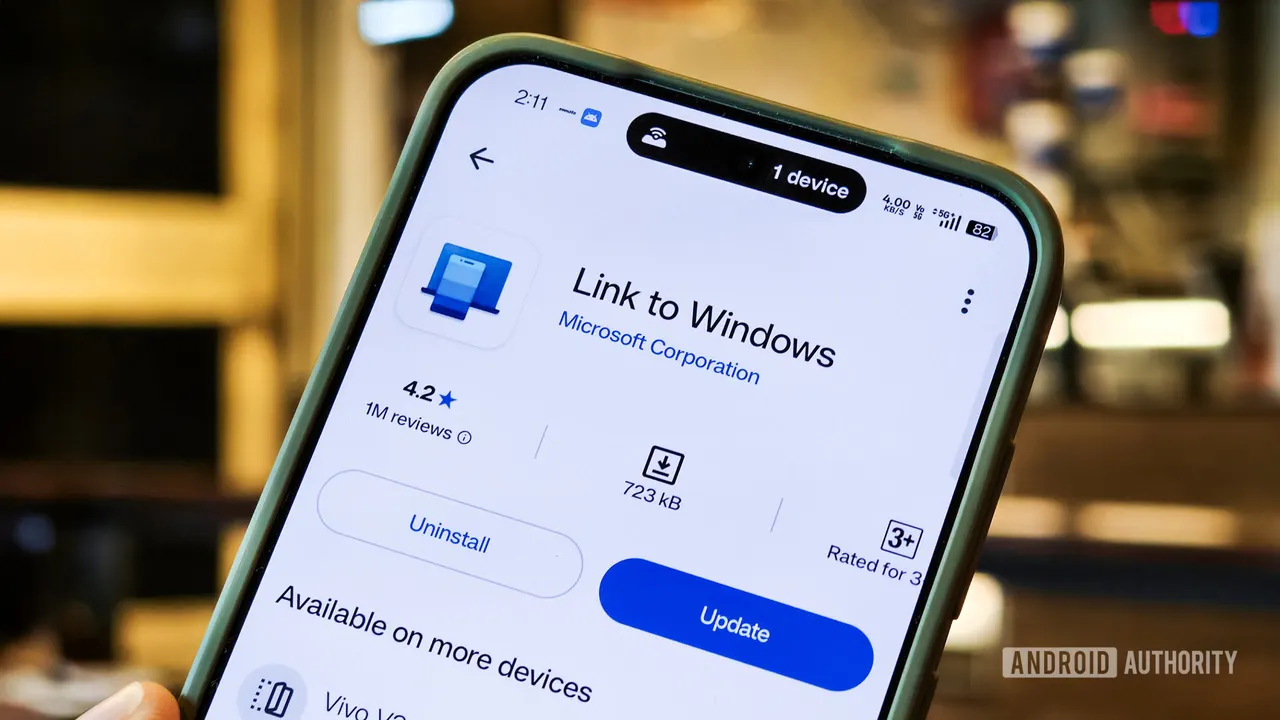
Code inside Microsoft's Link to Windows app points to 'Extend display', a feature that would let an Android phone or tablet work as a second PC screen.
 SUMO· the number puzzle
 Dialo· learn languages by speaking
 ediviewer· read EDI files like documents
 giftdetect· the right gift in minutes
If you have an old Android tablet in a drawer, Microsoft may soon have a job for it. Code inside the Link to Windows app mentions a feature called "Extend display", which would turn an Android phone or tablet into a second screen for your PC.
The strings of code were spotted by Windows Latest. According to them, you could start Extend display from Link to Windows on the phone or from the PC itself. References to the H.264 and HEVC video codecs suggest the PC would encode its desktop as video and the phone would decode it. There are also on-screen controls, including Stop and Back buttons.
When does Extend display stop working?
The code lists several ways the session can end: tapping Back twice, the PC locking, the connection dropping, or the phone's display receiver failing. If the first video frame never shows up, you get a timeout screen after 60 seconds.
How is it different from spacedesk or Samsung's Second Screen?
Options exist already. Spacedesk can turn a tablet into a monitor, but it needs its own driver on the PC and an app on the mobile device. Samsung's Second Screen works only on select Galaxy tablets. A feature built into Link to Windows would be simpler, at least on paper.
A lot is still unknown. The code does not say whether it will run over Wi-Fi, USB or both. Nor is it clear which Android devices will be supported. Some Link to Windows and Phone Link features are limited to certain brands. Phone screen mirroring, for example, works on Samsung, HONOR, OnePlus, OPPO, Realme, ASUS, vivo, iQOO and Xiaomi devices.
Microsoft has been busy on the Android side lately. The latest Windows Insider Experimental Preview Build lets people search for and launch Android phone apps from the Windows 11 Search bar. Extend display has not been announced, so it may change or never ship.
Apps worth a look
SUMO: the number puzzleTap the right tiles, add them up, hit the target. Easy to learn, hard to master. Free, for all ages.
Dialo: learn languages by speakingTalk to an AI conversation partner; every sentence comes back corrected and explained in your language. 9 languages, A1 to C2.
ediviewer: read EDI files like documentsOpen EDIFACT and X12 messages, see every segment explained, convert to JSON/XML, export PDF and Excel. Runs locally, no upload.
giftdetect: the right gift in minutesPick who it is for, the occasion and their personality. The search engine reads product descriptions from local shops and ranks what fits. Free, no sign-up.
More from this day
See all →
Leaving Google Photos: how to move your memories and skip the fee
Android sideloading gets harder from January 2027: what changes

GTA 6 fast travel: how to skip the drive, and what it costs