Google Assistant shuts down on Home speakers on August 2, 2027
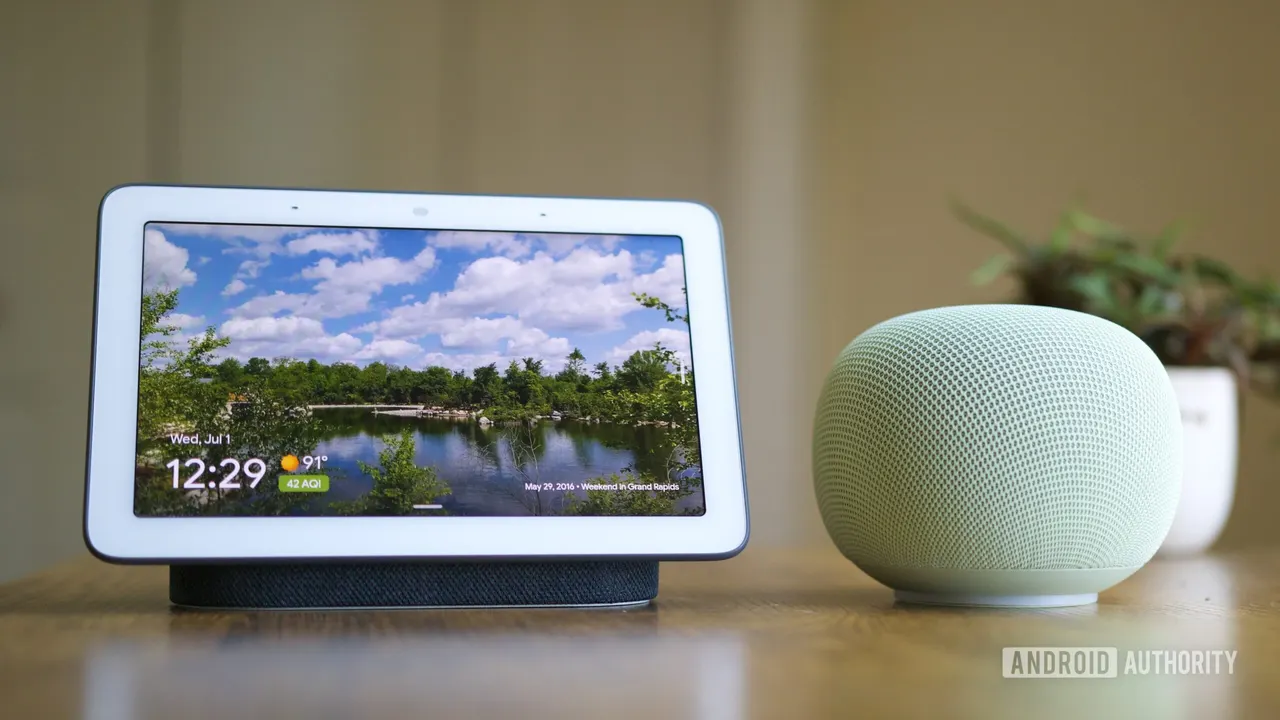
Google has set a date: on August 2, 2027, Gemini for Home fully replaces Google Assistant on its smart speakers and displays. Here's what we know.
 SUMO· the number puzzle
 Dialo· learn languages by speaking
 ediviewer· read EDI files like documents
 giftdetect· the right gift in minutes
If you talk to a Google smart speaker or display every morning, the clock is now running. Google says Google Assistant will stop working on its Home devices on August 2, 2027, and Gemini for Home will take over completely.
The date appeared on Google's Home and Nest forums, where the company also announced plans to retire the Nest app. Google calls the change its "One Voice Experience". Once it happens, Gemini will be the only way to talk to Google across all your hardware. Assistant has already been pushed aside on phones.
What is Gemini for Home?
It is Google's replacement for Assistant on smart home gear. Google began rolling it out last fall, and so far it has been optional: you could swap Assistant for Gemini if you wanted to, or stay put. The August 2027 deadline ends that choice.
Will older Google Home devices get Gemini?
Google says Gemini will be "available across all devices". That wording leaves room for questions about how well older speakers and displays will cope, and the company hasn't spelled that out. It does say it will share more updates with Home users before the deadline.
Third-party hardware is covered too, at least in principle. In a Reddit comment, Google confirmed that "third party speakers, like Sonos devices, will be eligible to upgrade to Gemini for Home voice assistant in the future", and said it will keep people updated on the rollout.
How to switch to Gemini now
You don't have to wait. You can set up Gemini in the Google Home app on your phone, or by going to home.google.com/gemini on the web. Doing it early means you get to find out what changes while Assistant is still an option.
Apps worth a look
SUMO: the number puzzleTap the right tiles, add them up, hit the target. Easy to learn, hard to master. Free, for all ages.
Dialo: learn languages by speakingTalk to an AI conversation partner; every sentence comes back corrected and explained in your language. 9 languages, A1 to C2.
ediviewer: read EDI files like documentsOpen EDIFACT and X12 messages, see every segment explained, convert to JSON/XML, export PDF and Excel. Runs locally, no upload.
giftdetect: the right gift in minutesPick who it is for, the occasion and their personality. The search engine reads product descriptions from local shops and ranks what fits. Free, no sign-up.
More from this day
See all →
Link to Windows 'Extend display' could turn Android into a PC monitor

GTA 6 fast travel: how to skip the drive, and what it costs

Switch 2 microSD Express card deals: 256GB from $44.99