iPhone Duo Split View: one tweak could fix letterboxed apps
Apps not updated for iOS 27 show black bars on the iPhone Duo's inner screen. One 9to5Mac reporter says a default Split View option would ease the pain.
 SUMO· the number puzzle
 Dialo· learn languages by speaking
 ediviewer· read EDI files like documents
 giftdetect· the right gift in minutes
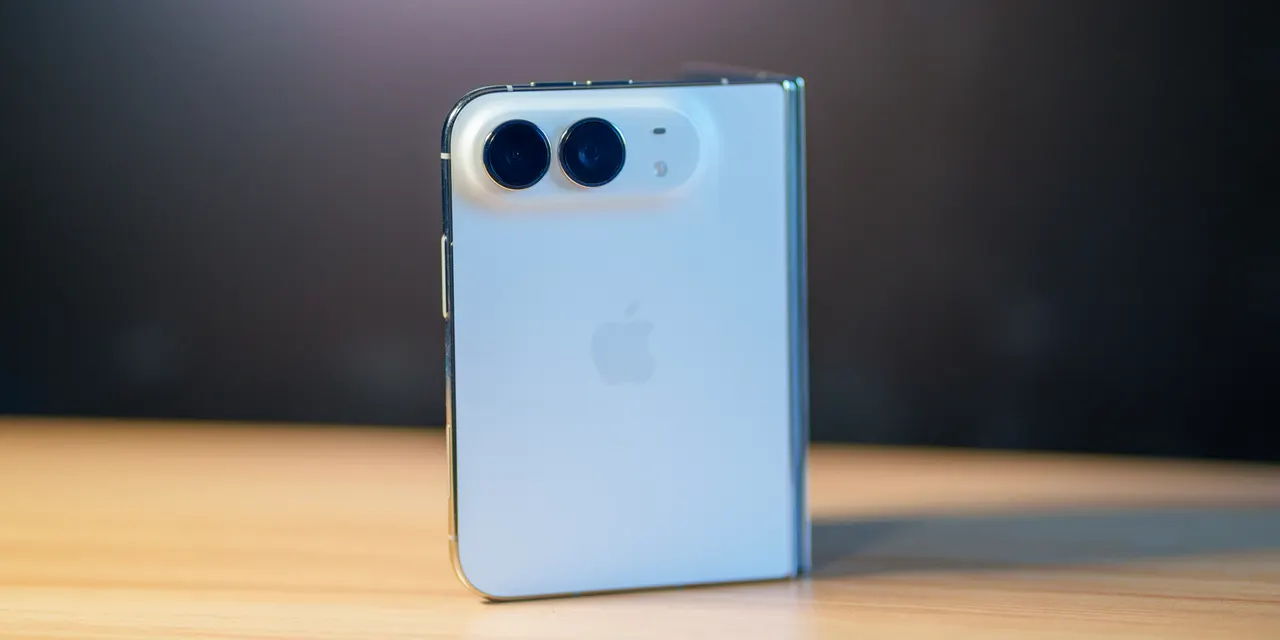
Three weeks into life with the iPhone Duo, one complaint keeps coming up: apps that haven't been updated look awkward on the big inner display. A reporter who has used the phone since launch day thinks a small software setting could take most of the sting out of it.
The problem is letterboxing, the black bars that appear when an app isn't built for the screen it's running on. Most of the apps he relies on have already been updated for iOS 27, he says. But plenty are still stuck on iOS 26 or older, and those are the ones that get the bars.
How does Split View work on iPhone Duo?
On the home screen you can long press an app and open it in Split View. Every app on the iPhone Duo supports this, even if the developer hasn't compiled it for iOS 27 or 27.1. You don't have to pick a partner straight away either. The other half of the display simply shows your home screen, and you choose the second app later.
The suggested fix
A non-optimized app only fills about half of the inner display anyway. So the suggestion is an option to open every such app in Split View by default, instead of long pressing each time. Even better, a per-app toggle that says "always open in Split View".
That toggle would be handy for updated apps too. Some of them, he notes, don't feel right stretched across the wider inner display, and a permanent half-screen layout would spare you the decision every time.
He calls it a small UX improvement that would go a long way for the app situation. He also wants Slide Over on the iPhone Duo, the floating window that lets you glance at a smaller app on top of a full-screen one. Apple hasn't announced either change.
Apps worth a look
SUMO: the number puzzleTap the right tiles, add them up, hit the target. Easy to learn, hard to master. Free, for all ages.
Dialo: learn languages by speakingTalk to an AI conversation partner; every sentence comes back corrected and explained in your language. 9 languages, A1 to C2.
ediviewer: read EDI files like documentsOpen EDIFACT and X12 messages, see every segment explained, convert to JSON/XML, export PDF and Excel. Runs locally, no upload.
giftdetect: the right gift in minutesPick who it is for, the occasion and their personality. The search engine reads product descriptions from local shops and ranks what fits. Free, no sign-up.
More from this day
See all →
Comet 220P/McNaught suddenly got 1,000 times brighter. Here's why

Coral Hart used AI to write 370 books in 20 months

WhatsApp Zaps: self-deleting photos and videos for any chat

Green SM taxis: Karnataka halts new registrations, eyes mandatory meters
More in: Mobile
See all →
Google's Ammaar Reshi put Windows 11 on an iPhone Duo to work
Ask Maps can now call local businesses to book appointments