Huawei Sense G1: a glucose sensor the size of a coin, 1.5 grams
Huawei's first continuous glucose monitor, the Sense G1, weighs 1.5 grams, sticks to your back or arm and sends readings to your phone or watch every minute.
 SUMO· the number puzzle
 Dialo· learn languages by speaking
 ediviewer· read EDI files like documents
 giftdetect· the right gift in minutes
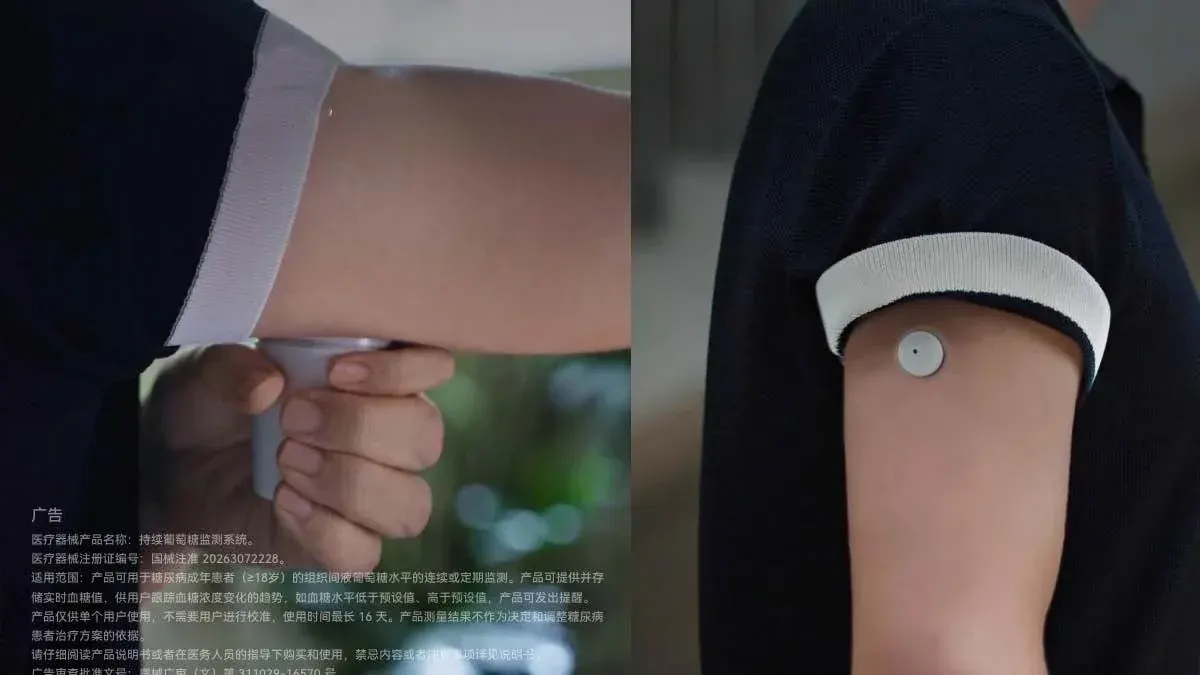
Huawei has made its first continuous glucose monitor, and it is tiny: the Sense G1 weighs 1.5 grams, measures 2.08 cm across and is 2.9 mm thick. The company showed it at the launch event for the Mate X8.
A continuous glucose monitor, or CGM, tracks your blood sugar around the clock instead of relying on occasional finger pricks. The Sense G1 shows readings on a smartphone or a smartwatch and, according to Huawei, updates them every minute.
How does the Huawei Sense G1 work?
The round sensor comes inside a small applicator that looks like a paper cup. Press it against the skin and the sensor sticks in place. Its base holds a tiny needle and the data transmitter. Huawei says the needle is hidden and goes in without pain, picking up glucose levels from the fluid between your cells.
You can wear it while swimming or exercising, though some people may need medical tape to keep it on.
How do you use the Sense G1?
- Pick a clean spot on your back or the upper arm.
- Open the applicator's cap and press the sensor onto the skin.
- The fine needle sits under the skin and reads glucose from the tissue fluid.
- Wait 30 minutes while the device activates.
- Make sure it is connected to a device that supports Bluetooth 5.3 or newer.
That half-hour wait matters. Readings only start once the warm-up is over.
What does it show?
The app gives you more than a single number. You get your current level, how much of today you spent within your target range, average glucose, the highest and lowest readings, and an analysis of how much your levels swing. It also sends alerts when sugar climbs or drops, so unusual changes get flagged as they happen.
The source material does not mention a price or release date for the Sense G1.
Apps worth a look
SUMO: the number puzzleTap the right tiles, add them up, hit the target. Easy to learn, hard to master. Free, for all ages.
Dialo: learn languages by speakingTalk to an AI conversation partner; every sentence comes back corrected and explained in your language. 9 languages, A1 to C2.
ediviewer: read EDI files like documentsOpen EDIFACT and X12 messages, see every segment explained, convert to JSON/XML, export PDF and Excel. Runs locally, no upload.
giftdetect: the right gift in minutesPick who it is for, the occasion and their personality. The search engine reads product descriptions from local shops and ranks what fits. Free, no sign-up.
More from this day
See all →
Motorola Razr Android Auto bug appears fixed by Android 17

Mars boulder rows look like a giant fingerprint, and no one knows why

GTA 6 PS5 Pro: Rockstar made 100 numbered consoles you can't buy

Android camera stabilization can leak what your speaker plays
More in: Hardware
See all →Figure 03 robot picks up an apple after Musk's table challenge
Alps Alpine's bear repellent speaker uses hi-res audio to keep bears away
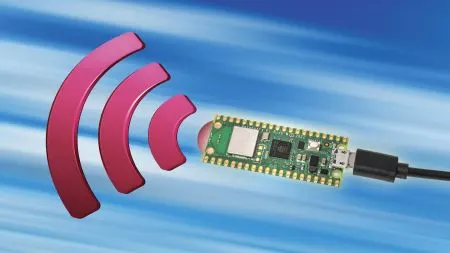
Raspberry Pi Pico W as a driverless USB Wi-Fi adapter