Windows 11 Remote Lock bricks stolen laptops without wiping files
Microsoft is testing Remote Lock for Windows 11: IT admins can lock a lost or stolen laptop from afar, and the owner's files stay exactly where they were.
 SUMO· the number puzzle
 Dialo· learn languages by speaking
 ediviewer· read EDI files like documents
 giftdetect· the right gift in minutes
A stolen work laptop is a headache for two reasons: someone else has it, and your files are on it. Microsoft is now testing a Windows 11 feature called Remote Lock that deals with the first problem without sacrificing the second. Admins can lock the machine remotely, and nothing gets deleted.
Remote Lock has appeared in Windows 11 Insider Preview builds: build 26320.10003 in the Beta channel and 26340.10013 in the Experimental channel. It works on Enterprise, Education and Pro editions. Admins use a custom configuration profile in Microsoft Intune, the company's device management tool, to lock machines joined to Microsoft Entra (or a hybrid domain) or enrolled in mobile device management.
What happens when a Windows laptop is remotely locked?
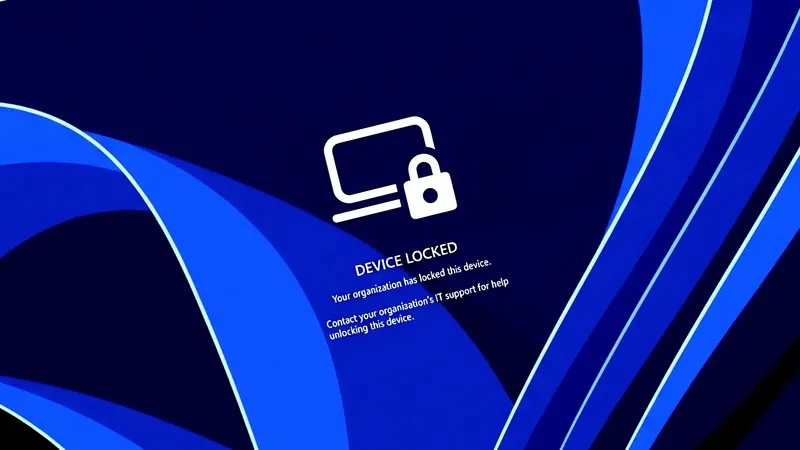
Stephen Lines, who handles communications for the Windows Insider program, described it this way: Windows ends all active sessions, hides every sign-in option and shows the lock screen. The device stays enrolled in management, BitLocker (Windows disk encryption) keeps working, and user files stay put. The lock survives a reboot and works even without a network connection.
Only an admin can undo it, through Intune. PINs, passwords, local administrator accounts and web sign-in will not get past it. The user's credentials remain valid, though, so they can still sign in on other devices. Once unlocked, the user carries on where they left off.
How do admins lock a device in Intune?
In the Intune admin center, go to Devices, then Windows, then Configuration, and create a new policy for Windows 10 and later using the Custom template. Name it, for example, "Remote Lock - ON", and set LockState to 1. Assign it to a group for locked devices; the lock applies the next time the device checks in. To unlock, make a second profile with LockState set to 0 and move the device into that group.
Is a locked laptop fully protected?
No. Remote Lock does not cut the device off from the corporate network and does not erase anything. Admins need Intune's isolate and wipe functions for that. Windows Recovery Environment, Safe Mode and booting from a USB drive also remain available, so BitLocker should stay on to protect data if someone reimages the machine or pulls the drive.
Apps worth a look
SUMO: the number puzzleTap the right tiles, add them up, hit the target. Easy to learn, hard to master. Free, for all ages.
Dialo: learn languages by speakingTalk to an AI conversation partner; every sentence comes back corrected and explained in your language. 9 languages, A1 to C2.
ediviewer: read EDI files like documentsOpen EDIFACT and X12 messages, see every segment explained, convert to JSON/XML, export PDF and Excel. Runs locally, no upload.
giftdetect: the right gift in minutesPick who it is for, the occasion and their personality. The search engine reads product descriptions from local shops and ranks what fits. Free, no sign-up.
More from this day
See all →
Solar LEGO: Eindhoven's colourful blocks that generate power

Fugaku supercomputer hacked: data of 4,000+ researchers at risk
iPhone Duo face unlock arrives in iOS 27.3, but it isn't Face ID
WhatsApp Cloud Storage: 2 GB of free chat backups, no Google Drive
More in: Software
See all →
Instagram content protection flags copied Reels and AI remixes
Windows 11 telemetry flags Codex and Claude, even a renamed cmd.exe
Apple Intelligence and Siri AI get daily limits from version 27.3