WhatsApp View Once text messages are coming to iPhone beta
WhatsApp is testing text messages on iPhone that vanish after one read, and the app blocks screenshots, copying and forwarding while the message is open.
 SUMO· the number puzzle
 Dialo· learn languages by speaking
 ediviewer· read EDI files like documents
 giftdetect· the right gift in minutes
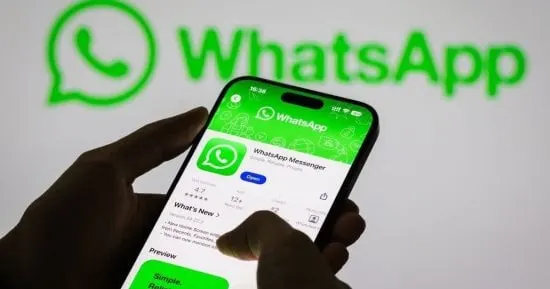
WhatsApp is testing a View Once option for plain text messages on iPhone. The recipient reads the message one time, and then it is gone. They can't copy it, forward it or screenshot it while it's on screen.
According to WABetaInfo, which tracks WhatsApp updates, the feature has started reaching a small number of iOS beta testers. It shows up in WhatsApp Beta 26.45.10.73, distributed through Apple's TestFlight platform.
How do WhatsApp View Once text messages work?
It works much like the View Once mode WhatsApp already has for photos and videos. The sender types a message, then long-presses the send button. A menu appears with the option to send it as View Once.
The recipient taps the message bubble and reads it in a separate screen, outside the normal chat. Once they close that screen, the message disappears from the conversation. A marker takes its place to show it was viewed. Neither the sender nor the recipient can open it again.
WhatsApp also adds limits for the recipient. They can't copy the text, forward it or save it inside the app. On iPhone, the app also tries to block screenshots and screen recordings while the message is displayed.
Is it a guarantee nobody keeps the message?
No. Someone can still point another device at the phone and photograph the screen while the message is open. The feature is meant for temporary information that you don't want sitting in a chat history, not for absolute secrecy.
Where does it stand?
The same feature began testing on Android earlier this month. WABetaInfo spotted it in WhatsApp Beta 2.26.45.6 before it moved on to iPhone testers.
WhatsApp hasn't announced a release date for everyone. For now only some beta testers have it, and a gradual wider rollout is expected over the coming weeks.
Apps worth a look
SUMO: the number puzzleTap the right tiles, add them up, hit the target. Easy to learn, hard to master. Free, for all ages.
Dialo: learn languages by speakingTalk to an AI conversation partner; every sentence comes back corrected and explained in your language. 9 languages, A1 to C2.
ediviewer: read EDI files like documentsOpen EDIFACT and X12 messages, see every segment explained, convert to JSON/XML, export PDF and Excel. Runs locally, no upload.
giftdetect: the right gift in minutesPick who it is for, the occasion and their personality. The search engine reads product descriptions from local shops and ranks what fits. Free, no sign-up.
More from this day
See all →
Android Auto black screen: Google Maps fails to load for drivers

Roku TV refresh rate setting: how to watch films at 24fps

Tesla SpaceX merger talks: five directors pick a $3.5 trillion deal