T-Bank browser fingerprint: a server ID that survives cleared cookies
A researcher decrypted two scripts on T-Bank's website and found a server that hands back a permanent device ID, even after you clear cookies or change IP.
 SUMO· the number puzzle
 Dialo· learn languages by speaking
 ediviewer· read EDI files like documents
 giftdetect· the right gift in minutes
Clear your cookies, switch your IP address, restart the browser: T-Bank's website may still know it's you. That is the finding of a researcher who took apart two more scripts running on the bank's pages and found a server that answers with a permanent fingerprintId.
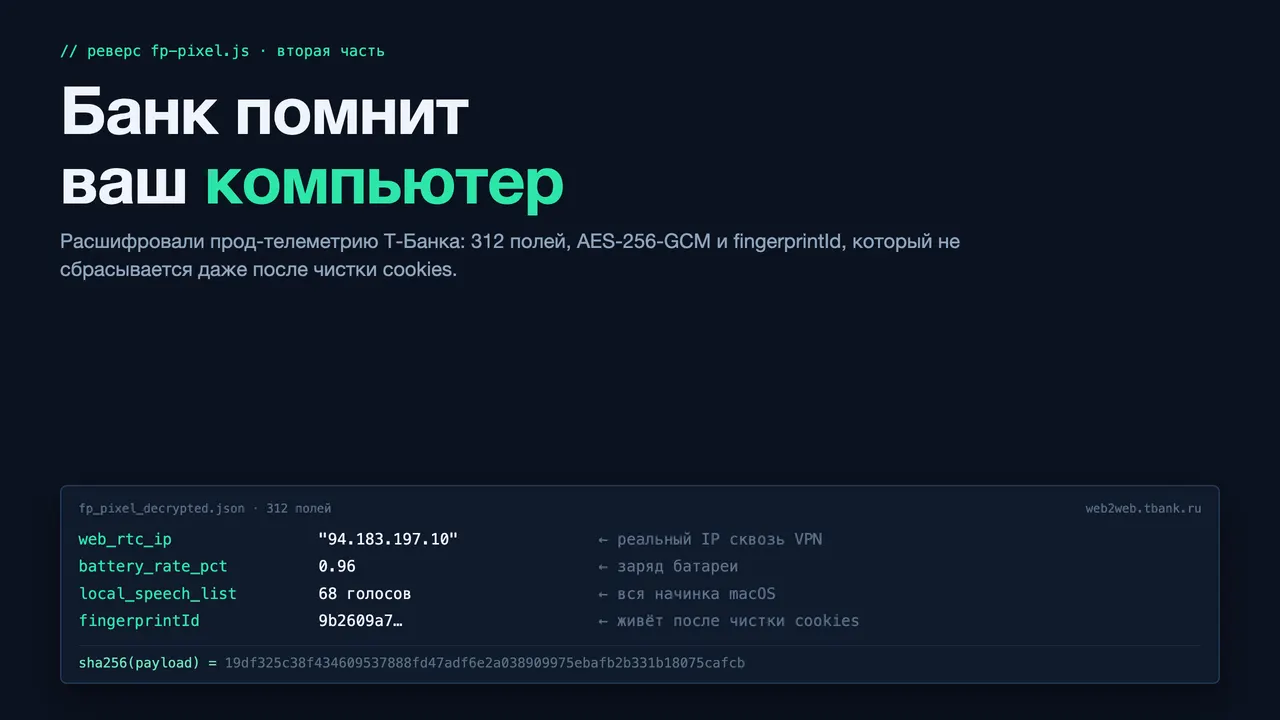
The scripts are fp-pixel.js, a 186 KB webpack bundle, and initialize-any-id-prod.js, 172 KB, which is a product called AnyId. They send telemetry to web2web.tbank.ru. A production payload from the bank's main page held 312 fields. It is well protected: the JSON is compressed with gzip, encrypted with AES-256-GCM using a random key, and that key is itself encrypted with the bank's RSA-OAEP public key, hardcoded in the script. The researcher got around it by wrapping the browser's crypto.subtle.encrypt function before the script loaded, which exposed the AES key.
What does the T-Bank fingerprint script collect?
A lot more than the behaviour tracker covered in the first part of the analysis. Among the signals:
Your real IP. A WebRTC trick pulls the actual address even when you are behind a VPN. Battery level and charging state, which helps tell your laptop from your phone. Storage quota: in Safari it depends on free disk space, and the script read 82 GB on the researcher's Mac. Text-to-speech voices installed on the system (68 in Safari 26). Three different canvas drawings, each hashed with MD5. Time zone changes, which catch VPN hopping. And whether T-Bank's mobile apps are installed.
Does it slow the page down? According to the analysis, no. Collection is split into chunks with an 8 ms budget and runs through requestIdleCallback, so it happens when the browser is idle.
How does it spot fake browsers?
AnyId runs 12 checks and adds points for each failure: an odd number of CPU cores (under 2 or over 16), a browser language that doesn't match the page's, a strange screen ratio, empty canvas hashes, a SwiftShader or Google WebGL renderer, missing GPU constants. The probability of emulation is points divided by 12, times 100.
Separate "lied" flags compare signals with each other, so changing the user agent without fixing the rest gets noticed. The researcher's headless Chrome was caught with a headless_rating_score of 50. The logic is that single signals are easy to fake, but an emulator has to be consistent across all of them at once.
Apps worth a look
SUMO: the number puzzleTap the right tiles, add them up, hit the target. Easy to learn, hard to master. Free, for all ages.
Dialo: learn languages by speakingTalk to an AI conversation partner; every sentence comes back corrected and explained in your language. 9 languages, A1 to C2.
ediviewer: read EDI files like documentsOpen EDIFACT and X12 messages, see every segment explained, convert to JSON/XML, export PDF and Excel. Runs locally, no upload.
giftdetect: the right gift in minutesPick who it is for, the occasion and their personality. The search engine reads product descriptions from local shops and ranks what fits. Free, no sign-up.
More from this day
See all →
MoldyRoost ad campaign can hack iPhones with one tap, Confiant says

VMware vCenter bug CVE-2026-123890 was exploited in September

South Korea's Suneung exam alert caught 49 students with phones