Phone battery drains fast at 100%? Why the number misleads
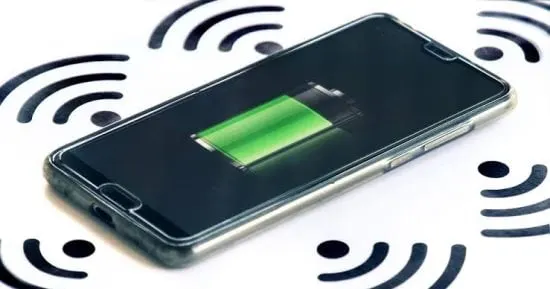
A phone can show 100% and still die quickly. The percentage tells you how full the battery is, not how much it can hold or how healthy it is.
 SUMO· the number puzzle
 Dialo· learn languages by speaking
 ediviewer· read EDI files like documents
 giftdetect· the right gift in minutes
If your phone battery drains fast even though it reads 100% on the charger, the number is probably not lying. It is just answering a different question.
The percentage shows how much energy is in the battery right now. It does not show the battery's health. Modern phones use lithium-ion cells, which wear down chemically as they are used. After many charge and discharge cycles, the maximum capacity shrinks. So a phone can hit 100% and still hold less energy than it did when new. That is normal ageing, not necessarily a sudden fault.
What makes a phone battery drain faster?
Heat is one of the biggest factors. Long sessions while charging, games, video calls and heavy apps all warm the phone up. So does leaving it in a car or in direct sun. Repeated exposure speeds up the loss of capacity.
Sometimes the battery is fine and the phone is simply using more power. Apps may refresh data, use your location or send notifications in the background. A weak network signal makes the phone keep searching for a better connection, which costs energy. A bright screen, a high refresh rate, 5G, location services and wireless charging all add to it.
After an operating system update, battery life can dip for a while as the phone reorganises files, indexes data and updates apps in the background. A single app that eats power can be found in the battery section of your settings.
How can you protect the battery?
Charging often is not a problem in itself. But relying on fast charging while the phone is hot adds thermal stress. Avoid charging in very hot places, and skip cheap or unsuitable chargers and cables.
Lower the brightness when you can, switch off services you do not need, and check which apps use the most power. Do not judge the battery by 100% alone. Look at the maximum capacity, the battery health reading and how quickly the charge falls.
If the phone repeatedly loses a large share of charge in a short time, or shuts off suddenly while still showing some percentage, the battery may need to be checked or replaced.
Apps worth a look
SUMO: the number puzzleTap the right tiles, add them up, hit the target. Easy to learn, hard to master. Free, for all ages.
Dialo: learn languages by speakingTalk to an AI conversation partner; every sentence comes back corrected and explained in your language. 9 languages, A1 to C2.
ediviewer: read EDI files like documentsOpen EDIFACT and X12 messages, see every segment explained, convert to JSON/XML, export PDF and Excel. Runs locally, no upload.
giftdetect: the right gift in minutesPick who it is for, the occasion and their personality. The search engine reads product descriptions from local shops and ranks what fits. Free, no sign-up.
More from this day
See all →
Dark patterns in India: 94% of 354 top platforms still use them

Grok Imagine lawsuit: Oregon and Virginia sue SpaceX over AI images

Sarvam AI Token Factory runs on private GPUs, says cofounder