PayPay Warns of Malware Thefts Draining Linked Bank Accounts
PayPay says unauthorized transfers from malware-infected phones have risen since August, after a viral post claimed a linked bank account was emptied.
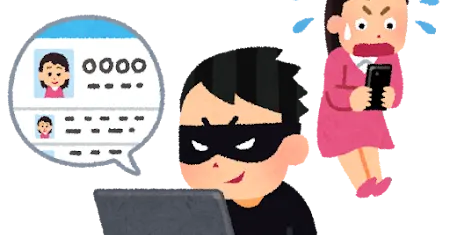
PayPay says fraudulent transfers from phones suspected of malware infection have been increasing since around August. The company responded after a post on X in late October went viral, claiming a parent's PayPay account had been misused and the money in the linked bank account was taken.
In such cases, funds are charged from the linked bank account to the PayPay balance and then sent out in transfers the owner does not recognize. The post prompted many users to say they were worried about linking a bank account, and some said they had cut the connection.
How the attacks begin
According to PayPay, the entry point is a malicious app distributed through sites or links other than trusted sources such as Google Play and the App Store. The company cited a fake app called "TikTok 18+" as an example. It is promoted as an adult version of TikTok through links in social media ads and on bulletin boards, and Osaka prefectural police have also issued a warning about it.
Once installed, the app infects the device with malware, which can let a third party control the smartphone remotely and make transfers or payments through PayPay without the owner's knowledge. Separately, several Japanese banks, including Yamanashi Chuo Bank, Kawasaki Shinkin Bank and Higo Bank, have warned of fake "e-Tax" apps that let criminals misuse banking apps.
What PayPay and users can do
PayPay says it has strengthened monitoring, with AI and dedicated staff watching transactions around the clock and immediately stopping or blocking suspicious ones. The company says losses are now trending down.
For users, it recommends two main steps: do not download or install apps from anywhere other than trusted stores such as Google Play or the App Store, and do not grant settings or permissions that let others control the phone, such as VPN connections, full control or accessibility services.
Users who installed a suspicious app should check the PayPay transaction history for transfers or payments they do not recognize. If any appear, they should read the help page on the compensation program and consider applying if they meet its conditions, the company said in a September 7 notice.
More from this day
See all →
Proxima Fusion signs Japanese deals with Fujikura and Kyoto Fusioneering

Ex-UK minister Bim Afolami raises £4.9M for AI broker i23

ALLOX Raises $10.5M Seed to Scale AI Drug Discovery Platform

MuRay raises €7.1M to inspect rocket engines with muon imaging
More in: Security
See all →
French Tax Hack: 16-Year-Old 'Casquette' Charged in ZeroBytes Case

D-EDGE and Misterbooking hit by data breaches affecting hotel guests

Hana Cupid Breach Exposes Up to 4.24 Million Member Records