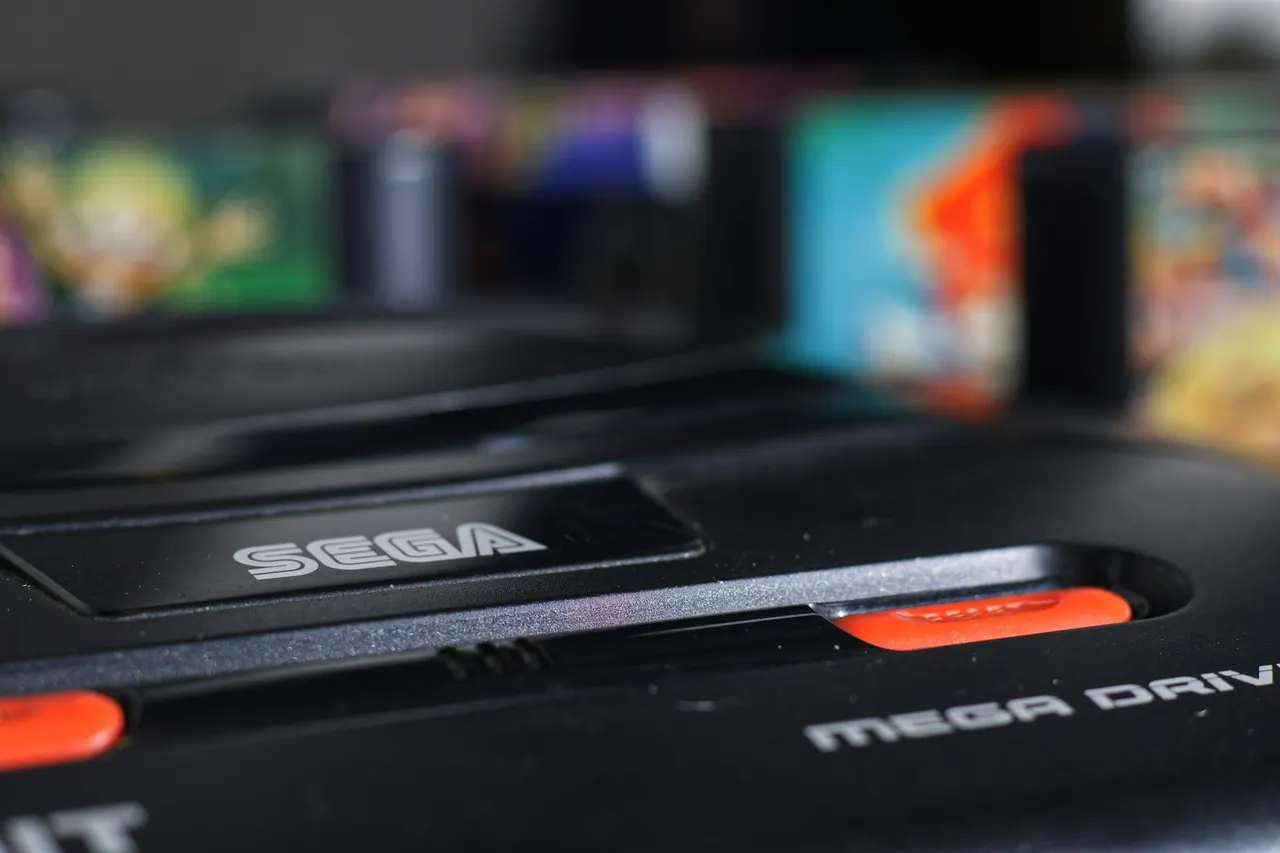
MXOS turns a Sega Mega Drive into a PC with Python built in
A retro developer has built MXOS, an operating system that gives the 1990s Sega Mega Drive a desktop, multitasking and even Python, on the original hardware.
 SUMO· the number puzzle
 Dialo· learn languages by speaking
 ediviewer· read EDI files like documents
 giftdetect· the right gift in minutes
Your old Sega Mega Drive can now run something that looks a lot like Windows. MXOS, an operating system by retro developer Mauro Xavier, turns the 16-bit console into a small PC with a desktop, multitasking and a Python interpreter.
It runs on the original hardware. The Mega Drive's 7.6 MHz Motorola 68000 processor, the chip that once powered Sonic the Hedgehog and Streets of Rage, now handles windows and programming tools. The result recalls the Atari ST or the Commodore Amiga.
According to Xavier's post on X, MXOS offers two environments. DOS is a command-line interface that understands classic commands such as DIR, CD and COPY. WIN is the more familiar one, with icons, windows, a taskbar, a Start menu and a control panel. Alt+Tab switches between apps.
Can the Mega Drive really multitask?
Xavier says it can. You can listen to music in the background while writing code, because the system manages separate memory banks for each process. There is also a task manager to watch and control running programs.
Programming on a Mega Drive
This is the part that stands out. MXOS includes an interpreter compatible with MSX-BASIC and another inspired by GW-BASIC and QBasic. A TURBO compiler turns BASIC into native code for the console, with speedups of up to 50 times depending on the task. It also supports Python through MicroPython and lets you write 68000 assembly directly. In theory you can make Mega Drive games on the console itself, with only a keyboard and mouse and no dev kit.
There are everyday tools too: a text editor, an image viewer, a media player for music and video, a sprite editor, a drawing program and tools for ZIP and TAR files. Xavier also added a few games written in BASIC.
How do you install MXOS on a Mega Drive?
You need an EverDrive X3 cartridge. Bluetooth keyboards and mice work through a BlueRetro adapter, and original peripherals such as the Mega Mouse also work. The project is still in development. Xavier has promised to release the first version through his Patreon.
Apps worth a look
SUMO: the number puzzleTap the right tiles, add them up, hit the target. Easy to learn, hard to master. Free, for all ages.
Dialo: learn languages by speakingTalk to an AI conversation partner; every sentence comes back corrected and explained in your language. 9 languages, A1 to C2.
ediviewer: read EDI files like documentsOpen EDIFACT and X12 messages, see every segment explained, convert to JSON/XML, export PDF and Excel. Runs locally, no upload.
giftdetect: the right gift in minutesPick who it is for, the occasion and their personality. The search engine reads product descriptions from local shops and ranks what fits. Free, no sign-up.
More from this day
See all →
NASA's green laser under the aurora in Svalbard, explained

Stranded orca in Scotland was 15 years older than its teeth said
Sanitas MiSanitas app breach exposes ID numbers and health reports
Anthropic Siren test lures AI agents into escaping their sandbox
More in: Gaming
See all →
What 'Code Rotted' means: the gaming glitch Gen Z uses for life

GTA 6 on a jailbroken PS5 Pro hits 4K and 120 fps in a new clip
Atari Homebrew Awards cancelled because of AI-made games