Motorola Razr Android 17 update breaks cover screen dialer
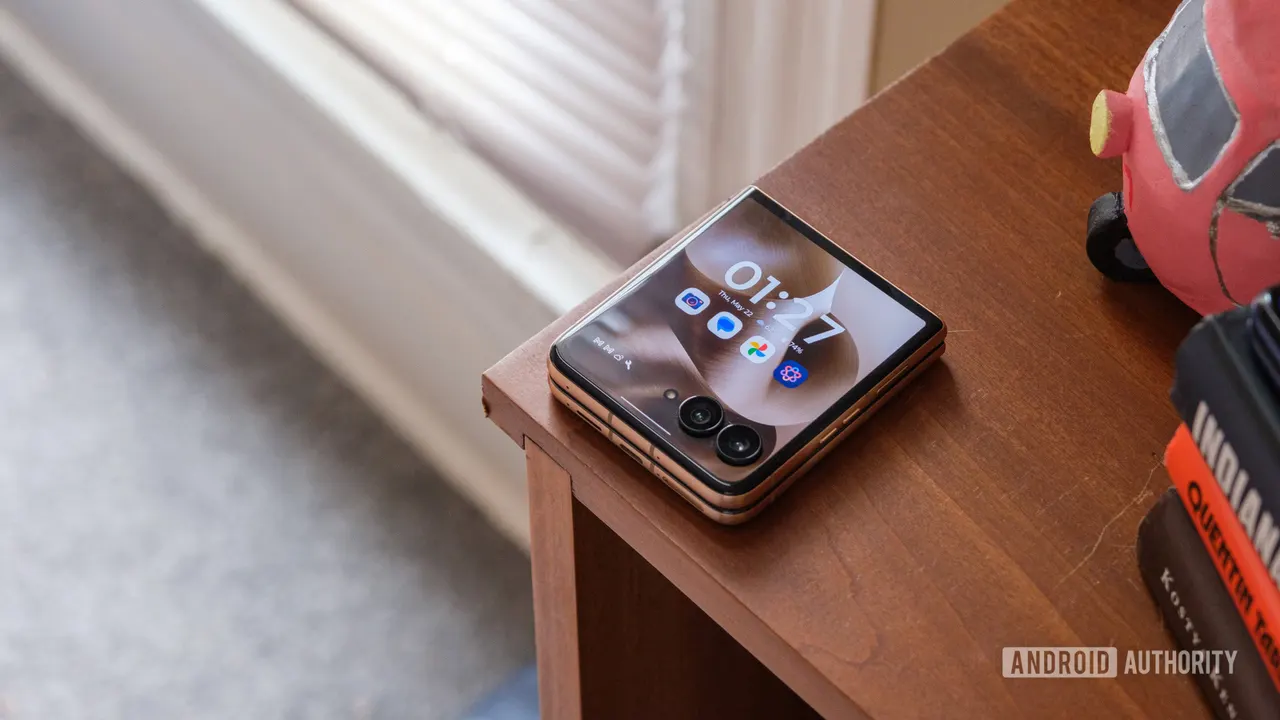
After Android 17, some Razr owners can't open the dial pad or contacts on the cover screen. Motorola's Phone app was swapped for Google's, and there's no switch back.
 SUMO· the number puzzle
 Dialo· learn languages by speaking
 ediviewer· read EDI files like documents
 giftdetect· the right gift in minutes
Making a call on a Motorola Razr without unfolding it used to be the whole point. After the Android 17 update, some owners say they have to open the phone just to dial a number.
According to reports on Reddit, Motorola's community forum and the Google Play Store, the update replaced Motorola's own Phone app with Google's. On the main display it works fine. On the cover screen, users say they can still see recent calls, but the dial pad and contacts are gone. Incoming calls no longer show the caller ID across the cover screen either, so people have to unlock the phone to see who is ringing.
The Google app does bring visual voicemail, which Reddit users welcome. But it costs them the cover screen dialer and the full-screen calling interface.
A Razr 50 Ultra (Razr Ultra 2024) owner on Motorola's forum says Google's app doesn't scale properly on the small display, which makes dialing hard. They also found no way to go back to Motorola's app in the default app settings. On the Play Store, complaints were still coming in as recently as November 25. In reply to one, Google suggested the problem was specific to the device and told the user to contact Motorola.
How do I fix the missing dial pad on the Razr cover screen?
There are two workarounds so far. One owner found that rotating the cover screen brings back the missing Home and Dial buttons. Another reported success by lowering the font and display sizes under Settings > Display size & text. Both hint that the problem is about how the app scales on a small screen.
This isn't entirely new. Similar complaints about Google's Phone app on Razrs go back to Android 16. What's different now is that users appear to have no way back to Motorola's app. Motorola's Android 17 rollout is still reaching more Razr models, so more people may run into it.
Apps worth a look
SUMO: the number puzzleTap the right tiles, add them up, hit the target. Easy to learn, hard to master. Free, for all ages.
Dialo: learn languages by speakingTalk to an AI conversation partner; every sentence comes back corrected and explained in your language. 9 languages, A1 to C2.
ediviewer: read EDI files like documentsOpen EDIFACT and X12 messages, see every segment explained, convert to JSON/XML, export PDF and Excel. Runs locally, no upload.
giftdetect: the right gift in minutesPick who it is for, the occasion and their personality. The search engine reads product descriptions from local shops and ranks what fits. Free, no sign-up.
More from this day
See all →
Apple v. Epic Supreme Court appeal: 32 states side with Epic

VVS: 17-year-old Austrian raises pre-seed to rival Jane Street
NovaTech founders ordered to pay $1.37 billion in fraud ruling