Microsoft Auto SR Leaves Preview With Handheld Support
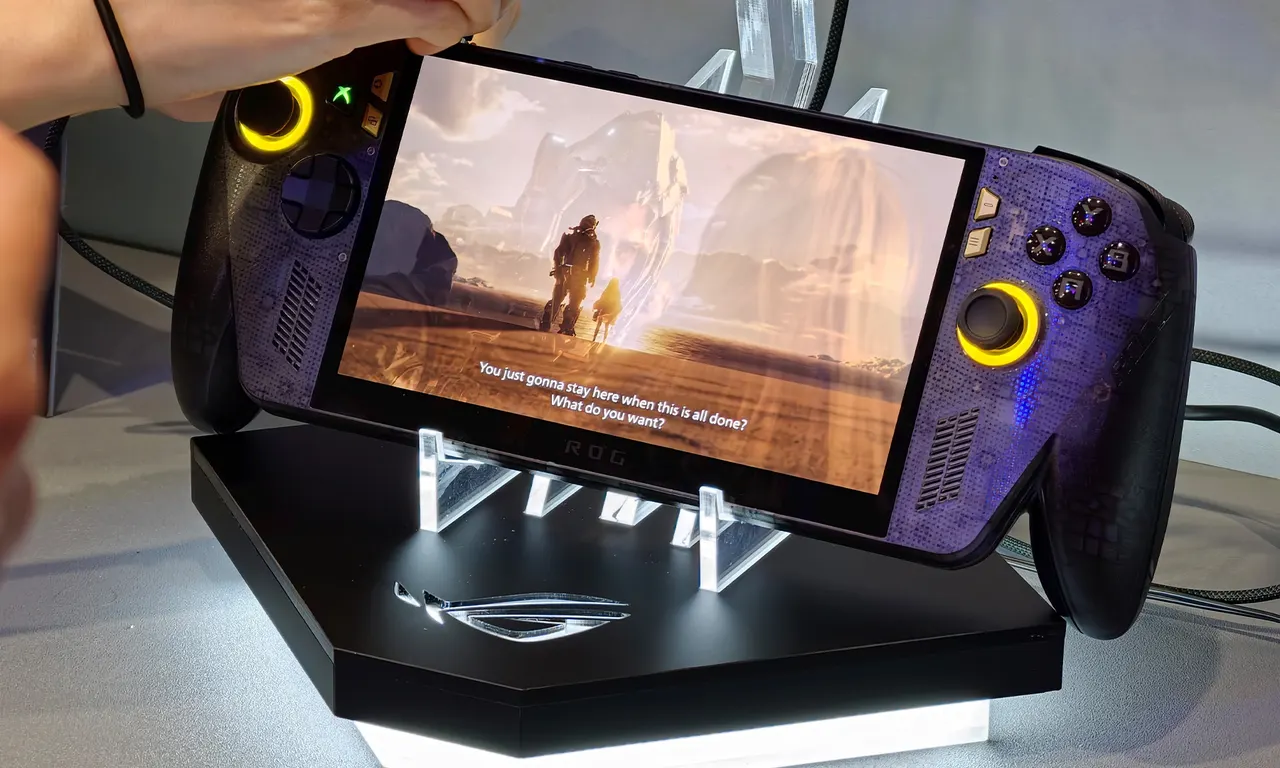
Microsoft's AI upscaler Auto SR is now live on the ROG Xbox Ally X and X20, working on the built-in screen, at 1080p and, soon, up to 120 FPS.
 SUMO· the number puzzle
 Dialo· learn languages by speaking
 ediviewer· read EDI files like documents
 giftdetect· the right gift in minutes
Microsoft's Automatic Super Resolution, or Auto SR, has officially left preview. The AI upscaling feature is now available on the ROG Xbox Ally X, the ROG Xbox Ally X20 and supported AMD Ryzen-powered Copilot+ PCs.
Auto SR uses AI to make games look sharper without demanding more from the hardware. The Insider preview came with several limits, and the final release removes most of them.
Works on the handheld screen
During the preview, Auto SR only worked while the device was docked, since Microsoft expected the sharper image to be most noticeable on a big display. That ignored how many people use a handheld. The feature now runs on the built-in screen, whether the device is charging or on battery. Microsoft added this after player feedback.
The second fix concerns resolution. Most games on these handhelds default to 1080p, the screen's native resolution, but the preview only worked after lowering it. Many users missed that step, so the feature never switched on. Now 1080p games work out of the box, and once docked, the image can be upscaled to 1440p. Microsoft acknowledges that 1080p performance on the internal display isn't ideal, though older games should still look better.
Auto HDR and Performance Mode
Auto HDR, which adds HDR effects to games not built for it, previously had to be switched off to use Auto SR. The two features are now designed to work together, which should improve visual quality further.
A new Performance Mode is also coming. With Auto SR on, frame rates previously hovered around 60 to 75 FPS; Performance Mode raises that to 120 FPS, which should help fast titles such as racing games and shooters most.
Handheld play, 1080p support and the wider Copilot+ PC lineup are live today. Performance Mode and Auto HDR compatibility depend on upcoming Windows updates, so they may take longer to arrive.
Apps worth a look
SUMO: the number puzzleTap the right tiles, add them up, hit the target. Easy to learn, hard to master. Free, for all ages.
Dialo: learn languages by speakingTalk to an AI conversation partner; every sentence comes back corrected and explained in your language. 9 languages, A1 to C2.
ediviewer: read EDI files like documentsOpen EDIFACT and X12 messages, see every segment explained, convert to JSON/XML, export PDF and Excel. Runs locally, no upload.
giftdetect: the right gift in minutesPick who it is for, the occasion and their personality. The search engine reads product descriptions from local shops and ranks what fits. Free, no sign-up.
More from this day
See all →



More in: Gaming
See all →
Steam now shows average frame rates for Steam Deck games

GTA 6 Runs at 30 FPS on All Consoles, Rockstar Confirms

GTA 6 Comes to Xbox Cloud Gaming on Day One, but Only on Consoles