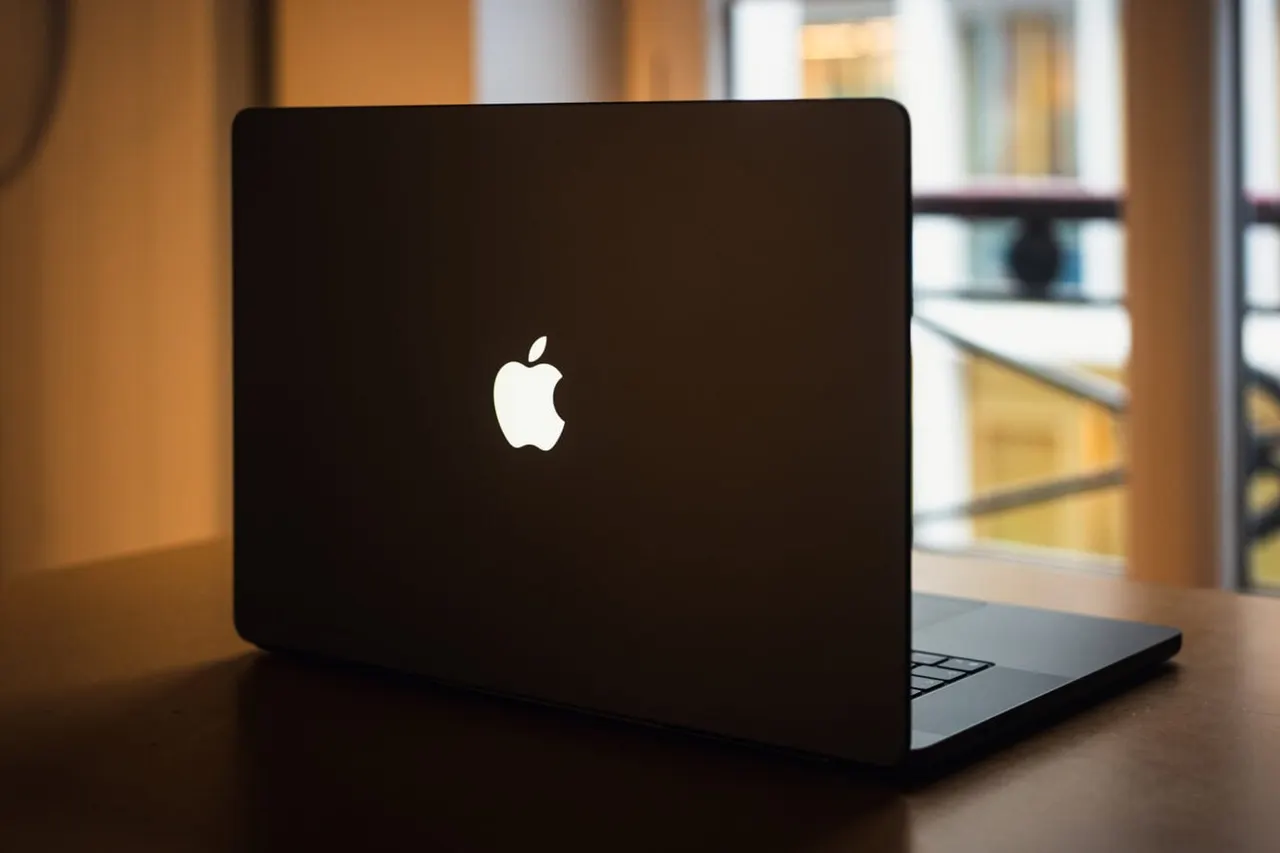
MacBook Pro PROLED screen makes some users dizzy and nauseous
Some owners of Apple's new MacBook Pro PROLED report dizziness, nausea and headaches. The suspect is the screen's low-frequency PWM dimming, and some are returning the laptop.
 SUMO· the number puzzle
 Dialo· learn languages by speaking
 ediviewer· read EDI files like documents
 giftdetect· the right gift in minutes
Some people who bought the new MacBook Pro PROLED say the screen makes them feel sick. Dizziness, nausea and headaches are the complaints, and a few owners have decided the only fix is to take the laptop back to the shop.
The suspect is the display's dimming method. The MacBook Pro PROLED uses PWM dimming at a fairly low frequency, between 240 and 480 Hz depending on conditions. PWM (pulse width modulation) controls brightness by switching the backlight on and off very quickly instead of lowering the power steadily. People react to it differently. Many notice nothing, while others get the symptoms above.
On Reddit, one user wrote: "I love mine, but it gives me so much vertigo that I have no choice but to return it." Another admitted: "I was naive enough to think I wouldn't be affected, but I was very wrong! I've had the new one for two days and I feel dizzy." A third said they literally couldn't work on it, mostly reading, without feeling nauseous and detached from reality.
Why the MacBook Pro PROLED and not the iPhone or iPad?
The iPhone 18 Pro and iPads with OLED screens also use low-frequency PWM dimming, yet few people report problems with them. The likely reason is simple. The laptop screen is bigger, and people spend long stretches on it doing things that demand focus, like reading and working.
Is there a setting to turn it off?
No. According to the report, Apple hasn't built in any feature to soften the effects of low-frequency PWM on the MacBook Pro PROLED. The only remedy mentioned so far is returning the machine.
It comes after a rough start for the iPhone Duo, where some screens cracked after only a few uses. Apple said that was a supply chain issue affecting "a small number" of devices. This one is different: nothing is broken, and the display works as designed. If you're thinking of buying one, it's worth trying the screen in a shop first, especially if you are sensitive to flickering screens.
Apps worth a look
SUMO: the number puzzleTap the right tiles, add them up, hit the target. Easy to learn, hard to master. Free, for all ages.
Dialo: learn languages by speakingTalk to an AI conversation partner; every sentence comes back corrected and explained in your language. 9 languages, A1 to C2.
ediviewer: read EDI files like documentsOpen EDIFACT and X12 messages, see every segment explained, convert to JSON/XML, export PDF and Excel. Runs locally, no upload.
giftdetect: the right gift in minutesPick who it is for, the occasion and their personality. The search engine reads product descriptions from local shops and ranks what fits. Free, no sign-up.
More from this day
See all →
Comet 220P/McNaught suddenly got 1,000 times brighter. Here's why

Coral Hart used AI to write 370 books in 20 months
WhatsApp Zaps: self-deleting photos and videos for any chat

Green SM taxis: Karnataka halts new registrations, eyes mandatory meters
More in: Hardware
See all →
Myofree tablet only works with special glasses to rest your eyes

Trump's Nvidia stock worth $62 million as H200 chips cleared for China
RuStore will be preinstalled on every Smart TV sold in Russia