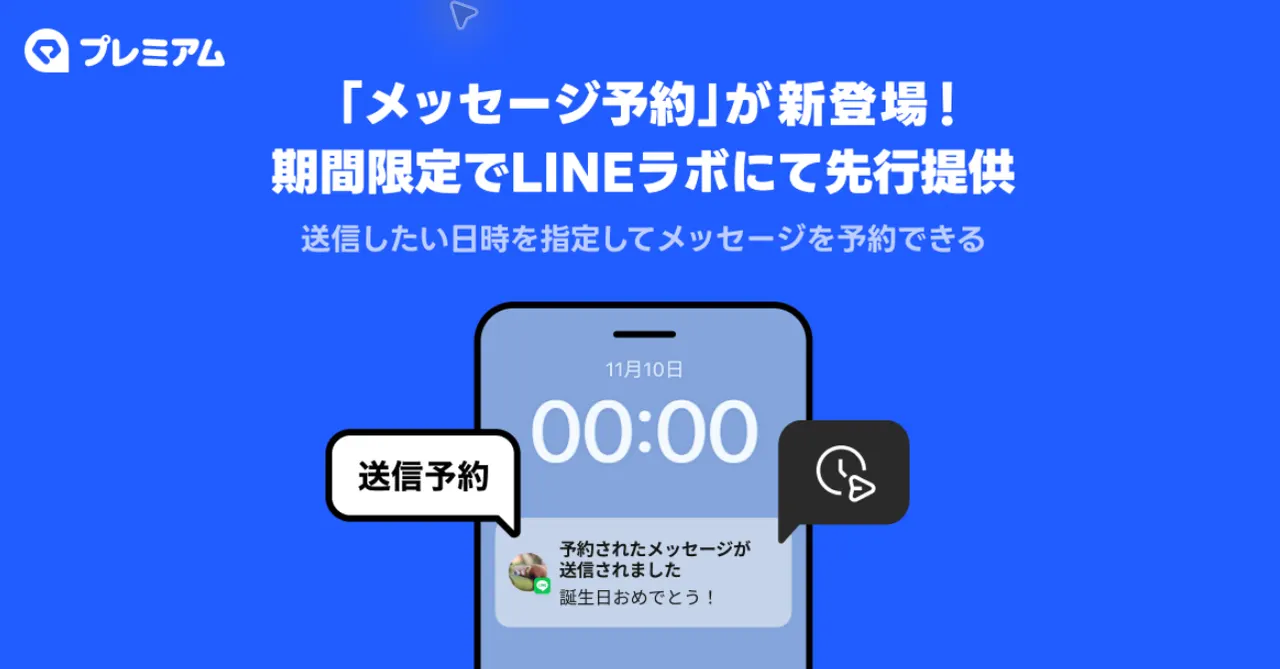
LINE scheduled messages: how to send a text up to a year later
LINE now lets you write a message and pick when it goes out, from 5 minutes to a year ahead. It's free during the trial in LINE Labs.
 SUMO· the number puzzle
 Dialo· learn languages by speaking
 ediviewer· read EDI files like documents
 giftdetect· the right gift in minutes
You remember something at midnight, you don't want to text someone then, and you also know you'll forget by morning. LINE now has an answer: scheduled messages, which let you write a text now and choose when it gets sent.
LINE Yahoo announced the feature on November 10. It is rolling out gradually through LINE Labs, the section where LINE tests new features, and during the trial period every LINE user can use it for free.
It works in one-on-one chats, group chats, multi-person chats and Keep Memo. You can set the send time anywhere from 5 minutes after you create it to a maximum of one year ahead.
How to schedule a message on LINE
Open Settings (the gear icon) from the Home tab, go to LINE Labs and switch on "Message scheduling". Then type your text in the chat, long-press the send button and choose "Scheduled message". Set the date and time, then tap the schedule button to the right of the message field. LINE sends a notification once the message has gone out.
Plans change, so you can edit or delete a scheduled message later, change its send time, or hit "send now" instead of waiting.
What are the limits?
Only text messages can be scheduled. Images, videos and stickers are not supported. You need LINE version 26.17.0 or later on iOS or Android, and it only works on your main device. The PC version is not supported.
The free period will end. After the LINE Labs trial, the feature is due to become a perk for LYP Premium Standard Plan and LYP Premium with Netflix members from this winter onward. LINE Yahoo says it will announce the date in advance once it is set.
If you schedule far ahead, be careful. Messages set for a time after the LINE Labs end date will not be sent if you are not a LYP Premium member. According to the company, signing up for an eligible plan during the trial keeps the feature available.
Apps worth a look
SUMO: the number puzzleTap the right tiles, add them up, hit the target. Easy to learn, hard to master. Free, for all ages.
Dialo: learn languages by speakingTalk to an AI conversation partner; every sentence comes back corrected and explained in your language. 9 languages, A1 to C2.
ediviewer: read EDI files like documentsOpen EDIFACT and X12 messages, see every segment explained, convert to JSON/XML, export PDF and Excel. Runs locally, no upload.
giftdetect: the right gift in minutesPick who it is for, the occasion and their personality. The search engine reads product descriptions from local shops and ranks what fits. Free, no sign-up.
More from this day
See all →
iPhone Duo delivery dates move up from January to December

12,000 mAh phones are coming, and Xiaomi is already building them

Poland's smartphone tax is now in force: 1% on phones from 32 GB