Ladybird browser tested: a new engine, but don't switch yet
Nearly every browser runs on one of three engines. Ladybird built its own from scratch. We tried the alpha, and it is not ready to replace Chrome or Firefox.
 SUMO· the number puzzle
 Dialo· learn languages by speaking
 ediviewer· read EDI files like documents
 giftdetect· the right gift in minutes
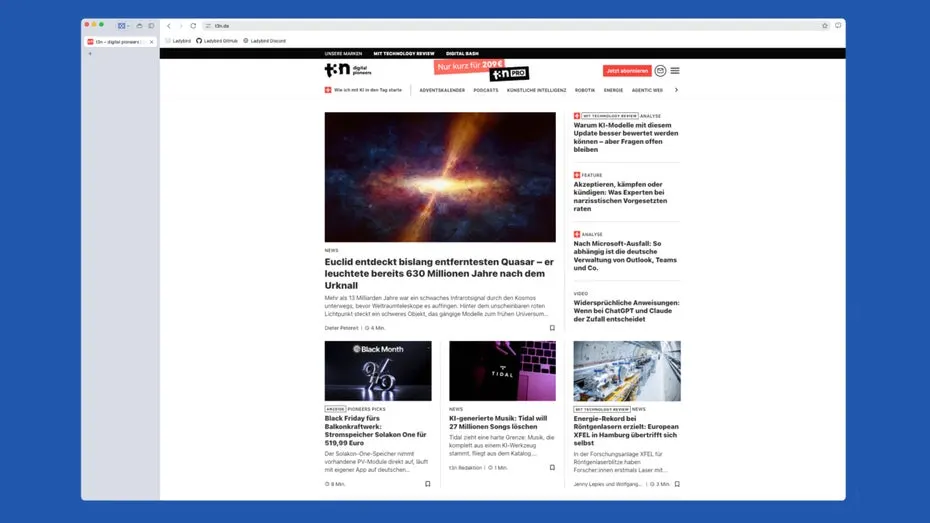
Nearly every browser you can name runs on one of just three engines. Ladybird is the odd one out: the non-profit Ladybird Browser Initiative built a completely separate technical foundation for its browser of the same name. We tried the alpha version, and the short answer to "should I switch?" is no.
What is the Ladybird browser?
Ladybird is a web browser from a non-profit organisation, the Ladybird Browser Initiative. The engine is the part that turns a website's code into the page you actually see, and almost all browsers borrow theirs from one of three sources. Ladybird doesn't. That makes it unusual in a market that looks crowded: Waterfox, Firefox, Opera, Arc, Orion, Edge, Chrome, Safari, Vivaldi and plenty more.
The crowd is deceptive, though. According to Statcounter, which analyses website connections across device types, most traffic still goes through Google's Chrome. Edge, Safari and Firefox manage to take a share from the leader, in places up to 28 percent. The remaining alternatives are niche products, even if under the hood they resemble Chrome more than you might expect.
Should you switch to Ladybird?
Not for now. The browser is in alpha, which means it is an early version still under construction. Our test showed what it can already do, and the conclusion was clear: you are better off staying with the browser you use today.
That doesn't make the project pointless. Choice among browsers is largely choice among a few shared foundations, and an engine written independently is rare. Ladybird is worth watching for that reason alone, and worth trying if you are curious how far an independent engine has come. As your daily browser for banking, work and streaming, it is not there yet.
Apps worth a look
SUMO: the number puzzleTap the right tiles, add them up, hit the target. Easy to learn, hard to master. Free, for all ages.
Dialo: learn languages by speakingTalk to an AI conversation partner; every sentence comes back corrected and explained in your language. 9 languages, A1 to C2.
ediviewer: read EDI files like documentsOpen EDIFACT and X12 messages, see every segment explained, convert to JSON/XML, export PDF and Excel. Runs locally, no upload.
giftdetect: the right gift in minutesPick who it is for, the occasion and their personality. The search engine reads product descriptions from local shops and ranks what fits. Free, no sign-up.
More from this day
See all →
Microsoft Code Red after 24-hour Outlook and Teams outage

FIFA cyberattack: hackers stole personal and business data

ShellBench: even the best AI agents fail 40% of real tasks