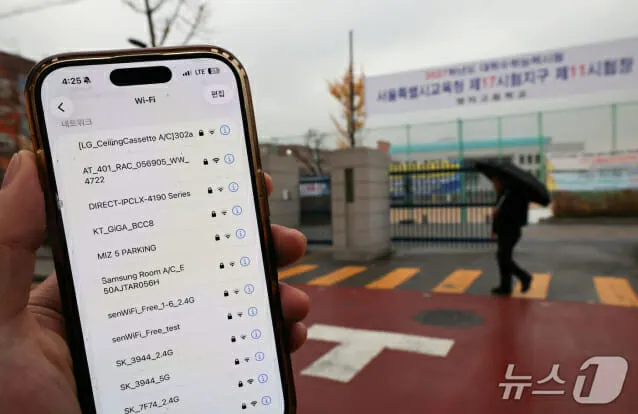
How to save mobile data on Android and iPhone: 8 settings
Your data plan may be draining while the phone sits in your pocket. Eight settings on Android and iPhone can stop apps from quietly eating it.

 SUMO· the number puzzle
 Dialo· learn languages by speaking
 ediviewer· read EDI files like documents
 giftdetect· the right gift in minutes
Running out of mobile data before your plan renews is not only about how much you scroll. Plenty of apps keep refreshing content, downloading files and sending data in the background, even when you are not looking at them. A handful of settings on Android and iPhone can rein that in.
How to save mobile data on Android and iPhone
- Deal with background apps. Open your data usage settings, see which apps use the most, and stop the unnecessary ones from using mobile data in the background.
- Switch on the data saver. Android has Data Saver, found in the network and internet settings. iPhone has Low Data Mode, in the cellular data settings. Both limit background activity and unnecessary transfers, and Low Data Mode also curbs app updates.
- Lower video quality. Video at 1080p or 4K burns through a plan. On mobile data, drop to 480p or 720p, and turn off autoplay in social apps so clips do not load the moment they appear on screen.
- Update apps on Wi-Fi only. Set your app store to install updates only on Wi-Fi, and block large app and file downloads over mobile data.
- Tame social apps. Facebook, Instagram and TikTok use a lot of data. Turn on their in-app data saving modes, disable automatic media loading, lower video quality and cut back on long sessions of short clips.
- Back up on Wi-Fi only. Set iCloud, Google Photos and Google Drive to upload only on Wi-Fi, and review your automatic sync settings.
- Check the biggest offenders. Look at Cellular Data on iPhone or data usage on Android to see how much each app used over a given period.
- Download big things on Wi-Fi. Games, apps, updates and large videos belong on a trusted Wi-Fi network. Grab music, maps and videos that work offline in advance.
Why it matters
Much of the drain happens without you noticing, so checking your settings and app usage every so often does more than simply using the phone less. Managing apps, settings and content quality is now part of keeping a plan intact until renewal day.
Apps worth a look
SUMO: the number puzzleTap the right tiles, add them up, hit the target. Easy to learn, hard to master. Free, for all ages.
Dialo: learn languages by speakingTalk to an AI conversation partner; every sentence comes back corrected and explained in your language. 9 languages, A1 to C2.
ediviewer: read EDI files like documentsOpen EDIFACT and X12 messages, see every segment explained, convert to JSON/XML, export PDF and Excel. Runs locally, no upload.
giftdetect: the right gift in minutesPick who it is for, the occasion and their personality. The search engine reads product descriptions from local shops and ranks what fits. Free, no sign-up.
More from this day
See all →
GTA 6 on Blinkit: PS5 Edition Delivered in Minutes for ₹5,999

Sony wins £2bn PlayStation Store case in London tribunal

Vals AI military simulation study: AI models picked civilians as targets

Żappka Pay: buy now, pay later at Żabka with a 2,000 zł limit
More in: Mobile
See all →
Samsung One UI 9.5 adds native app lock for Galaxy phones

Disney+ and Hulu merge into one app in December, after 3 years
Hokkaido Switch 2 emulator for Android now builds native ports