Claude artifacts can now be installed as Mac and Windows apps
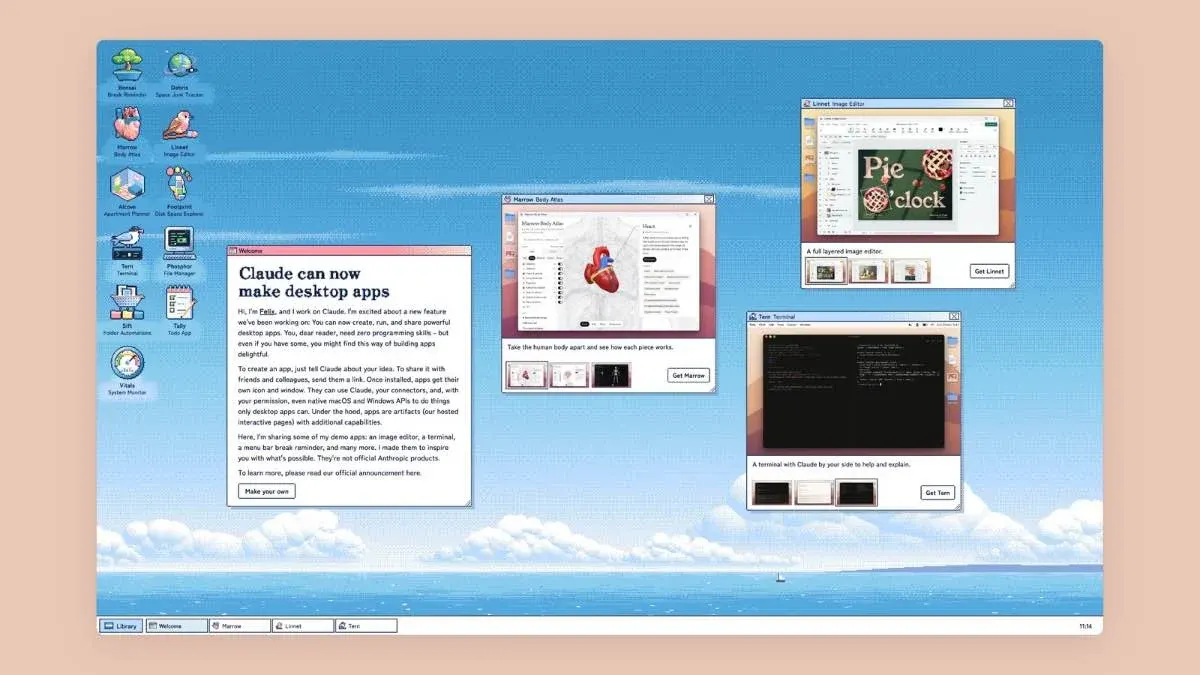
Anthropic is testing a way to install Claude artifacts as live apps with their own icon and window on Mac, and the feature works on Windows too.
 SUMO· the number puzzle
 Dialo· learn languages by speaking
 ediviewer· read EDI files like documents
 giftdetect· the right gift in minutes
Anything Claude builds for you, a small tool, a dashboard, a page, can now live on your desktop like a normal app. Anthropic has started a beta that lets you install Claude artifacts as standalone apps on Mac. The same feature works on Windows.
What are Claude artifacts?
An artifact is a separate thing Claude makes, not a chat reply. It can be a web page, an interactive tool, a document, a presentation or a design, and you can open it, use it, edit it and share it. Artifacts have their own section in the Claude sidebar, called Artifacts, and it is available on all Anthropic plans.
Once you install one on a Mac, it gets its own icon and opens in its own window. Anthropic says this suits live jobs such as a meeting-prep system or an order tracker, not only slide decks.
What permissions does an installed artifact need?
An installed artifact needs your permission to run on the computer, and you can set limits on what data it shares. There are three levels:
- Default: the app can only do what a browser page could do.
- App permissions: it can ask for common features that Claude tightly controls, such as always-on-top windows, listening for global shortcuts and sending notifications.
- Full computer access: it can ask to run programs and to read, edit or delete files without asking each time.
The last level is the one to think about. Earlier this month Apple adjusted some macOS settings to give people more control over what data apps can reach. Apple warned that giving an app that kind of access puts all the data on your computer at risk, and said the changes are meant to help people make informed choices about their data and privacy.
You can take permissions back as easily as you gave them.
Apps worth a look
SUMO: the number puzzleTap the right tiles, add them up, hit the target. Easy to learn, hard to master. Free, for all ages.
Dialo: learn languages by speakingTalk to an AI conversation partner; every sentence comes back corrected and explained in your language. 9 languages, A1 to C2.
ediviewer: read EDI files like documentsOpen EDIFACT and X12 messages, see every segment explained, convert to JSON/XML, export PDF and Excel. Runs locally, no upload.
giftdetect: the right gift in minutesPick who it is for, the occasion and their personality. The search engine reads product descriptions from local shops and ranks what fits. Free, no sign-up.
More from this day
See all →
Zodia Custody data breach exposes client and staff data

SYS010 malware hides in Windows wallpaper ads to hijack Facebook

Chernobyl fungus pigment inspires fabric that breaks down nerve agents