Apple's Safari Switch Page Takes Direct Aim at Google Chrome
Apple's "switch to Safari" page names Chrome outright, claiming longer battery life, faster loading and better privacy, backed by a nine-row comparison table.
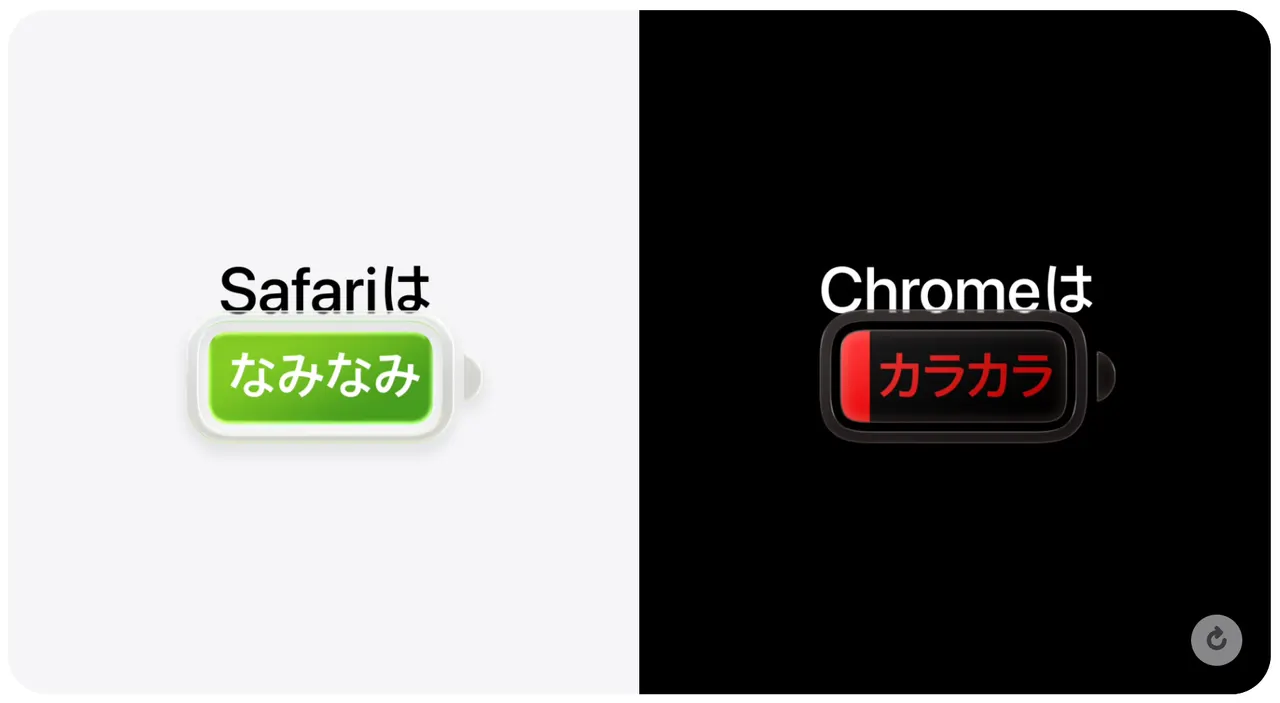
Apple has published a "switch to Safari" page on its official website that goes after Google's Chrome by name, and the tone is unusually blunt for a company website. The page opens by promoting Safari's performance and privacy protection, adding the jab "better than Chrome."
The wording is sharp throughout. On battery life, Safari is described as full while Chrome is drained. On speed, Safari is called blazing fast and Chrome sluggish. In the privacy section, the page says Chrome exposes you. A comparison table covers nine items chosen by Apple: Safari gets a checkmark on every one, Chrome a cross on every one.
What Apple claims
Apple's headline claim is battery life. In its tests, streaming video on a Mac lasted up to five hours longer in Safari than in Chrome. It also says websites it describes as commonly visited on Mac load up to 35% faster in Safari.
There is a caveat: both results come from tests Apple ran in August 2026 on a 15-inch MacBook Air with an M5 chip. Results on other machines and in everyday use may differ, and the figures are the company's own.
On privacy, Safari includes Intelligent Tracking Prevention by default. It limits tracking of users across multiple websites, such as the product ads that follow you after you look at an item in an online shop. Apple also highlights Distraction Control, which lets users hide unwanted elements on a web page and remembers the choice the next time the page is opened.
Where Chrome still wins
The comparison leaves out one clear Chrome strength: bookmarks and passwords sync across devices running Windows, Android and other platforms. For people who pair a Mac with an Android phone, that is a practical advantage the Apple page does not dwell on.
The page shows how openly Apple is now willing to market Safari against its main rival, even if the benchmark conditions are narrow.
Apps worth a look
 SUMO: the number puzzle
Tap the right tiles, add them up, hit the target. Easy to learn, hard to master. Free, for all ages.
 Dialo: learn languages by speaking
Talk to an AI conversation partner; every sentence comes back corrected and explained in your language. 9 languages, A1 to C2.
 ediviewer: read EDI files like documents
Open EDIFACT and X12 messages, see every segment explained, convert to JSON/XML, export PDF and Excel. Runs locally, no upload.
More from this day
See all →
Ford Privacy Promise: No Sale of Driving Data After GM Deal
Quick Share Adds Automatic Android Photo Backup to Windows PCs

Unidentified EU Entity Loses $106 Million in Crypto Theft

Apple's J595 Home Robot Could Launch in 2027 at $1,000 or More
More in: Software
See all →
Canva releases Affinity for iPad, a largely free design app

C++26 Rejected by National Bodies in DIS Ballot: What Happens Next
Wear OS 7.1 Appears in Android Studio Emulator Ahead of Wear OS 8