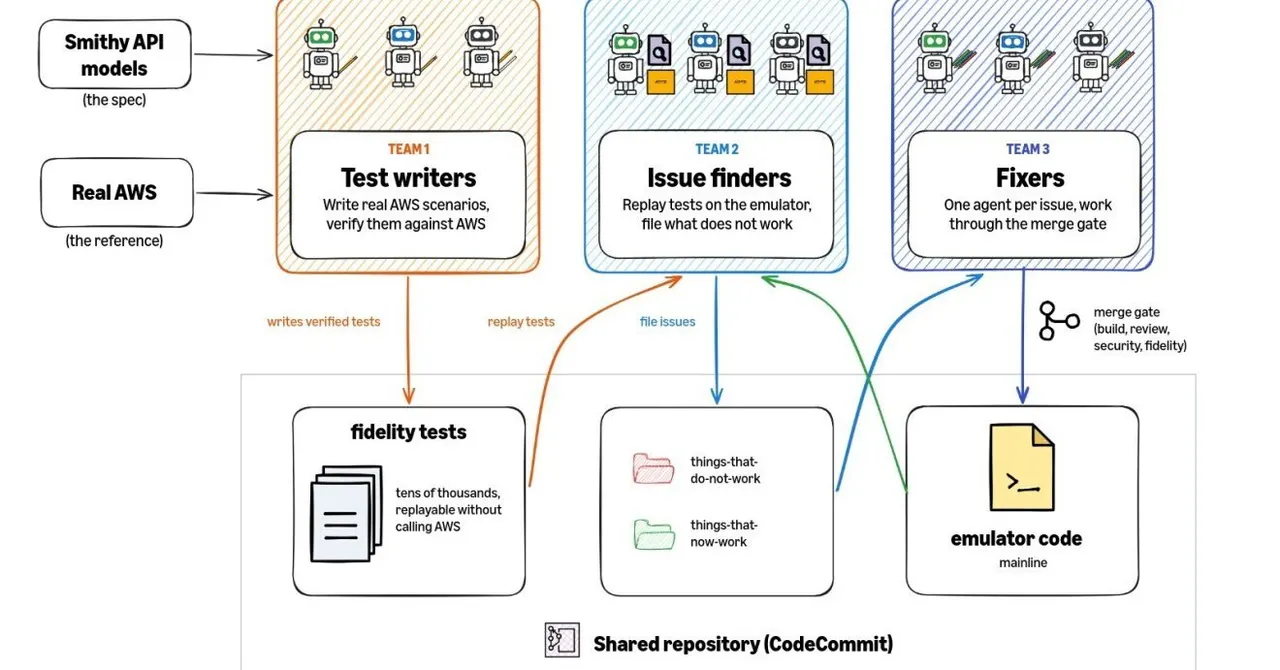
Apple's Harbor app turns Macs into a private AI server
A listing for Harbor, a Claris app that runs AI models on your Mac without the Terminal, appeared on the App Store for a few hours and vanished.
 SUMO· the number puzzle
 Dialo· learn languages by speaking
 ediviewer· read EDI files like documents
 giftdetect· the right gift in minutes
If you have ever wanted to run AI on your own computer but gave up at the Terminal, Apple's Claris unit may be working on your fix. It's called Harbor, and it showed up on the App Store on November 10, 2026, before disappearing again that evening.
What is Harbor?
Harbor is a Mac app that turns Apple silicon computers into private AI servers. According to the listing, it runs open-weight models, meaning models whose trained parameters anyone can download and host, entirely on your own hardware. Your data never leaves the machine, nothing goes to the cloud, and there is no per-token billing.
The listing promised setup in minutes with no command line. One screenshot showed Harbor downloading OpenAI's gpt-oss-20b model from Hugging Face.
How does the clustering work?
The more interesting part is linking Macs together. Connect two or more Thunderbolt 5-capable Macs, and Harbor detects them and pools their unified memory. That should make local processing considerably faster than a single Mac manages alone.
Apple laid some groundwork here. macOS Tahoe 26.2 added RDMA over Thunderbolt 5, which lets one Mac read another's memory directly.
Can you get Harbor now?
No. Neither Apple nor Claris has said why the listing was pulled. A likely explanation is that the page went live too early, and removing it while keeping the sign-up page is a tidy way to keep a private preview private. It doesn't look like the project has been cancelled.
Claris runs an early-access form asking for your name, email, company, phone number and country. There is no price, no release date and no word on whether Harbor will be free.
Similar tools exist today. LM Studio gives you a simple window on a single Mac, while open-source Exo handles clustering but expects you to work in a terminal. Harbor appears to be an attempt to offer both in one app.
Apps worth a look
SUMO: the number puzzleTap the right tiles, add them up, hit the target. Easy to learn, hard to master. Free, for all ages.
Dialo: learn languages by speakingTalk to an AI conversation partner; every sentence comes back corrected and explained in your language. 9 languages, A1 to C2.
ediviewer: read EDI files like documentsOpen EDIFACT and X12 messages, see every segment explained, convert to JSON/XML, export PDF and Excel. Runs locally, no upload.
giftdetect: the right gift in minutesPick who it is for, the occasion and their personality. The search engine reads product descriptions from local shops and ranks what fits. Free, no sign-up.
More from this day
See all →
Nāpōwawāʻenakaulua: Webb Finds Earliest Quasar Pair Ever

United Airlines AI agent ban: bots can't tick the check-in box
Jensen Huang resigns as Nvidia CEO; Colette Kress steps in as interim

Windows WinSxS folder: the DISM command that frees up to 10 GB
More in: Software
See all →
GPU Taskman shows which process is eating your VRAM

KORA OS: a Linux-based system built around AI, due in 2027

Windows 11 End Task button on the taskbar is off by default