Key icon on Android: what it means and how to remove it
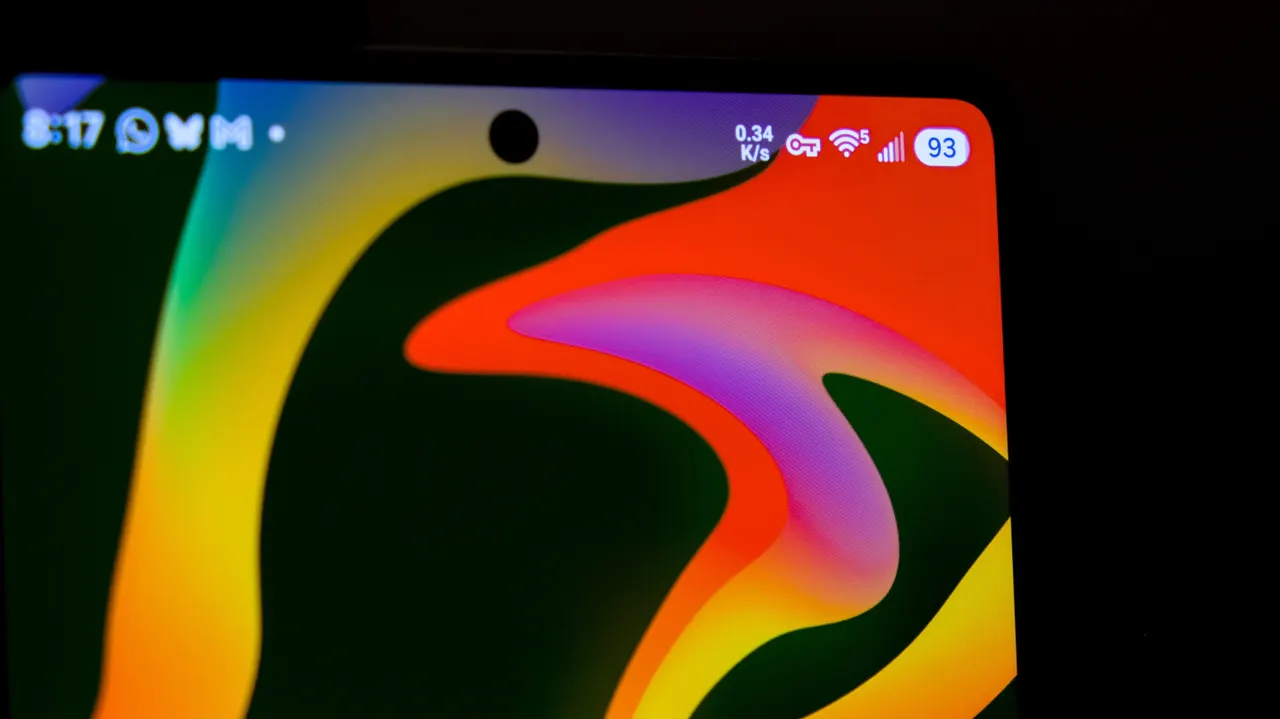
That small key in your Android status bar isn't a warning. It means a VPN is running, and on most phones you can't hide it without turning the VPN off.
 SUMO· the number puzzle
 Dialo· learn languages by speaking
 ediviewer· read EDI files like documents
 giftdetect· the right gift in minutes
If you've spotted a tiny key icon in your Android status bar and wondered whether something is wrong, relax. It points left, has two teeth opposite a round handle, and it simply means your phone is connected to a VPN.
A VPN (virtual private network) encrypts your web traffic so third parties can't read it, and modern Android versions support them at the OS level. The key tells you you're behind that protection. If it disappears, your VPN connection has dropped, which gives you a chance to fix it.
How do I remove the key icon on Android?
Mostly, you don't. Because it's a security and privacy feature, most Android devices have no option to hide it. Samsung Galaxy owners are the exception: they need to install the Good Lock customization suite from the Galaxy Store, open its QuickStar module and toggle the key indicator.
Otherwise the only way to lose the icon is to switch the VPN off. You can do that in the VPN app itself, or from its notification if it has a button for it. On a Pixel or other near-stock Android phone, swipe into Quick Settings, tap the number next to the profile icon at the bottom to see active background apps, then tap Stop next to your VPN.
Not sure which VPN is running? Open Settings, then Network & internet > VPN. On Samsung it's Settings > Connections > More connection settings > VPN. The active one says "Connected" underneath. Tap it and choose Disconnect.
Do you need a VPN on your phone?
A VPN hides your IP address from networks, ISPs and sites you visit, and stops your provider or the owner of a public Wi-Fi network from seeing what you do. It doesn't make you anonymous. Logged-in accounts like Facebook or Google still know who you are, and cookies and device fingerprinting can still track you.
It can also make you appear to be somewhere else, which is handy for content that's geofenced, such as Netflix shows licensed only in certain countries.
There's a catch. Some websites treat VPN addresses as suspicious, so expect more CAPTCHAs, and a few sites may not respond until you disconnect.
Apps worth a look
SUMO: the number puzzleTap the right tiles, add them up, hit the target. Easy to learn, hard to master. Free, for all ages.
Dialo: learn languages by speakingTalk to an AI conversation partner; every sentence comes back corrected and explained in your language. 9 languages, A1 to C2.
ediviewer: read EDI files like documentsOpen EDIFACT and X12 messages, see every segment explained, convert to JSON/XML, export PDF and Excel. Runs locally, no upload.
giftdetect: the right gift in minutesPick who it is for, the occasion and their personality. The search engine reads product descriptions from local shops and ranks what fits. Free, no sign-up.
More from this day
See all →
MoldyRoost ad campaign can hack iPhones with one tap, Confiant says

VMware vCenter bug CVE-2026-123890 was exploited in September

South Korea's Suneung exam alert caught 49 students with phones

Kh-101 missiles found at three crash sites in Poland, prosecutors say
More in: Mobile
See all →
iOS 27 Connectivity Assist: Your iPhone Can Now Pair Wi-Fi With Mobile Data
iPhone Duo Lock Screen Widgets: Apple Tested a Second Column
Clicks Communicator delayed to 2027 by a circuit board shortage