Android Create My Widget tested: AI widgets are fun, not smart
Android's new Create My Widget feature made a Jurassic Park quote widget in 20 seconds. It could not tell its writer when the bus was coming.
 SUMO· the number puzzle
 Dialo· learn languages by speaking
 ediviewer· read EDI files like documents
 giftdetect· the right gift in minutes
All one writer wanted from AI was a warning before missing the bus. Android's new Create My Widget feature, which builds home screen widgets from a text prompt, did not deliver that. It did produce a widget that quotes Jurassic Park every hour, which is a decent consolation prize.
Google announced Create My Widget at I/O in the spring. It is part of Android's "Gemini Intelligence" features, it is still in beta, and it only started rolling out to Pixel phones this month. The test ran on a Pixel 11 Pro.
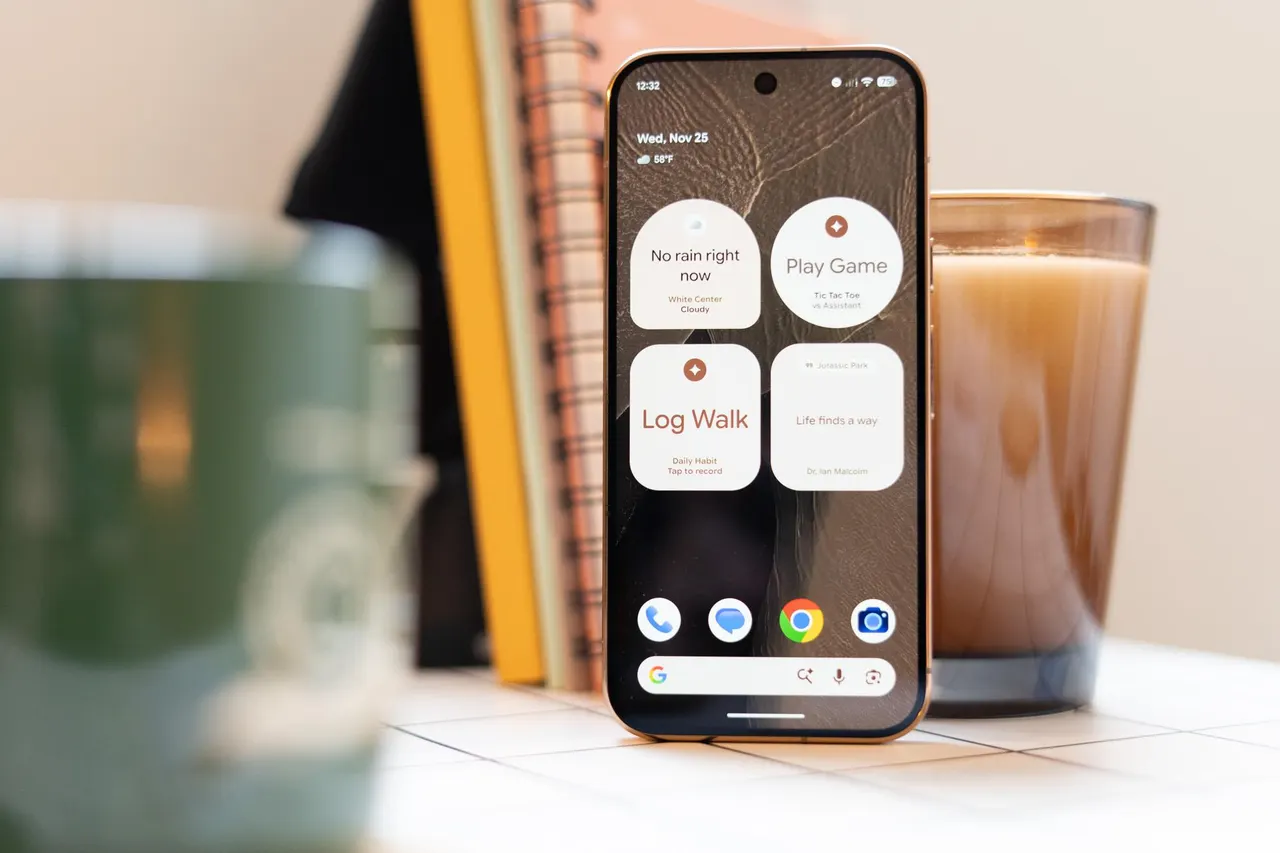
The fun ones worked. The Jurassic Park widget took about 20 seconds to make and tapping it opens a thread in r/MovieQuotes. Another widget shows "Tut tut, looks like rain" when it rains and "No rain right now" when it doesn't. The tester lives in Seattle, so it will get plenty of use.
What can Create My Widget actually make?
Less than "mini apps" suggests. Many widgets are really shortcuts to a Gemini prompt: you tap, Gemini opens on your home screen, thinks, and answers. The widgets also seem to fit set templates. You can get a countdown to a holiday or a calendar event, or the latest score and next game time for a sports team. Anything more open-ended either pulls from Google search results, such as a new three-ingredient cocktail every day, or hands the question to Gemini.
Why the bus widget failed
The tester asked for real-time bus arrivals at a stop near home. The result was a tile labelled "Bus Arrivals" that asks Gemini to search for times. Gemini replied with a wordy explanation of how often the bus runs and when it might show up according to the schedule. That is not real-time data.
A walking tracker went similarly. Instead of a visual streak, the tester got a "Log Walk" button that makes Gemini add a walk to the calendar. Gemini did suggest a checklist for marking off days of the week.
So it is a one-size-fits-all feature, not a way to customize mini apps. For silly, single-purpose widgets it is a good time. For anything that needs live data, don't expect much.
Apps worth a look
SUMO: the number puzzleTap the right tiles, add them up, hit the target. Easy to learn, hard to master. Free, for all ages.
Dialo: learn languages by speakingTalk to an AI conversation partner; every sentence comes back corrected and explained in your language. 9 languages, A1 to C2.
ediviewer: read EDI files like documentsOpen EDIFACT and X12 messages, see every segment explained, convert to JSON/XML, export PDF and Excel. Runs locally, no upload.
giftdetect: the right gift in minutesPick who it is for, the occasion and their personality. The search engine reads product descriptions from local shops and ranks what fits. Free, no sign-up.
More from this day
See all →
42 Istanbul opens free coding school campus in historic Şeker Han

Kalyan Krishnamurthy after Flipkart: five paths he could take next
CapivaOS brings LineageOS 24 and Android 17 to old PCs