Android Auto Now Requires Android 11, Dropping Android 9 and 10
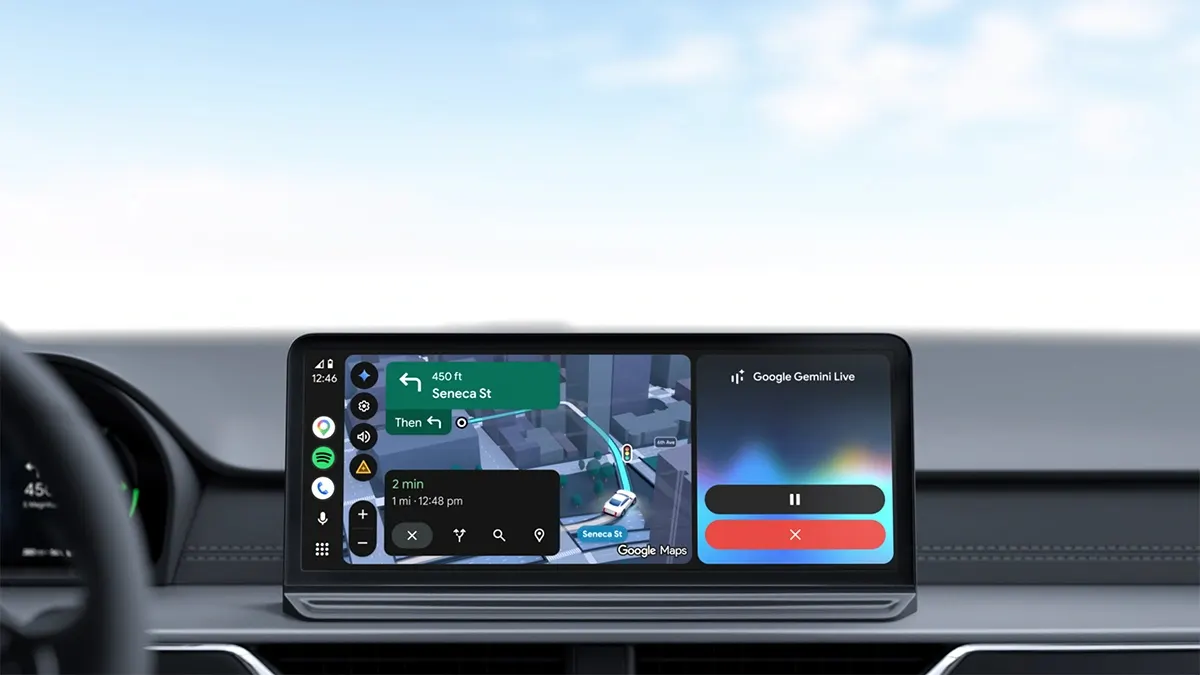
Google has raised the minimum requirement for Android Auto to Android 11. Phones running Android 9 Pie and Android 10 are no longer officially supported.
 SUMO· the number puzzle
 Dialo· learn languages by speaking
 ediviewer· read EDI files like documents
 giftdetect· the right gift in minutes
Google has officially raised the minimum requirements for Android Auto: a phone must now run Android 11 or newer to remain supported. Android 9 Pie and Android 10 drop off the list, which mainly affects people using the wired version of the service, since wireless connections already had higher requirements.
For wired Android Auto, Google now asks for a phone with Android 11 or later, an active data connection and a compatible car. Android 11 debuted in 2020.
A familiar pattern
The move follows a routine Google has used before. In July 2024 the company changed the minimum from Android 8.0 Oreo to Android 9 Pie, but the formal change did not cut off older devices at once. Enforcement came in October 2025, when Android Auto 15.5 began requiring Android 9, while version 15.4 still worked with Android 8. At that time the change touched a small slice of the market: Google's data from April 2025 put Android 8.0 at about 1% of active devices and Android 8.1 at about 3%. This time two Android generations fall away in one step.
Among the affected phones are the Samsung Galaxy S9, Galaxy Note 9 and Sony Xperia XZ2 Compact. A Galaxy S9, with a Snapdragon 845 or Exynos 9810 chip and 4 GB of RAM, is not necessarily too weak to show maps, play music and handle calls on a car screen. The cutoff is set by software and the end of official support, not by hardware.
Why it matters
Older phones are often given a second life as dedicated car devices, and Android Auto is an ideal use for them. Drivers now depend on how long Google chooses to keep its platform compatible with old Android versions. Supporting legacy systems has a cost, and Android 9 and 10 are roughly eight and seven years old.
But for a car, seven or eight years is not old age. A working screen, cable and phone can be rendered useless together by nothing more than a version number.
To check your version, open Settings, then the system update section, which on most phones sits near the bottom of the list. It shows the current Android version and any available update.
Apps worth a look
SUMO: the number puzzleTap the right tiles, add them up, hit the target. Easy to learn, hard to master. Free, for all ages.
Dialo: learn languages by speakingTalk to an AI conversation partner; every sentence comes back corrected and explained in your language. 9 languages, A1 to C2.
ediviewer: read EDI files like documentsOpen EDIFACT and X12 messages, see every segment explained, convert to JSON/XML, export PDF and Excel. Runs locally, no upload.
giftdetect: the right gift in minutesPick who it is for, the occasion and their personality. The search engine reads product descriptions from local shops and ranks what fits. Free, no sign-up.
More from this day
See all →



More in: Mobile
See all →
Google Ends Support for Third-Party Fitbit Apps and Clock Faces

JR East Brings Suica Walk-Through Gates to 40 Tokyo Stations
Google Wallet Adds Alipay Plus Support With Traveler QR