Windows Insider builds test FIDO2 key management and remote lock
Microsoft is testing two security tools in current Windows Insider previews: a way to manage FIDO2 security keys and a way to lock a PC remotely.
 SUMO· the number puzzle
 Dialo· learn languages by speaking
 ediviewer· read EDI files like documents
 giftdetect· the right gift in minutes
Lose a laptop, and you want to lock it before anyone else touches it. Microsoft is now testing exactly that in the current Windows Insider previews, alongside a manager for FIDO2 security keys.
Both features are in the preview builds that Insiders, Microsoft's volunteer testers, can install ahead of the public release. Nothing here is final, and features in these builds can change or disappear before they reach everyone.
What is FIDO2 key management in Windows?
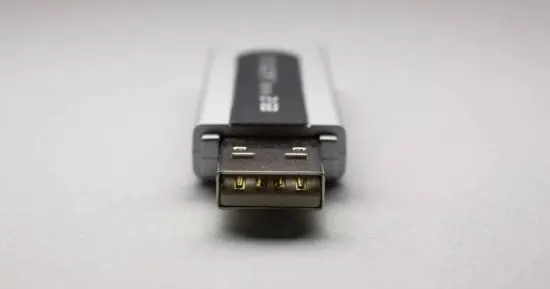
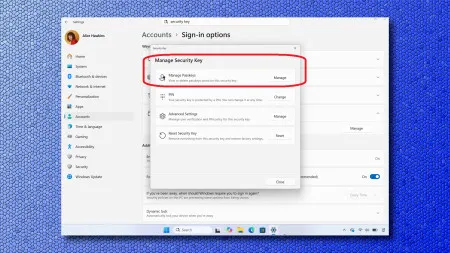
FIDO2 sticks are small hardware keys, usually USB, that you use to sign in without typing a password. The new management function in the Insider builds is meant to let users handle these keys from within Windows. Microsoft's announcement as summarised here does not go into further detail, so we leave out specifics such as menu names or supported key brands.
Can Windows lock a PC remotely?
Yes, in the test builds. Microsoft is trying out a function that locks a PC from afar, which is useful if a device goes missing or is left unattended. How it is triggered, and which accounts or editions it works with, is not stated in the material available to us.
If you want to try it, you need to join the Windows Insider Program and choose a preview channel. Preview builds can be unstable, so a spare machine is the safer place for it.
Apps worth a look
SUMO: the number puzzleTap the right tiles, add them up, hit the target. Easy to learn, hard to master. Free, for all ages.
Dialo: learn languages by speakingTalk to an AI conversation partner; every sentence comes back corrected and explained in your language. 9 languages, A1 to C2.
ediviewer: read EDI files like documentsOpen EDIFACT and X12 messages, see every segment explained, convert to JSON/XML, export PDF and Excel. Runs locally, no upload.
giftdetect: the right gift in minutesPick who it is for, the occasion and their personality. The search engine reads product descriptions from local shops and ranks what fits. Free, no sign-up.
More from this day
See all →
GovTech Deutschland: critics say the lobby group undermines IT bodies
Meta Direct app: Instagram's DMs get a standalone app in Turkey

Instagram India update: Meta cuts suggestive and violent content