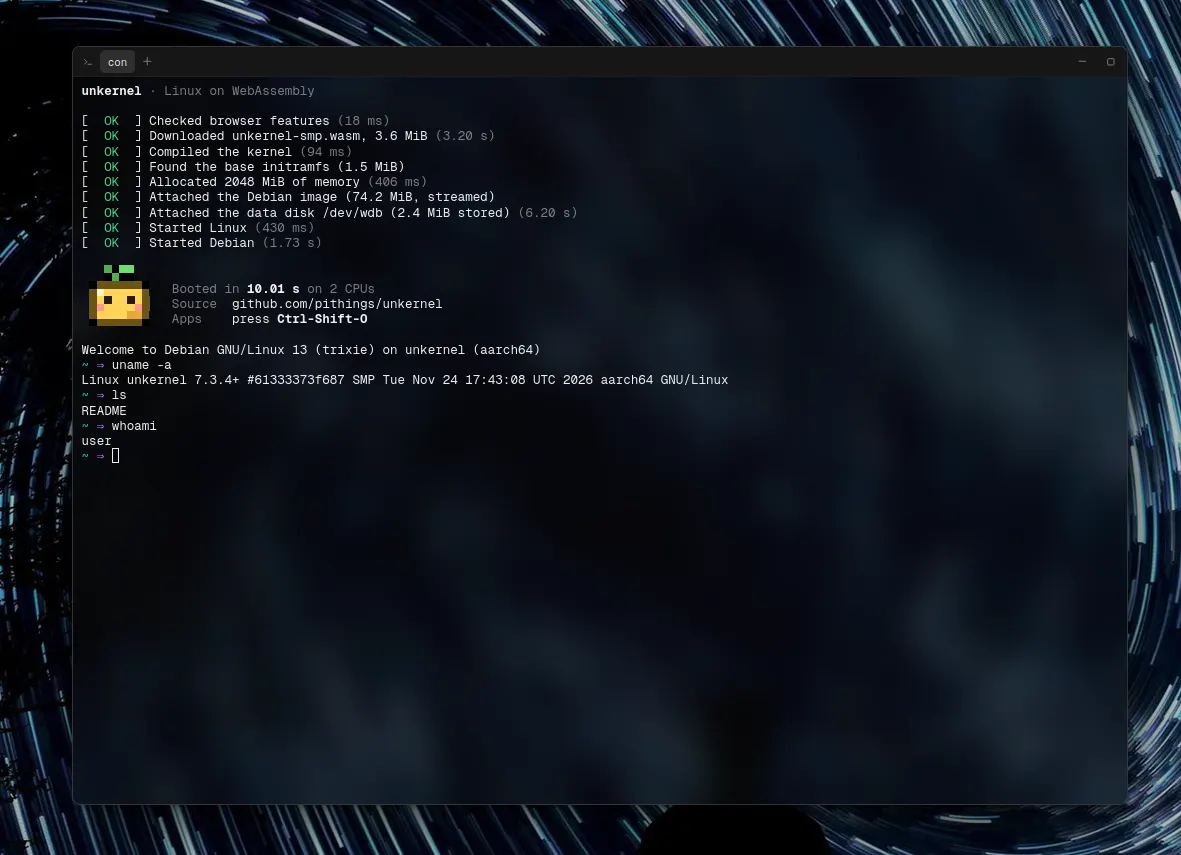
unkernel runs a real Linux 7.3 kernel in your browser tab
unkernel compiles the actual Linux kernel to WebAssembly, so a shell with a package manager appears in under a second, with no server or install.
 SUMO· the number puzzle
 Dialo· learn languages by speaking
 ediviewer· read EDI files like documents
 giftdetect· the right gift in minutes
Open a web page, get a Linux shell. That is the pitch of unkernel, a new open-source project that compiles the real Linux 7.3 kernel to WebAssembly and runs it locally in the browser. It can even run Chrome inside Chrome.
What is unkernel?
It is a Linux 7.x kernel built as a single WebAssembly module, with a full memory management unit. The kernel parts, meaning system calls, the scheduler, memory management, the ext4 file system and the TCP/IP stack, are compiled code, not an emulation. According to the project, programs therefore behave just as they would on a normal Linux system, down to odd corner cases.
Only user programs are emulated, specifically unmodified aarch64 (arm64) Linux binaries. That lets packages from Alpine and Debian run as they are. You get a shell, a package manager, persistent storage, internet access, graphics and sound. Python, Node.js, graphical apps and AI agents are supported, and files and changes are saved in the browser. Nothing needs installing, and every component is open source.
How fast is it?
The kernel reaches /init about 70 ms after start, and an Alpine prompt appears 0.3 seconds after Node starts. A getppid system call takes around 170 ns, against 110 ns natively and 1.7 µs in qemu-system. A fork, exit and wait sequence takes about 60 µs, versus roughly 70 µs natively and 1.2 ms in qemu-system. Those figures were measured on 14 November 2026.
There is a catch: CPU-heavy programs run much slower than native. Frequently used aarch64 code, including AES, PMULL and SHA instructions used by OpenSSL, is compiled to Wasm on the fly.
How does it work, and what do you need?
User programs run in kwemu, an aarch64 CPU emulator written in Zig and built into the kernel. It uses the kernel's own page tables, so real Linux code handles memory. Task switching relies on JSPI, a WebAssembly feature that lets the kernel suspend and resume full stacks.
That is also the requirement: you need JSPI support, meaning Node 24+, Chrome or Edge 137+, Firefox 153+ or Safari 27+, or any browser on iOS/iPadOS 27.
Other browser-Linux projects tend to emulate a whole PC (accurate but slow), re-implement system calls (fast but limited), or recompile programs to Wasm (fast, but fork stops working). unkernel aims to combine the strengths of all three.
Apps worth a look
SUMO: the number puzzleTap the right tiles, add them up, hit the target. Easy to learn, hard to master. Free, for all ages.
Dialo: learn languages by speakingTalk to an AI conversation partner; every sentence comes back corrected and explained in your language. 9 languages, A1 to C2.
ediviewer: read EDI files like documentsOpen EDIFACT and X12 messages, see every segment explained, convert to JSON/XML, export PDF and Excel. Runs locally, no upload.
giftdetect: the right gift in minutesPick who it is for, the occasion and their personality. The search engine reads product descriptions from local shops and ranks what fits. Free, no sign-up.
More from this day
See all →
Neiry pigeon drone: remote-controlled pigeons now take photo orders

TACS Automatic Cassette TRACK B: a watch styled as a cassette

Claude Code account ban: a $200 plan lost after roaming and VPNs

Connection freezes after 16 KB in Russia: TLS works, data stops
More in: Software
See all →
Free Microsoft app for tidying up Windows 11 is a hidden gem

Life without Google and Microsoft: can a PC run on European software?

DB InfraGO's new timetable system could mean more cancelled trains