OLEDTextFix: free Windows tool targets colour fringes on OLED text
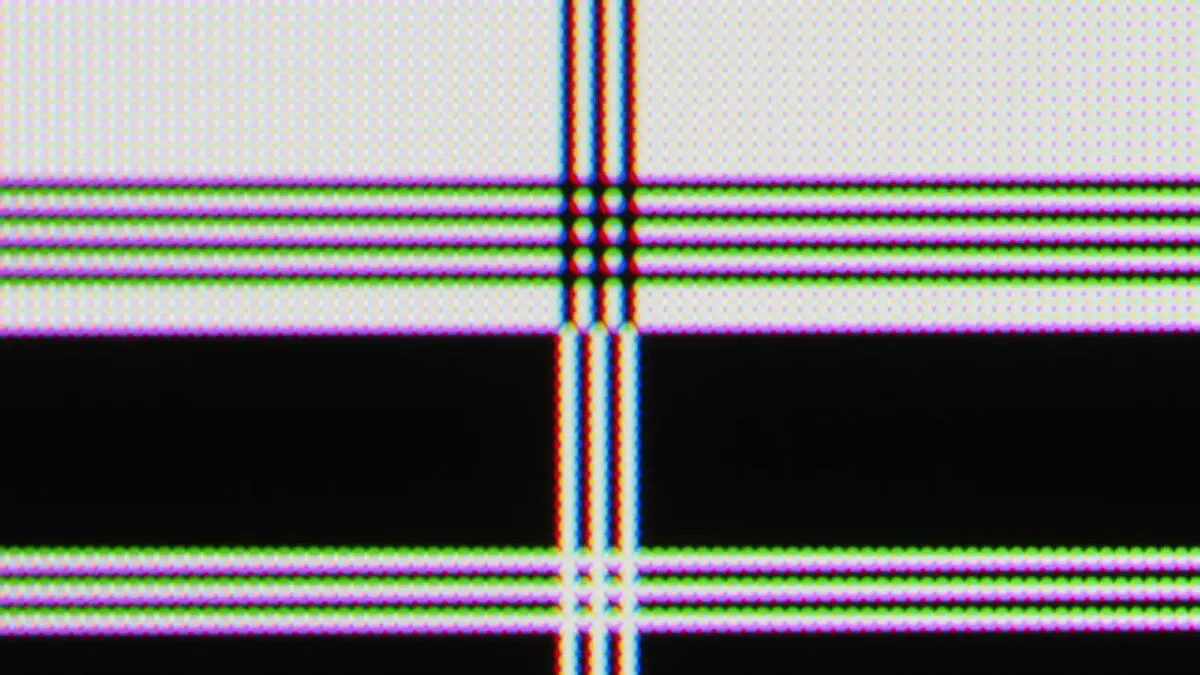
OLEDTextFix is a free, open-source Windows tool that aims to reduce the coloured edges that show up around text on OLED monitors.
 SUMO· the number puzzle
 Dialo· learn languages by speaking
 ediviewer· read EDI files like documents
 giftdetect· the right gift in minutes
If the letters on your new OLED monitor look slightly smudged, with coloured edges around the characters, there is now a free tool that wants to fix it. OLEDTextFix is an open-source utility for Windows built to reduce exactly that kind of colour fringing.
The tool is free and its code is open, so anyone can look at how it works. Its stated goal is to make text on OLED screens look cleaner by softening the coloured halos that appear along the edges of letters.
What is OLEDTextFix?
It is a small Windows program aimed at people who use OLED monitors for work, reading or coding, where text is on screen for hours. The wording from the project is cautious: the tool is supposed to mitigate the fringes, not promise to remove them completely.
Does it cost anything?
No. OLEDTextFix is free and open source. Details such as setup steps, supported Windows versions and how big the improvement is were not available to us, so it is worth testing on your own monitor and judging the result by eye.
For anyone who bought an OLED display and found text rendering a bit off, it is a no-cost thing to try.
Apps worth a look
SUMO: the number puzzleTap the right tiles, add them up, hit the target. Easy to learn, hard to master. Free, for all ages.
Dialo: learn languages by speakingTalk to an AI conversation partner; every sentence comes back corrected and explained in your language. 9 languages, A1 to C2.
ediviewer: read EDI files like documentsOpen EDIFACT and X12 messages, see every segment explained, convert to JSON/XML, export PDF and Excel. Runs locally, no upload.
giftdetect: the right gift in minutesPick who it is for, the occasion and their personality. The search engine reads product descriptions from local shops and ranks what fits. Free, no sign-up.
More from this day
See all →
Teenage Engineering CD player: open drive, DJ mixing, Auracast

Denmark smartphone ban in schools: no phones up to 10th grade
Google Maps vs Google Earth: what each one is actually for