Gemini now works in Apple CarPlay for hands-free chats on the road
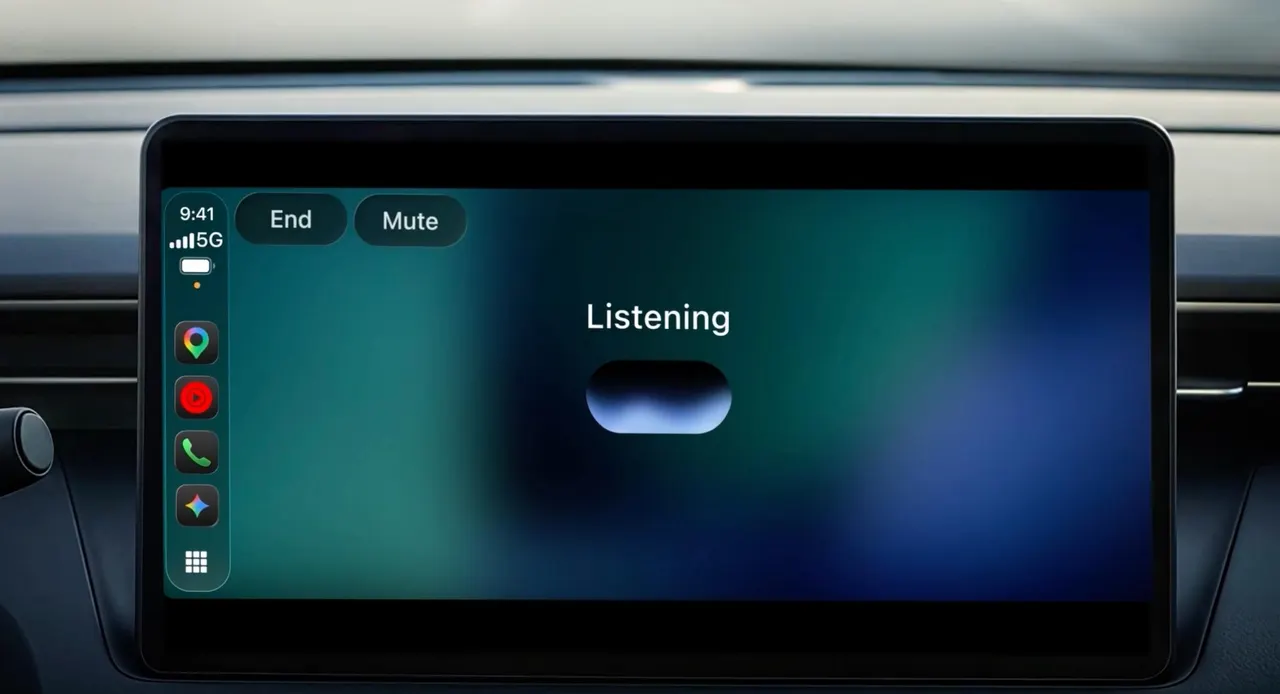
Google's Gemini has arrived on Apple CarPlay. You can now talk to Gemini Live from your car's display without touching your phone, from calendar checks to email.
 SUMO· the number puzzle
 Dialo· learn languages by speaking
 ediviewer· read EDI files like documents
 giftdetect· the right gift in minutes
If you already use CarPlay for navigation, you can now talk to Google's AI in the car too. Gemini added CarPlay support on November 11, so Gemini in CarPlay is a real option for your commute.
In practice, it means you can hold a hands-free conversation with Gemini Live from the car's display. Apple's in-car mode has been collecting AI assistants for a while. Siri's AI features are there, and so are OpenAI's ChatGPT, Anthropic's Claude and X's Grok. Gemini was the missing name.
What can you do with Gemini in CarPlay?
The obvious draw is Google's own services. Gemini can reach your calendar and Gmail, so you can check upcoming appointments and tasks on the way to work. It can also pick out the important messages from your new email and read them aloud. If something needs follow-up, you can have it added as a task, or create a calendar event from an email.
That is the kind of thing plenty of office workers have probably wanted from a car assistant. Instead of glancing at a phone at a red light, you just ask.
Who is it for?
The pitch is aimed at people who live inside the Google ecosystem, meaning Calendar, Gmail and Tasks. If that is you, installing the Gemini app is the way to get this working. If you rely on other services for your schedule and mail, the advantage is smaller, since the convenience here comes from Gemini's easy access to Google's own tools.
The source material does not cover regional availability or pricing, so check the Gemini app on your phone for details.
Apps worth a look
SUMO: the number puzzleTap the right tiles, add them up, hit the target. Easy to learn, hard to master. Free, for all ages.
Dialo: learn languages by speakingTalk to an AI conversation partner; every sentence comes back corrected and explained in your language. 9 languages, A1 to C2.
ediviewer: read EDI files like documentsOpen EDIFACT and X12 messages, see every segment explained, convert to JSON/XML, export PDF and Excel. Runs locally, no upload.
giftdetect: the right gift in minutesPick who it is for, the occasion and their personality. The search engine reads product descriptions from local shops and ranks what fits. Free, no sign-up.
More from this day
See all →
XDOWN STUD drone: a throwable attack drone, eight per backpack

Korea Financial Security Institute hacked, 650 records leaked
Beget outage: tiny UFO Hosting won more sites than Timeweb