Fake bank text message: 7 signs it's a scam, and what to do
Scam texts pretend to be your bank and warn that your card or account is about to be blocked. Here are seven signs to spot them and what to do if you clicked.
 SUMO· the number puzzle
 Dialo· learn languages by speaking
 ediviewer· read EDI files like documents
 giftdetect· the right gift in minutes
The text says your card will be blocked in a few minutes. It looks like it came from your bank. If you're not sure how to spot a fake bank text message, that panic is exactly what the sender is counting on.
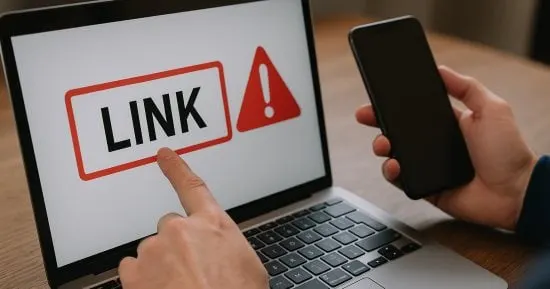
Scam attempts aimed at bank customers are on the rise. The messages pose as a bank and try to get you to hand over personal details or card data, or to tap a fake link that gives the fraudsters access to your account. They usually invent an urgent problem: a suspended card, a frozen account, an unusual transaction.
7 signs a bank text is fake
1. It asks for secrets. A PIN, an account password or the verification code sent to your phone should never be typed into a link or sent by text.
2. The link looks official but isn't. It leads to a copy of the bank's login page built to steal your details.
3. It's in a hurry. Phrases like "your account will be suspended in minutes" or "confirm your details now" push you to act before you think.
4. The sender is odd. A personal phone number or an unknown sender is a red flag. But seeing the bank's name on your screen proves nothing, because sender names can be faked.
5. The writing is off. Spelling mistakes, strange phrasing or a layout unlike the bank's real messages.
6. It wants you to cancel a purchase. A text about a purchase or transfer, with a link to cancel it. Don't use the link. Contact the bank directly.
7. It asks you to install something. An unknown app or a file to "update your account" may carry malware that steals personal information.
What to do if you got one
Don't tap any link and don't reply. Call the number on the back of your bank card or use the official website to check.
If you already entered your details, call the bank right away and ask it to secure the account or stop the card. Then change your login details through the official app or site, review recent transactions and report anything you don't recognise.
For everyday protection, check any financial alert in the bank's official app, never share your PIN or codes, and keep your phone and apps updated.
Apps worth a look
SUMO: the number puzzleTap the right tiles, add them up, hit the target. Easy to learn, hard to master. Free, for all ages.
Dialo: learn languages by speakingTalk to an AI conversation partner; every sentence comes back corrected and explained in your language. 9 languages, A1 to C2.
ediviewer: read EDI files like documentsOpen EDIFACT and X12 messages, see every segment explained, convert to JSON/XML, export PDF and Excel. Runs locally, no upload.
giftdetect: the right gift in minutesPick who it is for, the occasion and their personality. The search engine reads product descriptions from local shops and ranks what fits. Free, no sign-up.
More from this day
See all →
Nāpōwawāʻenakaulua: Webb Finds Earliest Quasar Pair Ever

United Airlines AI agent ban: bots can't tick the check-in box

Jensen Huang resigns as Nvidia CEO; Colette Kress steps in as interim

Windows WinSxS folder: the DISM command that frees up to 10 GB
More in: Security
See all →
ScreenConnect RMM+ plugin flaw lets hackers hit 288 PCs
Is your smart TV spying on you? Questions about TV data
Krakow attacker's iPhone may need Apple's help to unlock