Bing AI off switch: Microsoft's new Edge and Chrome extension
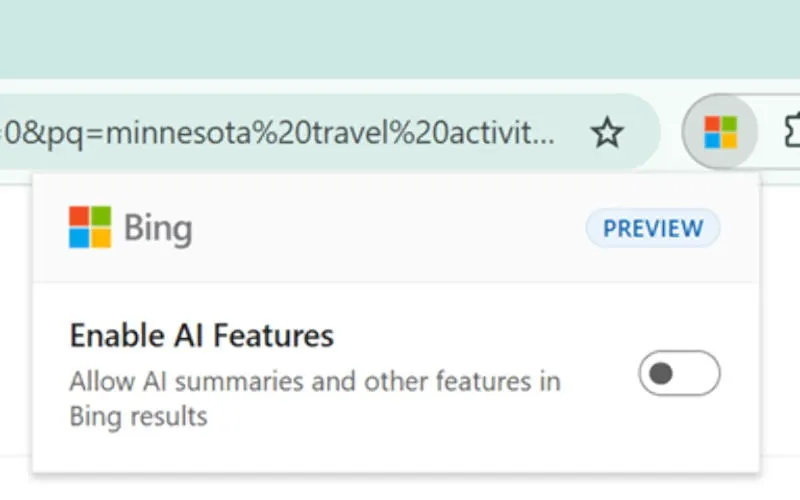
Microsoft has released a browser extension that turns off AI summaries and chat features in Bing results, for people who just want the plain list of links.
 SUMO· the number puzzle
 Dialo· learn languages by speaking
 ediviewer· read EDI files like documents
 giftdetect· the right gift in minutes
Microsoft now offers a way to get Bing without the AI. The company has released a browser extension that switches off AI summaries and chat features in Bing search results, and it works in both Edge and Google Chrome.
The idea is simple. Bing has spent the past while adding AI-written answers and chat prompts to its results pages. Some people like that. Others find it clutter and would rather see ordinary search results. The extension is aimed at that second group, giving them a Bing AI off switch instead of making them live with it.
What does the Bing AI extension do?
According to the company, it lets you disable the AI summaries that appear in Bing results, along with the chat functions built into the search page. It is available for Edge, Microsoft's own browser, and for Chrome, which is a notable detail: Microsoft is offering the tool on its biggest rival's browser too.
Why it matters
It is a small concession from a company that has pushed AI hard across its products. Microsoft is acknowledging that some users consider the AI features unnecessary, and it is giving them an official way out rather than leaving them to hunt for workarounds.
The details we have are limited. Beyond turning off summaries and chat in Bing results, the material available does not say how the extension is installed, whether it has other settings, or whether it will reach other browsers. If you want classic Bing results in Edge or Chrome, the extension is the place to start.
Apps worth a look
SUMO: the number puzzleTap the right tiles, add them up, hit the target. Easy to learn, hard to master. Free, for all ages.
Dialo: learn languages by speakingTalk to an AI conversation partner; every sentence comes back corrected and explained in your language. 9 languages, A1 to C2.
ediviewer: read EDI files like documentsOpen EDIFACT and X12 messages, see every segment explained, convert to JSON/XML, export PDF and Excel. Runs locally, no upload.
giftdetect: the right gift in minutesPick who it is for, the occasion and their personality. The search engine reads product descriptions from local shops and ranks what fits. Free, no sign-up.
More from this day
See all →
Gemini on CarPlay: Google's AI assistant now talks on your car screen

Zupee shutdown: Ludo app lays off all staff weeks after AI pivot

United Airlines moves to block AI agents from booking flights

Masa pizzeria owner exposes fake burnt pizza refund with AI check
More in: Software
See all →
KORA OS: a Linux-based system built around AI, due in 2027
Windows 11 End Task button on the taskbar is off by default
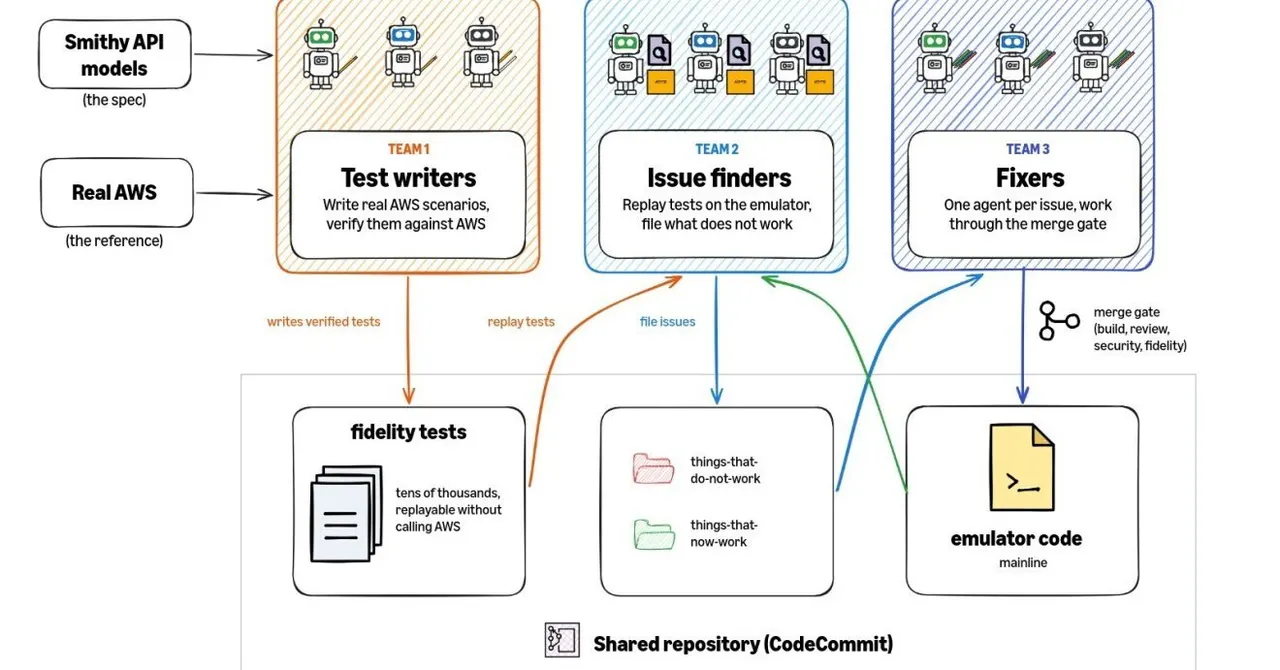
AWS Emulator: a free local AWS clone written entirely by AI agents